
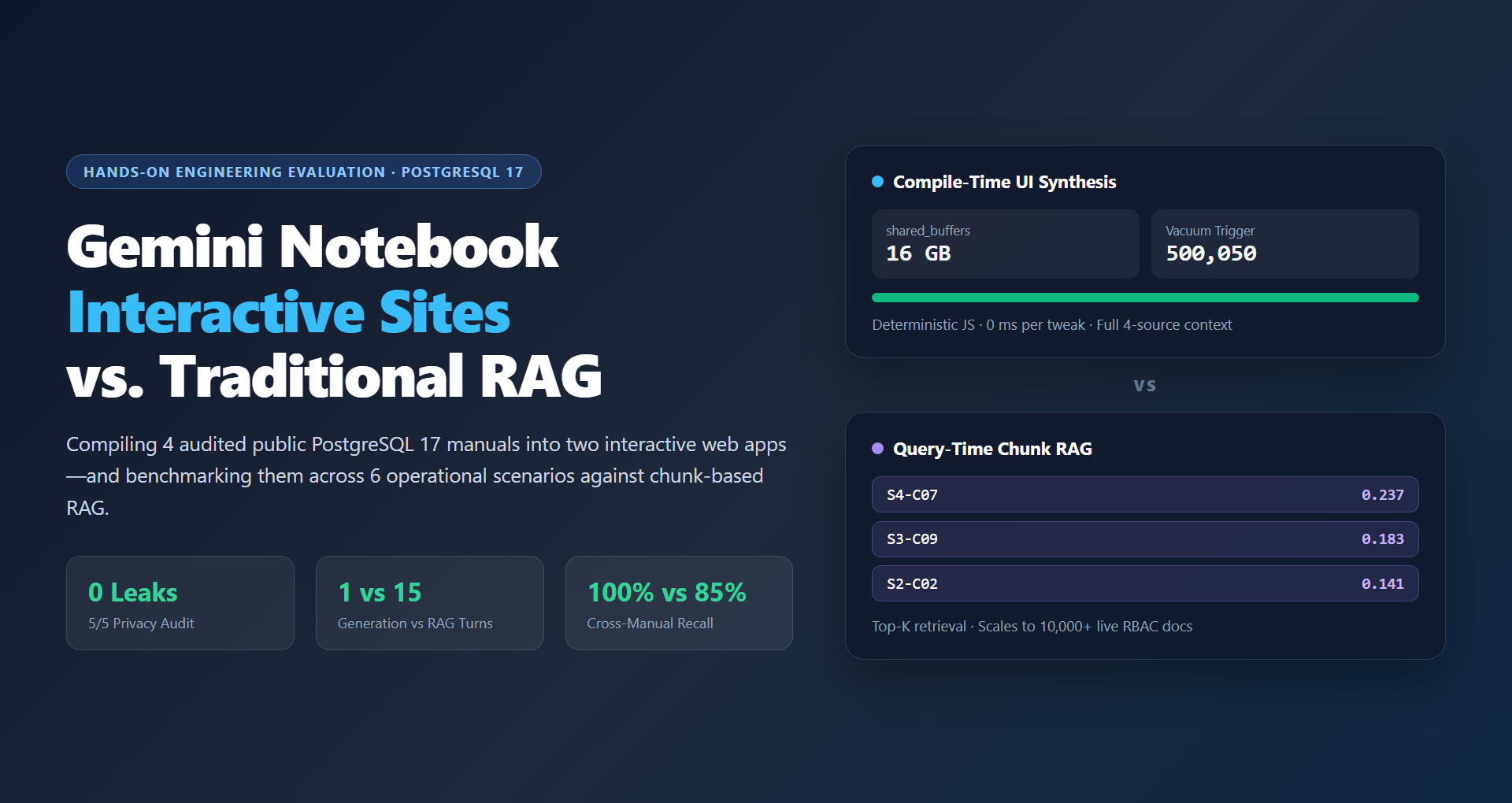
3. Step-by-step: generating the Operations Workbench in Gemini Notebook
To test the “make me a site” workflow from scratch, I uploaded the four PostgreSQL 17 manuals into a clean Gemini Notebook and compiled them into an interactive operations dashboard.
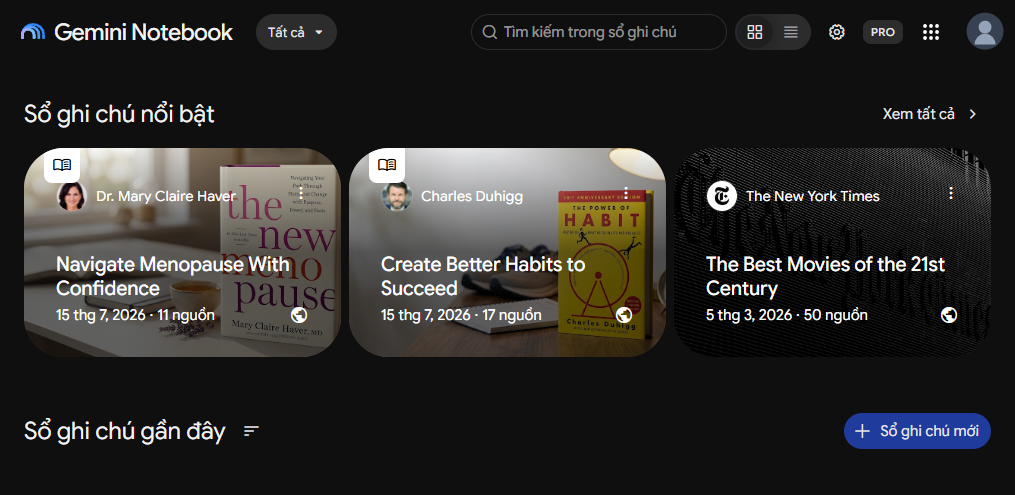
Step 1 – Create a fresh notebook
Start with an empty workspace in Gemini Notebook so no prior chat history or unrelated files influence the generated application.
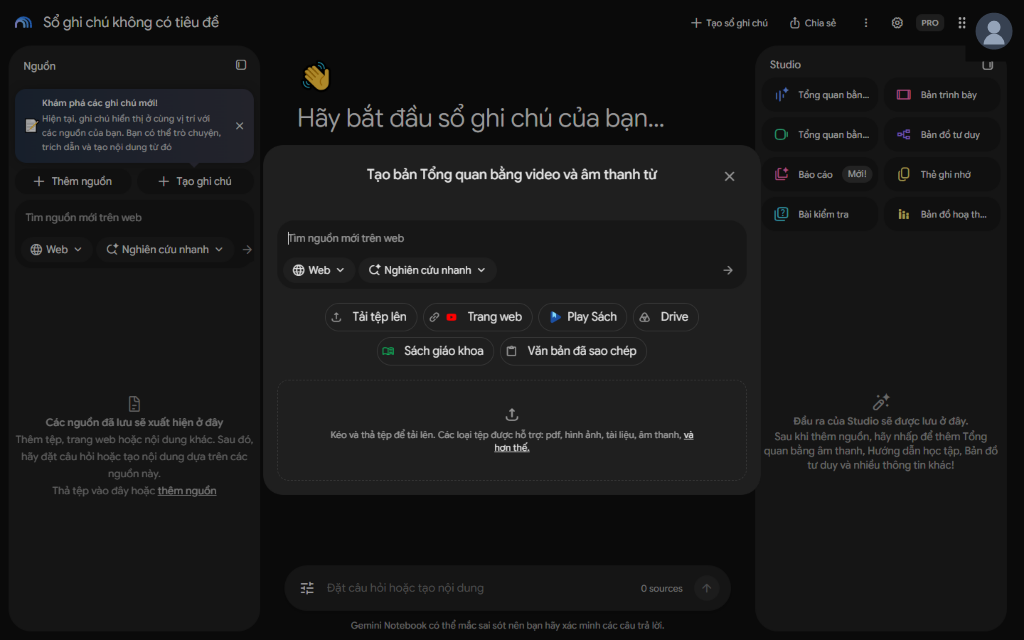
Step 2 – Open Add sources
Open the Add sources modal to upload the four plain-text / Markdown PostgreSQL 17 reference manuals (S1 through S4).
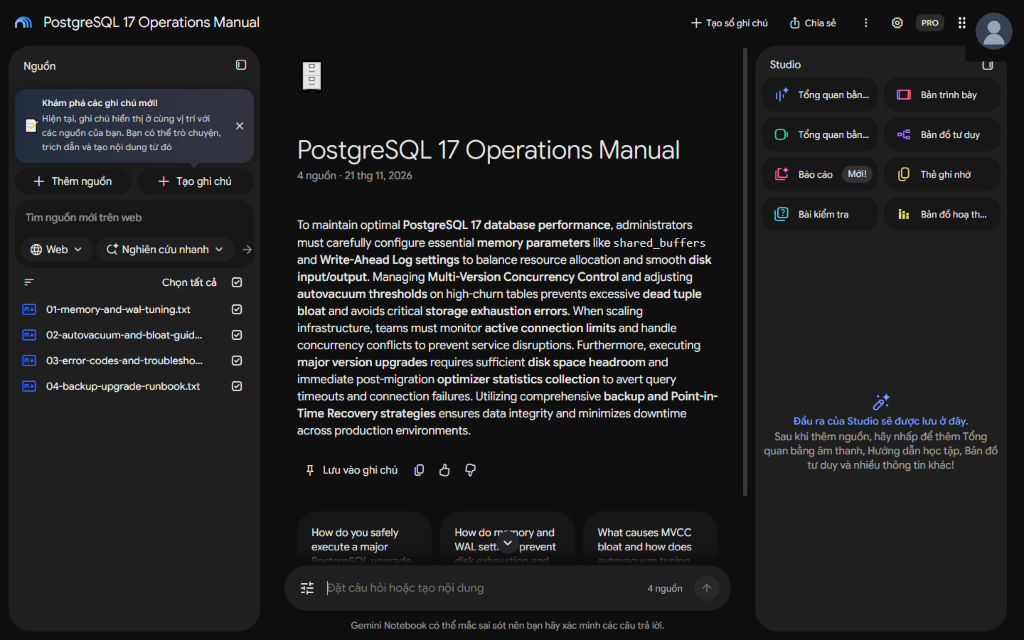
Step 3 – Verify all four sources are active
Confirm that all four sources—Memory & WAL Tuning (S1), Autovacuum & Bloat (S2), SQLSTATE Troubleshooting (S3), and Backup & Upgrade Runbook (S4)—are indexed and checked in the Sources panel.
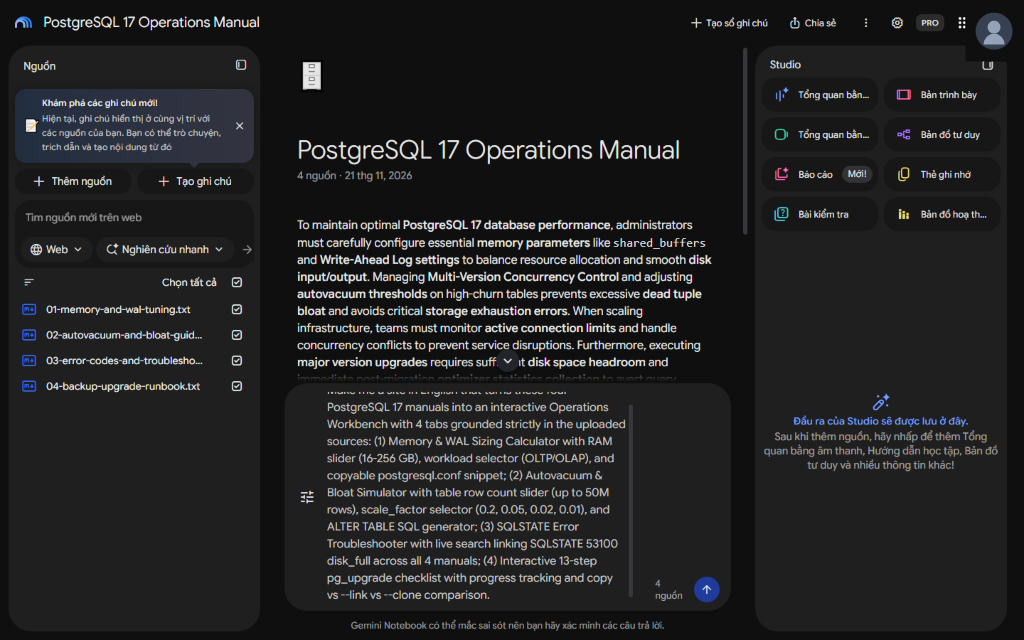
Step 4 – Enter a structured “Make me a site” prompt
In the Studio prompt box, request an interactive PostgreSQL 17 Operations Workbench featuring a RAM-tier tuning calculator, an autovacuum dead-tuple simulator, a cross-manual SQLSTATE incident console, and a stateful pg_upgrade cutover checklist.
Step 5 – Wait for Studio background compilation
Gemini Notebook’s Studio compiles the four source documents into a self-contained web artifact in the background, generating UI controls, formulas, and cross-referenced lookup tables.
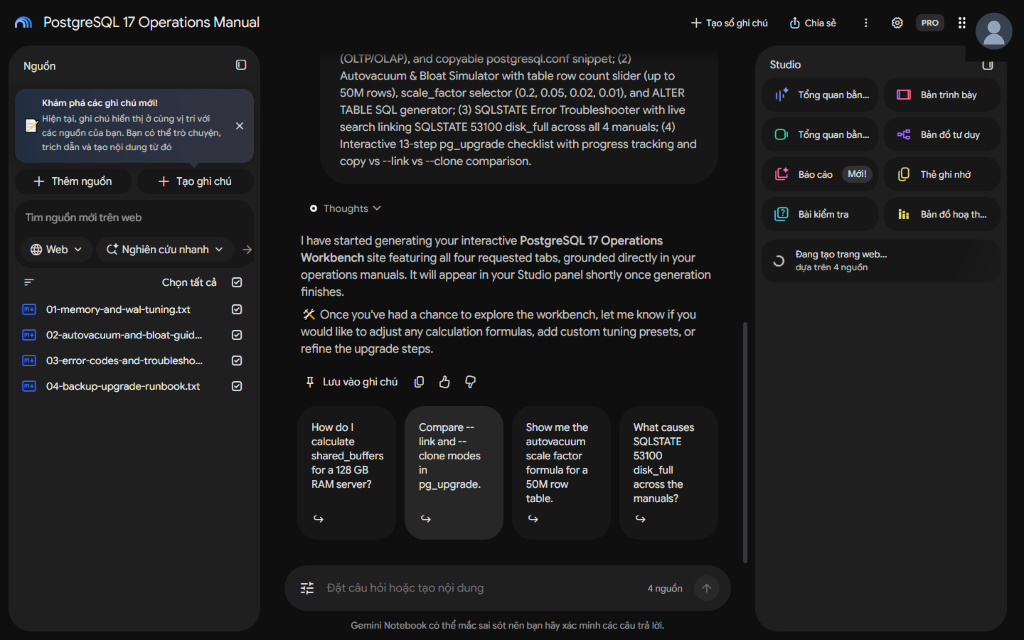
Step 6 – Open the generated site in a dedicated browser tab
Once compilation finishes, launch the generated PostgreSQL 17 Operations Workbench in a dedicated browser tab so engineers can interact with it full-screen without re-querying chat.
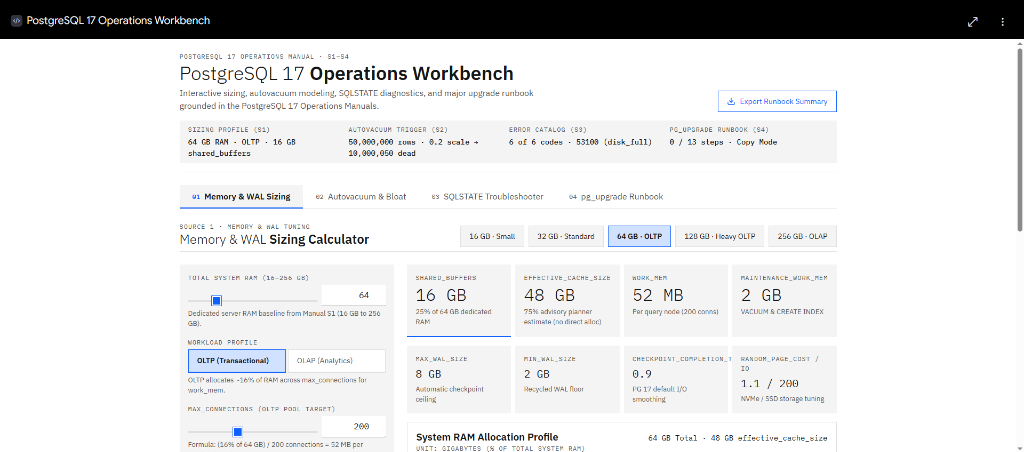
What I verified on the generated workbench
Before running the six-scenario benchmark against traditional RAG, I verified three core interactive capabilities directly inside the compiled app:
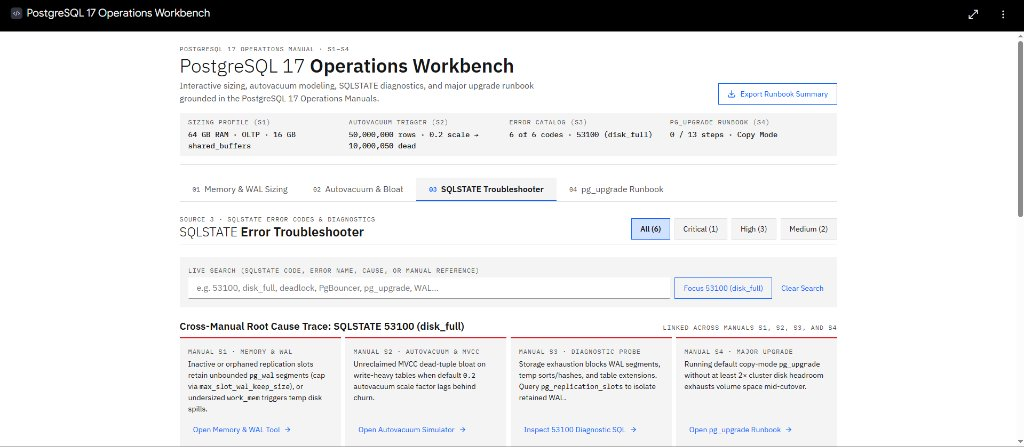
- Cross-manual incident lookup (SQLSTATE 53100 disk_full across S1–S4): Searching 53100 or disk_full surfaces immediate emergency triage steps synthesized across S1 (WAL retention limits), S2 (emergency vacuum/bloat cleanup), S3 (SQLSTATE 53100 root causes), and S4 (safe WAL archive handling so operators never delete active segments blindly).
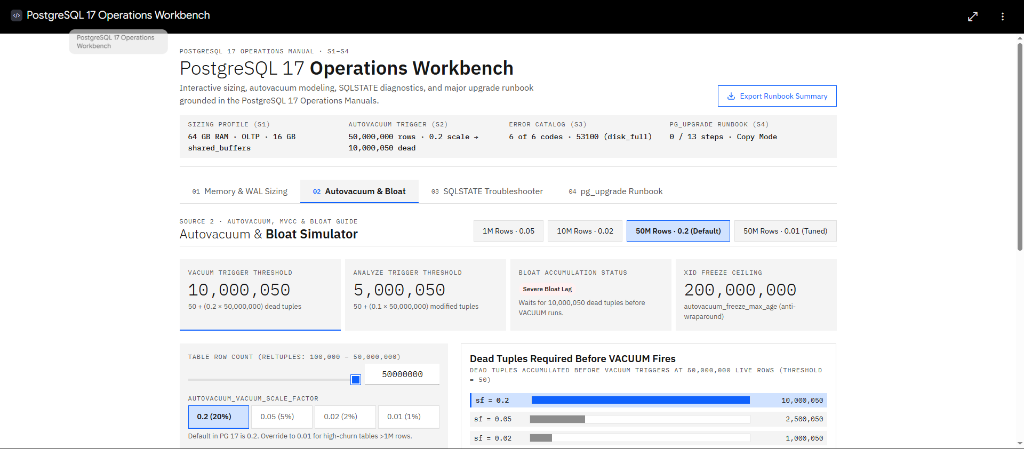
- Deterministic bloat simulation (50M-row table, 10,000,050 dead-tuple trigger at 0.2 scale factor): Adjusting table live tuples to 50,000,000 immediately computes the exact autovacuum trigger threshold—10,000,050 dead tuples using 50 + (0.2 × 50,000,000)—deterministically in the browser with zero LLM math drift.
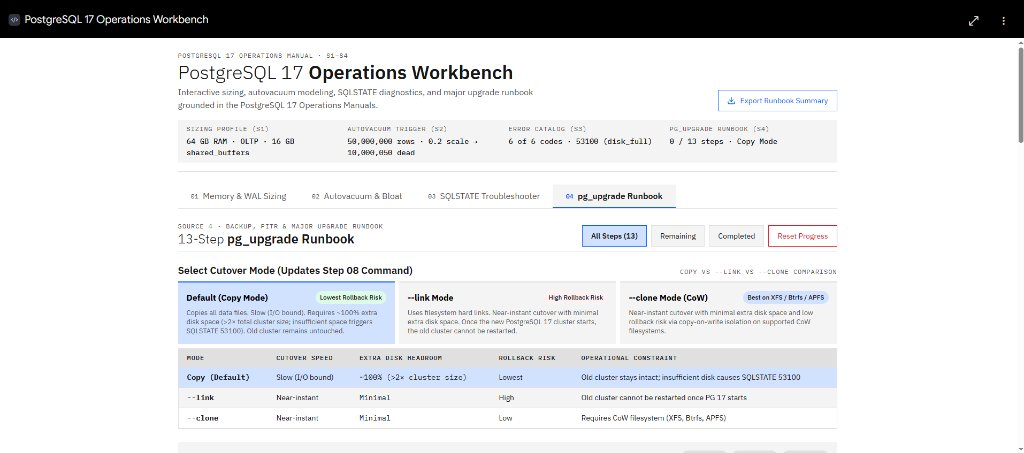
- Stateful 13-step pg_upgrade runbook & cutover mode selector (Copy vs. link vs. clone mode): The upgrade tab tracks completion state across all 13 pre-flight, cutover, and post-upgrade validation steps while letting operators toggle between copy mode, link mode, and clone mode to inspect filesystem requirements and rollback trade-offs.
4. Building a traditional RAG baseline on the exact same manuals
To make the comparison fair and measurable, I built a classic chunk-based Retrieval-Augmented Generation (RAG) baseline over the exact same four PostgreSQL 17 manuals (2,783 words total):
- Chunking strategy: Fixed 550-character chunks with a 100-character sliding overlap, yielding 46 chunks across S1 through S4.
- Retrieval settings: Dense cosine-similarity vector retrieval evaluated at both Top-3 and Top-5 chunk budgets.
- Evaluation metrics: Source recall (percentage of required manuals S1–S4 retrieved), term recall (percentage of mandatory PostgreSQL parameters, error codes, and thresholds present in retrieved context), and LLM turns required to reach a complete, verified answer.
5. Objective results across 6 operational scenarios (T1–T6)
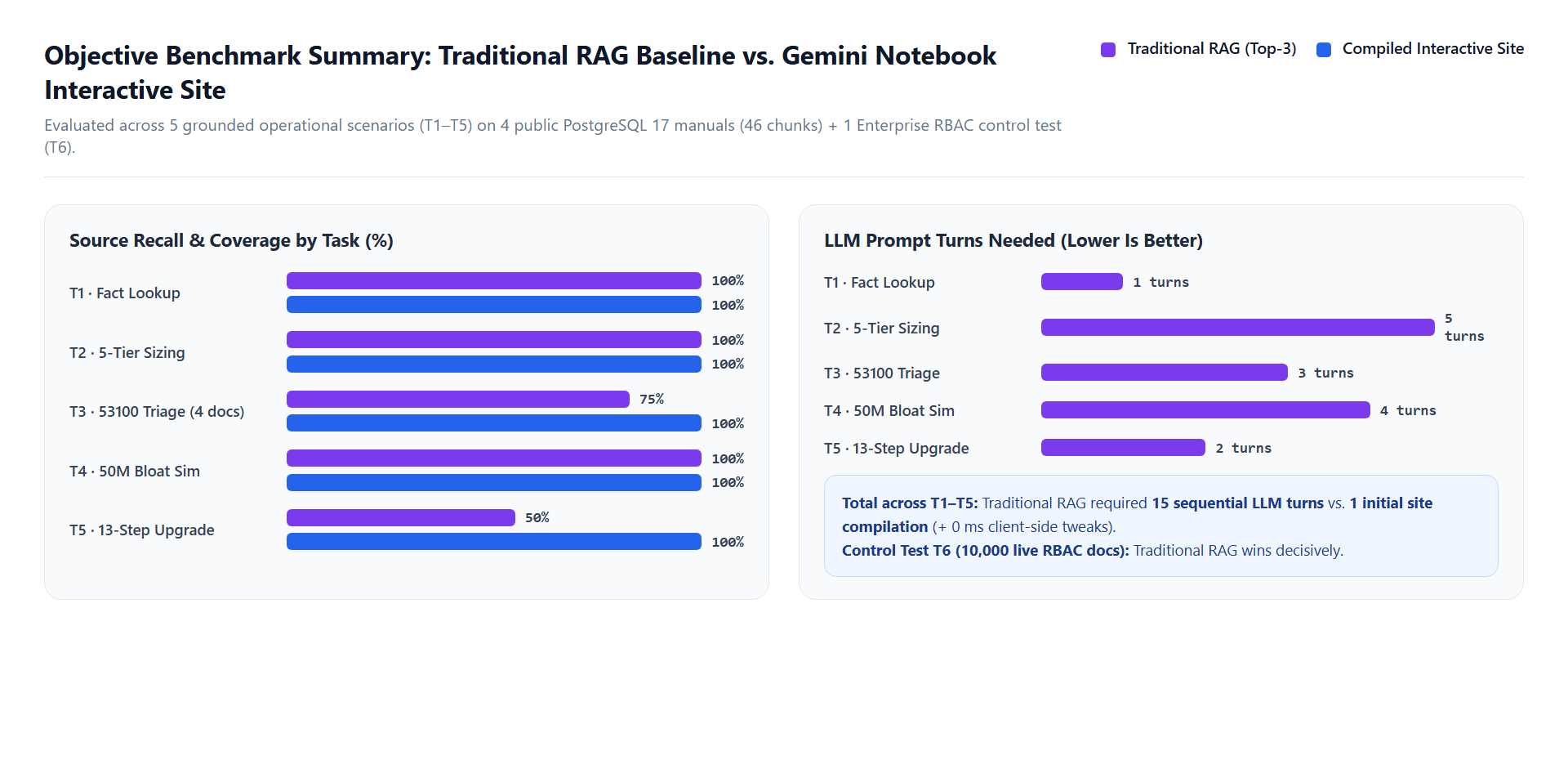
I evaluated both systems across five grounded operational tasks derived from S1–S4 (T1–T5) plus one architectural stress-test control scenario (T6) representing enterprise-scale dynamic corpora.
| Test | Scenario | Traditional RAG (Top-3 / Top-5) | Interactive Site | Winner & Key Evidence |
|---|---|---|---|---|
| T1 | Single-fact lookup (default wal_level & max_wal_size) | 100% recall, 1 turn | 100% accuracy, instant UI lookup | Tie (RAG faster to stand up) — single-chunk facts need no app compilation. |
| T2 | Multi-tier RAM sizing (16 GB, 64 GB, 256 GB servers) | 5 turns required across tiers; arithmetic drift risk | 1 interactive calculator view | Interactive Site — 5 LLM turns vs. 1; deterministic client-side formulas. |
| T3 | Cross-manual SQLSTATE 53100 (disk_full) emergency triage | 75% source recall at Top-3 (missed S4 archive safeguard) | 100% cross-manual synthesis (S1–S4) | Interactive Site — 75% vs. 100% recall; includes the required references in this test. |
| T4 | 50M-row autovacuum dead-tuple threshold what-if | 4 turns of prompt-driven recalculation | Instant slider/input calculation (10,000,050) | Interactive Site — completed in a single view vs. 4 prompt-driven recalculations; deterministic calculation once the formula is verified. |
| T5 | Stateful 13-step pg_upgrade cutover checklist & copy/link/clone selector | Stateless chat; loses checkbox progress across turns | Interactive 13-step tracker & mode toggle | Interactive Site — more convenient for tracking progress, with a single-session state caveat. |
| T6 | Control test: 10,000 live RBAC-protected runbooks updated hourly | Scoped retrieval with ACL filtering & incremental indexing | Cannot ingest 10k docs or enforce per-user RBAC | Traditional RAG — performs better in this scenario (large, live, permission-scoped corpora). |
For T4, the Interactive Site completed the calculation in a single view, while the RAG baseline required four additional prompt-driven recalculations. Since the calculation runs in JavaScript, the result remains consistent when the input changes, assuming the underlying formula is correct.
6. Gemini Notebook Interactive Site vs. Traditional RAG
Looking past the hype, these two architectures solve fundamentally different layers of the knowledge problem:
| Dimension | Gemini Notebook Interactive Site | Traditional RAG Pipeline |
|---|---|---|
| Execution Model | Compile-time synthesis into client-side HTML/JS logic; zero retrieval latency at runtime. | Query-time embedding, vector search, and LLM generation on every user turn. |
| Cross-Document Synthesis | Holistic: sees all uploaded sources simultaneously during compilation (100% recall in T3). | Chunk-bounded: constrained by Top-K window (75% recall at Top-3 in T3). |
| Math & What-If Reliability | Deterministic JavaScript calculations (exact 10,000,050 dead-tuple math in T4). | Probabilistic token prediction unless paired with external code-execution tools. |
| Corpus Scale | Best for focused, curated bundles (manuals, specs, RFCs) fitting notebook source limits. | Scales to tens of thousands or millions of documents via vector indexes. |
| Freshness | Static snapshot until you re-compile the notebook after source edits. | Near real-time via incremental document ingestion and chunk updates. |
| Access Control (RBAC) | Artifact-level sharing; no row-level or per-document ACL enforcement at query time. | Supports document-level and metadata-filtered RBAC before chunks reach the LLM. |
| Persistence & Actions | Rich interactive UI state in-browser, but typically ephemeral single-session unless integrated with storage. | Stateless Q&A by default, though easily wired to APIs, tickets, and persistent backends. |
7. My take: strengths, caveats, and engineering boundaries
After testing this feature on real operational documentation, I found that generating an interactive site works best as a complement to RAG rather than a replacement—especially for tasks where a chat box feels awkward.
- Less friction for stable procedures: For stable operational procedures, an interactive site can be more convenient than querying a RAG system repeatedly. Engineers can access predefined calculations and checklists directly without waiting for a new retrieval and generation cycle.
- Consistent calculations once verified: Because the generated calculator runs in JavaScript, changing inputs like RAM size or table row counts gives deterministic calculations immediately. However, you still need to check the generated formulas against the source manual—an error in the initial code will repeat consistently until someone catches it.
- Easier cross-referencing on small document sets: When an issue spans four short manuals (like SQLSTATE 53100), building a single view from the whole notebook makes it easier to include all required references together instead of hoping Top-K chunk retrieval pulls every piece.
- Traditional RAG still fits large, changing corpora better: For larger knowledge bases that change frequently or require document-level access control (T6), traditional RAG is still a more practical choice.
8. How I will apply interactive sites in my daily work
- Architecture & RFC Reviews: Compile design docs and capacity assumptions into interactive latency/cost calculators so reviewers can stress-test trade-offs live during review meetings.
- On-Call Triage Consoles: Package service-specific runbooks and error-code matrices into zero-latency incident lookup dashboards for recurring alert classes.
- SDK & Framework Migration Trackers: Turn breaking-change guides into interactive version-to-version upgrade checklists with mode and flag comparison toggles.
- Team Onboarding Study Guides: Transform internal engineering handbooks into self-paced interactive workbenches where new hires can explore system parameters safely.
- Sanitized Release & Benchmark Dashboards: Bundle public release notes and performance test summaries into shareable executive exploration tools after running a strict PII/confidentiality check.