AI-generated images are becoming increasingly useful in development work.
As a developer, I may need a quick UI concept for a prototype, a visual for technical documentation, an illustration for a project demo, or simply an image that helps explain an idea more clearly.
For these tasks, Nano Banana is already useful. I can describe what I want, generate an image, and continue refining it through natural-language prompts.
Recently, Google introduced Google Pics, an AI image generation and editing tool built around Google’s Nano Banana image technology.
This raised a simple question for me:
If Nano Banana can already generate and edit images well, what does Google Pics actually add?
To find out, I tried Google Pics myself and compared its editing workflow with using Nano Banana through Gemini.
What Can Google Pics Do?
Google Pics can generate a completely new image from a text prompt or edit an existing image.
The more interesting part, however, is what happens after the first image is generated.
Pics allows users to interact directly with elements inside an image. For example, I can select an object and ask AI to modify it, select text and rewrite it, or manually select a specific area that I want to change.
It also supports several practical editing features:
- generating multiple variations from one prompt;
- selecting and editing individual objects;
- editing or translating text inside an image;
- selecting a specific area manually;
- preparing multiple edits before applying them together;
- cropping images to different aspect ratios;
- upscaling images to 2K or 4K.
Google describes this approach as moving away from the typical “prompt-and-pray” workflow, where every new prompt may unexpectedly change parts of the image that were already correct.
That was the feature I was most interested in testing.
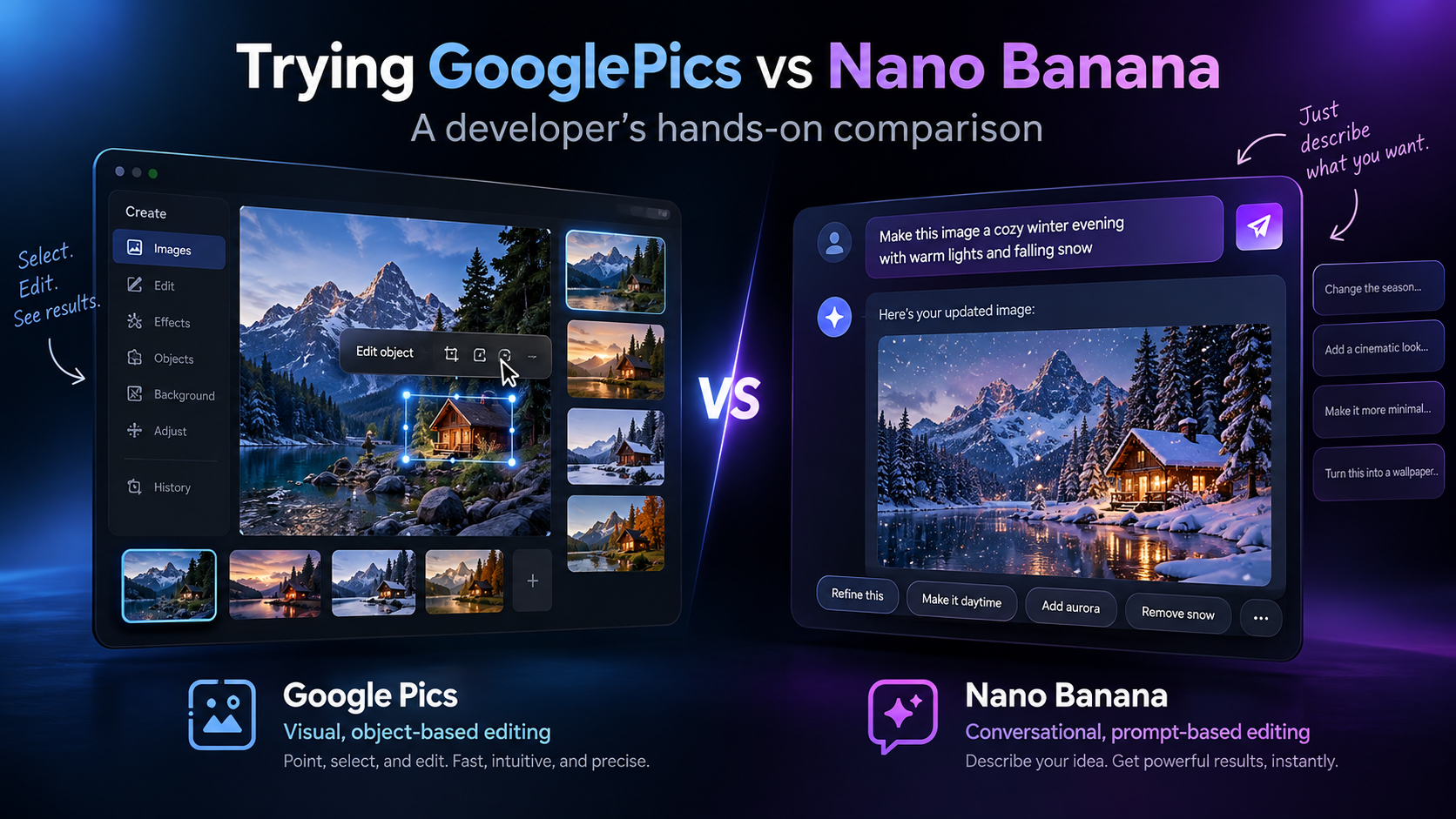
Google Pics vs Nano Banana
One important point is that Google Pics and Nano Banana are not really the same type of product.
Nano Banana is the AI image-generation and editing technology. Google Pics is an application built around that technology.
Nano Banana can be accessed through products such as Gemini and, depending on the account and plan, Google AI Studio or the Gemini API.
Pics adds a visual editing interface on top of the AI capabilities.
The practical difference looks like this:
| Google Pics | Nano Banana | |
|---|---|---|
| Main concept | Visual image editor | AI image model |
| Interaction | Select objects + prompts | Natural-language prompts |
| Target an object | Click/select it | Describe it in the prompt |
| Edit text | Select the text directly | Ask the model to change it |
| Multiple edits | Can prepare several before applying | Describe changes conversationally |
| Programmatic use | Not the main purpose | Suitable for API/automation |
| Best fit | Manual image refinement | Prompt-based or automated workflows |
So my goal was not to find out which AI was “smarter.”
I wanted to see which workflow was more convenient.
My Hands-On Test
For my test, I chose something related to my work as a developer rather than generating a random artistic image.
I created a fictional developer platform called DevFlow and asked Google Pics to generate a dashboard mockup.
My prompt was:
Create a professional 16:9 product mockup for a developer platform called “DevFlow”. Use a modern dark-mode SaaS dashboard. Include Build Status, API Latency, and Deployment Health. Add a small terminal panel showing a successful deployment. Use clean spacing, realistic UI components and subtle blue accents.
Pics generated several alternatives, allowing me to choose one before continuing with the edits.
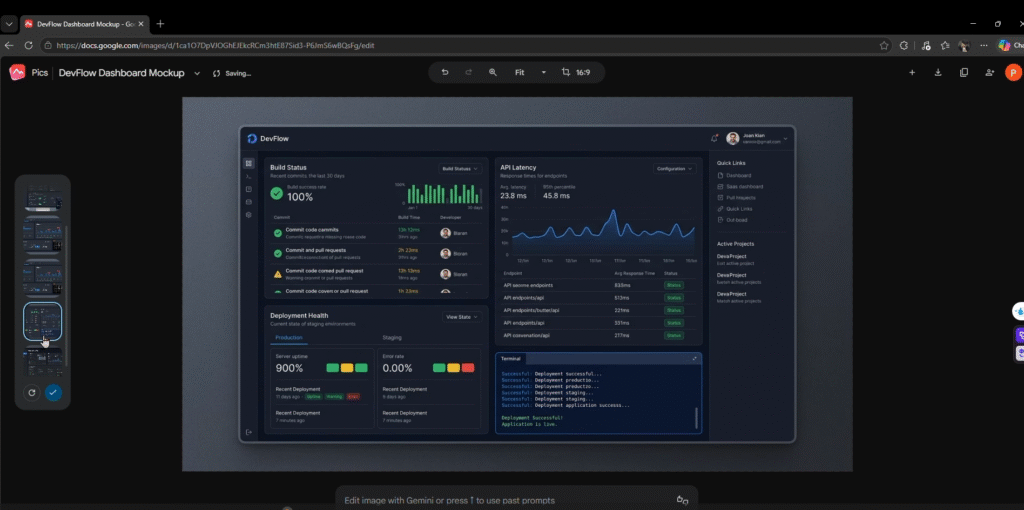
The generation itself worked well, but this was not the main thing I wanted to evaluate.
I was more interested in whether Pics could make small changes without unnecessarily modifying the rest of the image.
Editing Individual Objects
First, I selected the Build Status section and asked Pics to change it to an amber warning state.
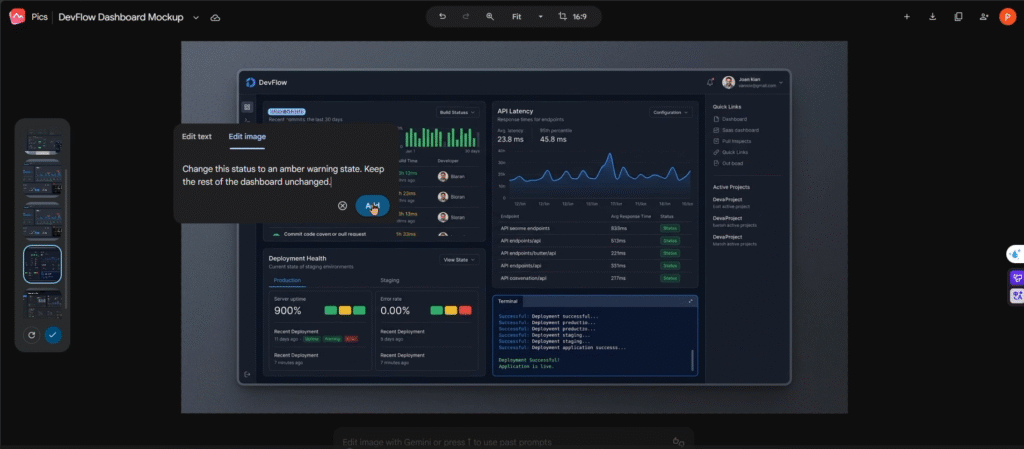
Then I selected the API Latency chart and requested a different graph.
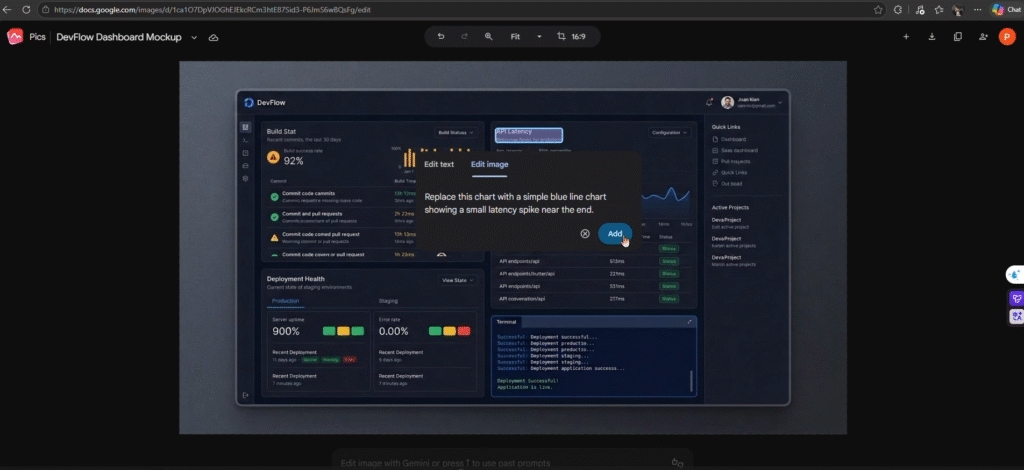
Finally, I changed:
Deployment Health → Release Health
Instead of describing where each object was located, I could simply click the object first and then describe what I wanted to change.
Another useful feature was the ability to prepare several changes before applying them.
I added three modifications and applied them together.
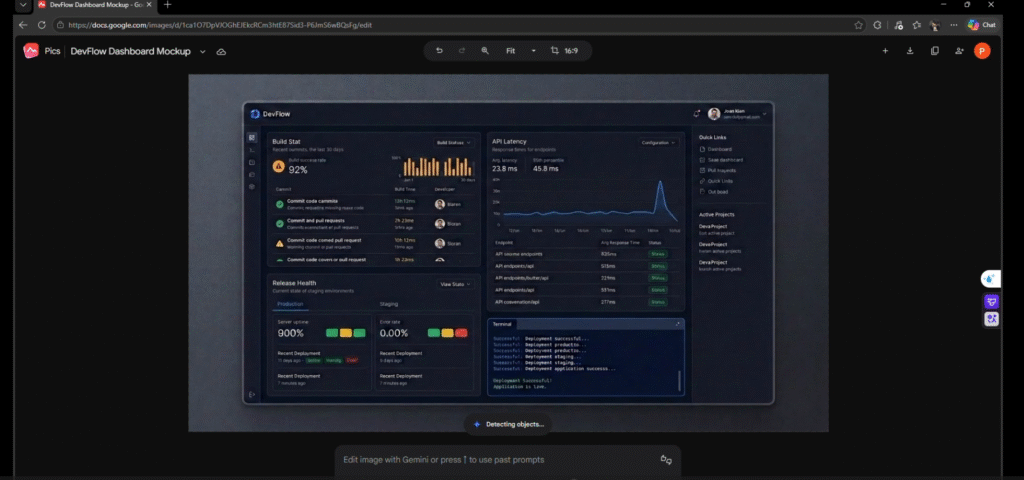
In my test, all three requested changes were handled successfully.
This made Pics feel closer to a normal visual editor with AI built into it rather than a chatbot that happens to generate images.
Editing Text and Specific Areas
Text editing was more useful than I initially expected.
If I already like an image, I do not want to generate it again just because one label needs to change.
In Pics, I could select a text element directly and replace it.
For example:
Deployment Health → Release Health
I also tested manually selecting a particular region of the image and asking Pics to modify only that area.
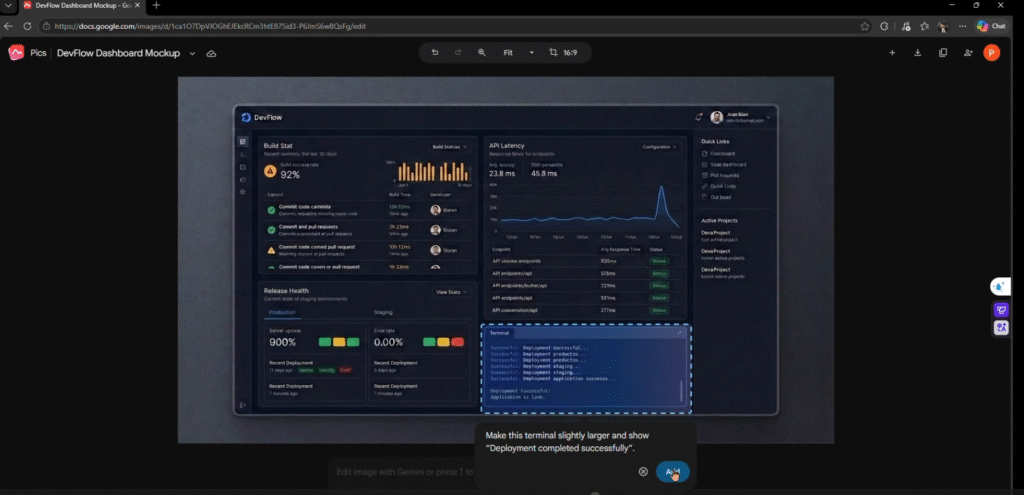
This provides another way to communicate with the AI.
Instead of having to explain where the problem is entirely through text, I can simply point to it.
Trying the Same Edits with Nano Banana
For comparison, I also tried Nano Banana.
I initially opened Google AI Studio. Nano Banana 2 Lite appeared in the Playground, but my current Workspace account required an upgrade to actually run it.
Instead, I continued the experiment with Nano Banana through Gemini.
I used the same type of dashboard and asked for several changes using one prompt:
Keep the existing composition and all unrelated components unchanged. Change Build Status to an amber warning state, update the API Latency chart, and rename “Deployment Health” to “Release Health”. Do not modify anything else.
And the result was good.
Nano Banana correctly handled the requested changes and preserved the image well.
This changed my initial view of the comparison.
I originally expected the main difference to be editing accuracy.
It was not.
Both were capable of making the requested modifications.
The biggest difference was how I communicated the changes.
The Real Difference Is the Workflow
With Nano Banana, my workflow was:
Upload image → describe changes → generate → check the result.
With Google Pics, it was:
Open image → select object → describe change → select another object → add edit → apply.
Both approaches worked.
However, Pics required less effort to explain exactly which element I meant.
For example, with Nano Banana I may write:
Change the icon in the top-right section but do not modify the card below it.
In Pics, I can simply click that icon.
This does not mean Pics has a more capable AI model.
It means the interface gives the AI additional information about where I want the change to happen.
For images containing many objects, labels and UI elements, that can make manual editing easier.
When I Would Still Choose Nano Banana
As a developer, there are many situations where I would still choose Nano Banana directly.
The most obvious one is automation.
If I need to generate images from code, process many assets, build image generation into an application, or repeat the same transformation automatically, I would use the Gemini API rather than Google Pics.
Nano Banana also makes sense when I simply prefer a conversational workflow.
My test showed that natural-language editing already works very well.
Google Pics therefore does not replace Nano Banana for me.
It solves a different problem: manually refining one image when I want more direct control over its individual elements.
How I Can Use Google Pics in My Daily Work
After testing it, I can see several realistic use cases in my development work.
Rapid UI and Feature Visualization
Before implementing a feature, I sometimes need a quick visual to explain the idea.
It does not need to be a production-ready design.
A rough mockup may already be enough to discuss the concept with another developer, designer, or project member.
Pics lets me generate the first version quickly and then modify specific elements as the idea changes.
Documentation
Technical documentation sometimes needs supporting visuals, conceptual illustrations, or product screenshots.
Instead of searching for a generic image, I can generate something closer to the project and refine it.
However, I would not rely on an AI-generated image as the source of truth for a technical architecture.
AI can generate convincing visuals that still contain incorrect information.
For architecture, security, database, or protocol diagrams, I would always verify every detail.
Prototypes and Internal Demos
Prototype projects often need visual assets before final designs exist.
Pics can help create temporary UI concepts, product visuals, backgrounds, or illustrations without spending too much time on design.
If one label or object later changes, I can edit that specific part instead of recreating everything.
Communicating Technical Ideas
This may be the most useful use case for me.
Developers are comfortable communicating through code, APIs, logs, and architecture.
Other people may understand the same idea much faster through a visual.
If Pics helps me produce that visual quickly, it can improve communication without changing the actual development process.
What Changed My Mind After Testing Both
Before this experiment, I thought the interesting question was:
Which one edits images better?
After using both, I think that is the wrong comparison.
Nano Banana handled my editing requests very well.
Google Pics also handled them well.
The more useful question is:
Which workflow is more convenient for what I am trying to do?
For conversational editing, experimentation, automation, and API-based workflows, Nano Banana makes more sense to me.
For manually refining one image with many specific elements, Pics feels more direct.
Instead of repeatedly explaining what I want to keep unchanged, I can simply point to the object I want to edit.
My demo Google Pics: https://youtu.be/gRMCVUlOeZk
Conclusion
After trying both Google Pics and Nano Banana, I do not see them as competing tools.
Nano Banana provides the underlying AI capability for generating and editing images.
Google Pics turns that capability into a more visual editing workflow with object selection, text editing, multiple edits, cropping, and high-resolution output.
As a developer, I would still choose Nano Banana when I need automation, API integration, or a prompt-driven workflow.
But when I am working manually on a visual for a prototype, documentation, or project demo, Google Pics can make the refinement process easier.
The main value of Pics is therefore not:
“It can generate images with AI.”
Nano Banana already does that very well.
For me, its value is:
It makes the step between an AI-generated image and an image I actually want to use more convenient.