Introduction
When we want AI to perform a repetitive task, the usual approach today is to write a prompt:
“Open website A, find information B, copy the relevant content, open VS Code, create a Markdown file, and save the result…”
For more complex workflows, we may need to write a detailed SOP or spend significant time explaining every step to the AI.
But what if, instead of describing how we work, we could simply:
Perform the task once and let the AI observe us?
This is what made me interested in experimenting with Microsoft Skill Recorder.
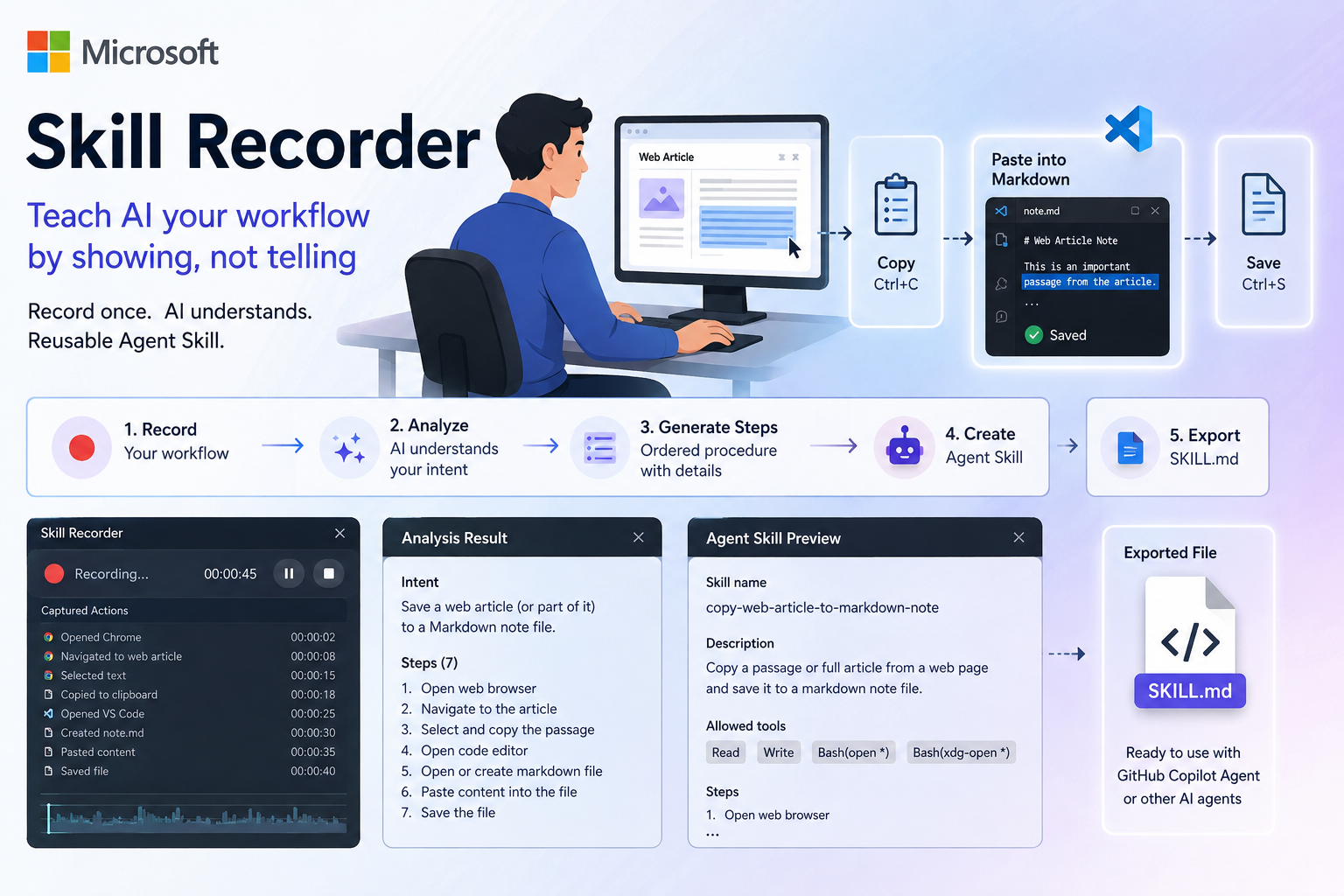
Skill Recorder can record a real work session on your computer, analyze what you did, identify the intent and ordered steps, and then convert the workflow into a reusable AI skill in the form of a SKILL.md file.
The overall process looks like this:
Human performs task
        ↓
Skill Recorder records
        ↓
AI analyzes
        ↓
Intent + Ordered Steps
        ↓
Generate Agent Skill
        ↓
SKILL.md
Microsoft’s approach makes it possible to create skills through demonstration instead of requiring users to manually write all the instructions.
After experimenting with it, I found a term that describes this approach quite well:
Demonstration Engineering
Instead of focusing only on:
“How should I prompt the AI?”
we can start asking:
“Can I show the AI how I do this?”
1. What Is Microsoft Skill Recorder?
Microsoft Skill Recorder is an open-source desktop application designed to turn real computer workflows into reusable AI skills.
Instead of manually writing a SKILL.md, users perform a workflow as they normally would.
For example:
Open Browser
     ↓
Read Article
     ↓
Copy Information
     ↓
Switch to VS Code
     ↓
Create Markdown Note
     ↓
Paste
     ↓
Save
Skill Recorder observes the work session.
Once the recording is complete, the Analyze function uses GitHub Copilot to analyze the session and determine:
- What was the user actually trying to accomplish?
- What steps were performed?
- In what order were they performed?
- How can specific UI actions be generalized into a reusable workflow?
The user can then create an Agent Skill and export it as:
SKILL.md
What I find most interesting is that Skill Recorder is not simply trying to record mouse coordinates and keyboard input like a traditional macro recorder.
Its goal is closer to:
Actions
   ↓
Intent
   ↓
Procedure
   ↓
Reusable AI Skill
2. Installing Skill Recorder on Ubuntu
I performed this experiment on Ubuntu.
Skill Recorder supports commit-pinned installation. For my experiment, I used the following commit:
commit="c7f2fe4402527a0eb7f4fc1b653bf438229bac61"

curl -fsSL \
"https://raw.githubusercontent.com/microsoft/skill-recorder/$commit/install.sh" \
| SKILL_RECORDER_COMMIT="$commit" bash
Pinning the commit ensures that the installation script and the source being built are fixed to the same revision instead of depending on the latest state of the branch.
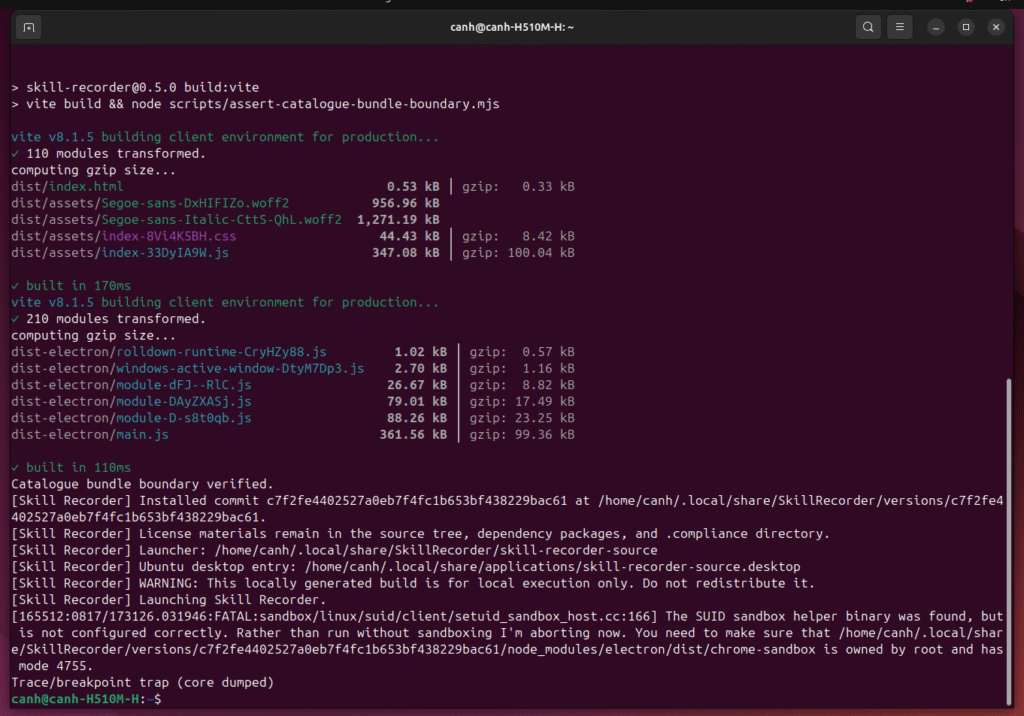
The build and installation process completed successfully on my machine.
3. My First Ubuntu Issue: Wayland
This was the first real issue I encountered.
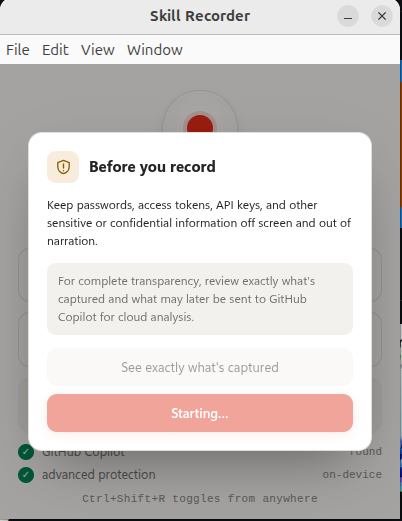
Skill Recorder launched successfully, but after clicking:
Start Recording
the application remained stuck at:
Starting...
When I launched the application from the terminal, I saw:
'--ozone-platform=wayland' is not compatible with Vulkan
Consider switching to '--ozone-platform=x11' or disabling Vulkan

[Main] Capture: recording all sources

[Main] Global shortcut registration failed
I checked my desktop session:
echo $XDG_SESSION_TYPE
and received:
wayland
I experimented with running Electron using the X11 backend and disabling Vulkan. Eventually, the more reliable solution on my environment was to log out of Ubuntu and switch the desktop session to:
Ubuntu on Xorg
After logging in again:
echo $XDG_SESSION_TYPE
returned:
x11
Skill Recorder was then able to start recording normally.
This became the first important finding from my experiment:
Installation on Ubuntu succeeded, but recording did not work correctly under the Wayland session in my test environment. Switching to X11 resolved the issue.
I would not generalize this into a claim that Skill Recorder cannot work on every Wayland environment. This is simply the behavior I observed on my machine.

4. Experiment 1: Saving a Web Article to a Markdown Note
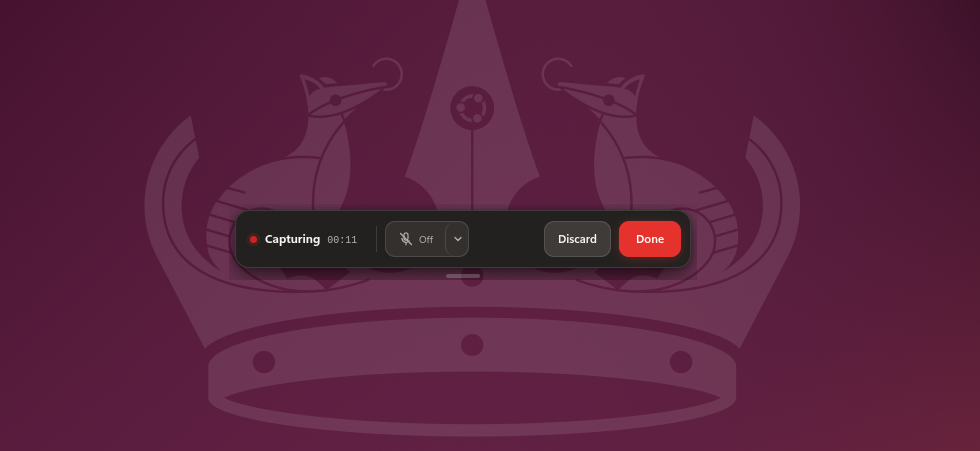
Once recording was working, I started my first experiment.
I wanted a simple workflow that still involved several different types of interaction:
- browser navigation
- reading content
- clipboard operations
- switching applications
- data entry
- file operations
The workflow was:
GitHub Blog
     ↓
Open Article
     ↓
Select a Passage
     ↓
Copy
     ↓
Switch to VS Code
     ↓
Create github-blog-note.md
     ↓
Paste
     ↓
Save
I opened GitHub Blog, selected an article, copied a passage, switched to VS Code, and saved the content into:
github-blog-note.md
The entire recording took less than one minute.
5. Analyze: Did the AI Actually Understand What I Was Doing?
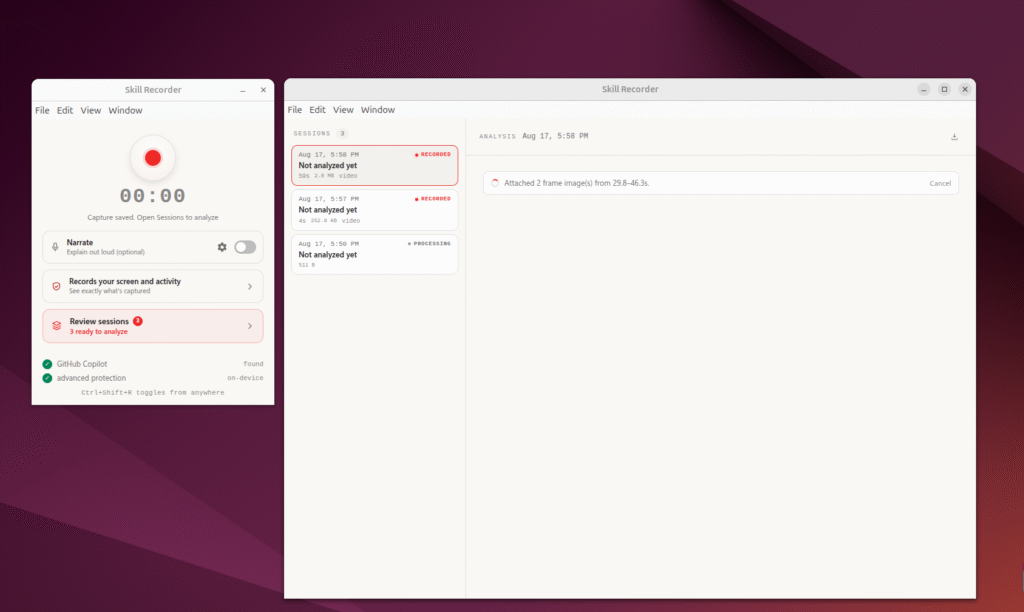
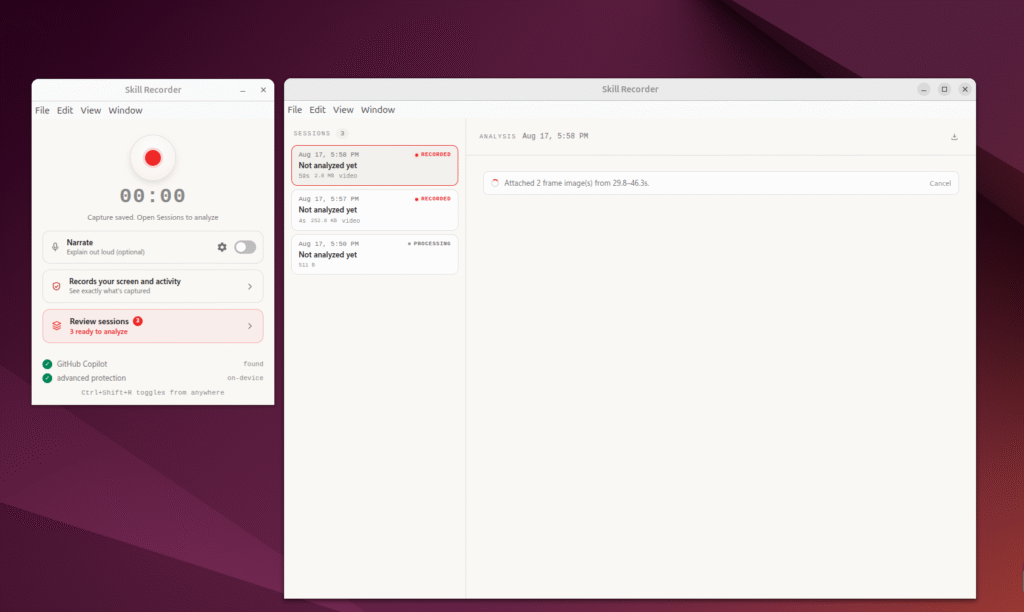
After completing the workflow, I stopped the recording and selected:
Analyze
This was the part I was most interested in.
The question was not:
“Did Skill Recorder remember where I clicked?”
The more interesting question was:
“Did Skill Recorder understand why I performed those actions?”
The result was interesting.
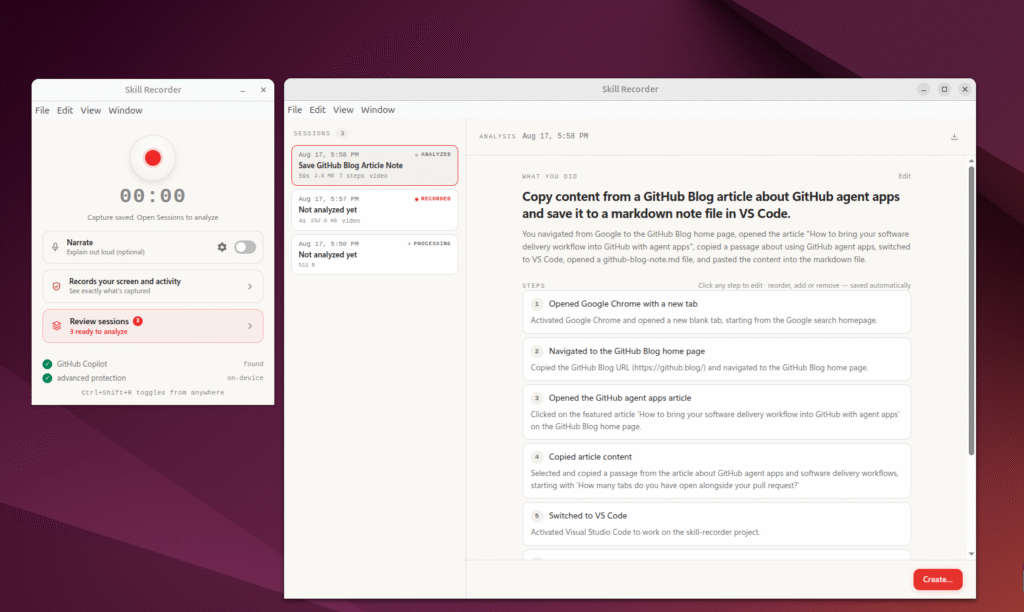
Skill Recorder identified the session intent as:
Save GitHub Blog Article Note
and recognized 7 steps.
I then selected:
Create → Agent Skill
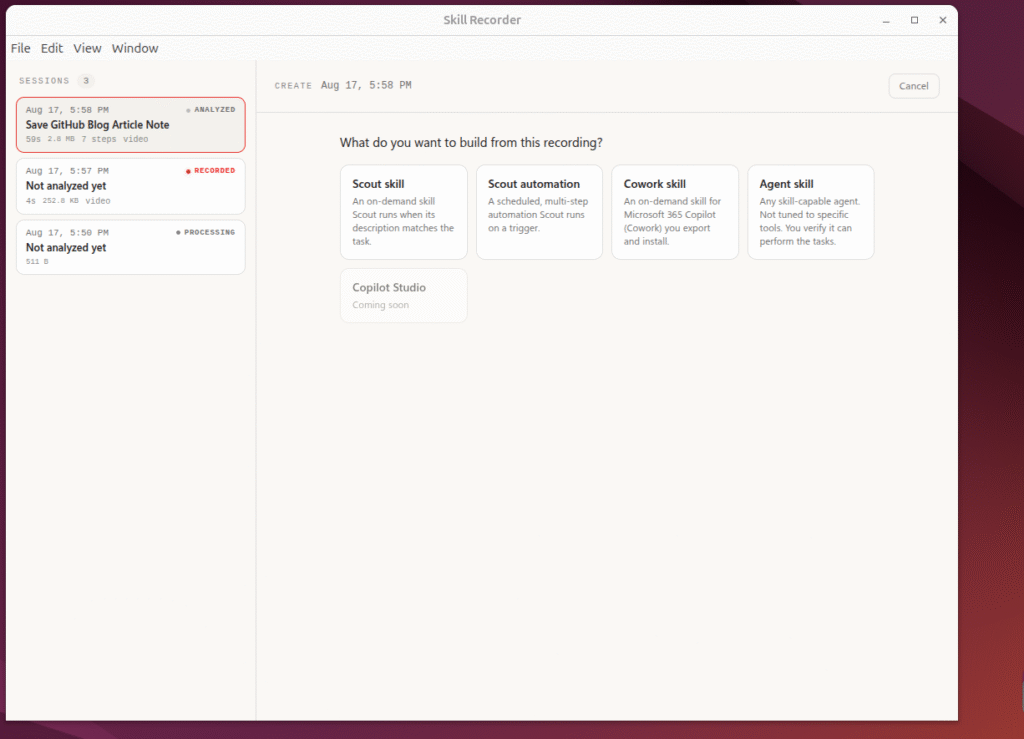
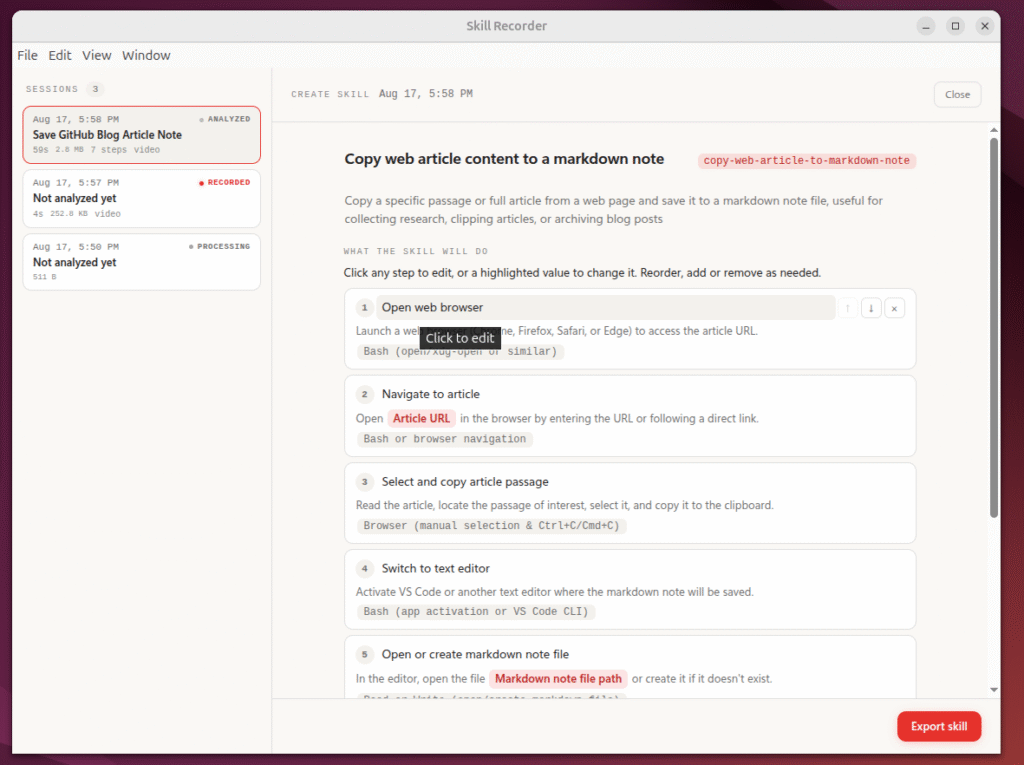
Skill Recorder generalized the workflow further into:
Copy web article content to a markdown note
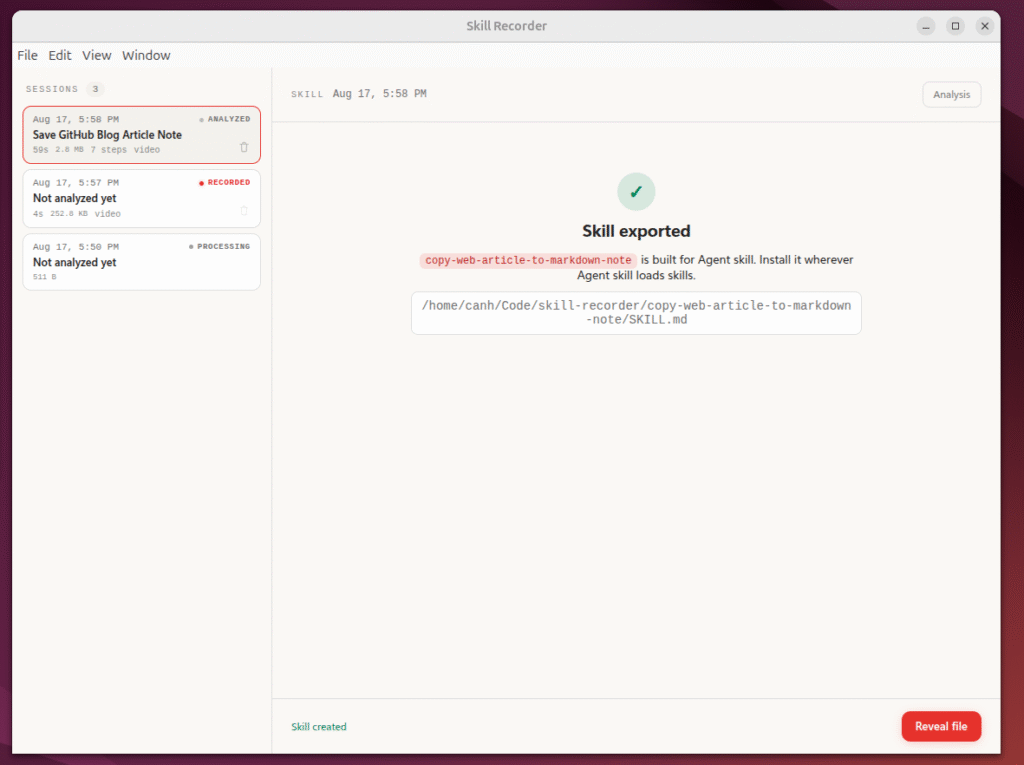
with the skill identifier:
copy-web-article-to-markdown-note
This was the first result that made Skill Recorder particularly interesting to me.
My demonstration specifically used:
GitHub Blog + VS Code
but the generated skill was not:
copy-github-blog-to-vscode
Instead, the workflow was generalized into:
Web Article
     ↓
Markdown Note
6. How Accurate Was the Generated SKILL.md?
Skill Recorder generated a SKILL.md containing seven main steps:
1. Open web browser
2. Navigate to the article
3. Select and copy the article passage
4. Switch to the text editor
5. Open or create the markdown note file
6. Paste the content into the note
7. Save the markdown file
The ordering matched my demonstrated workflow very closely.
Even more interestingly, the AI generalized the applications involved.
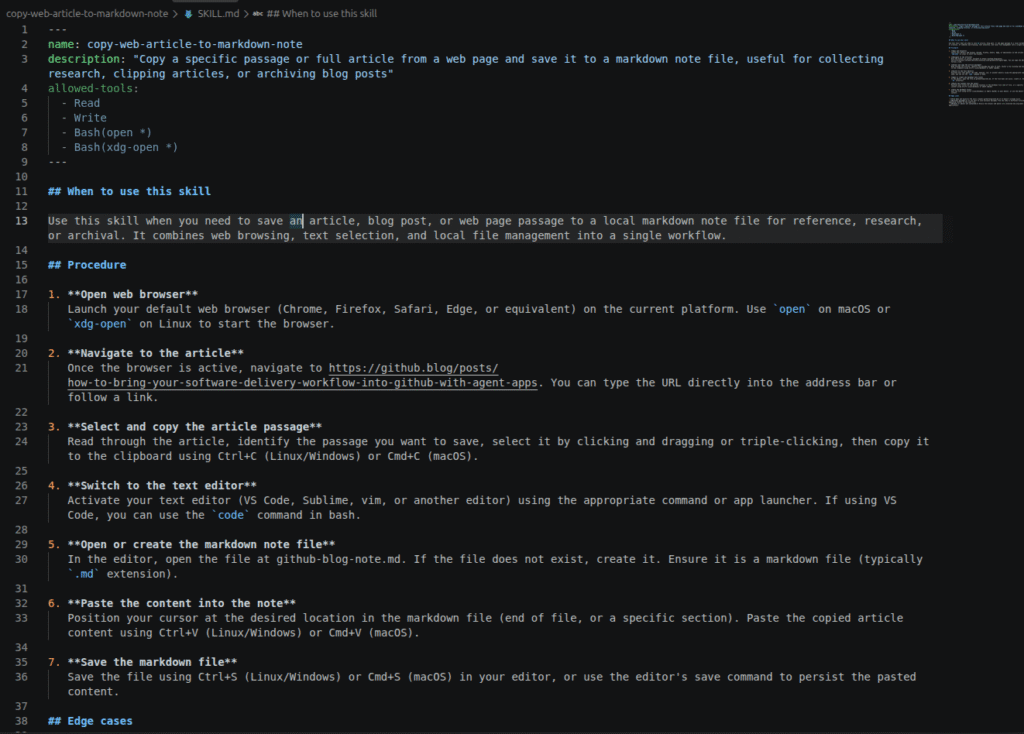
The browser was no longer limited to Chrome. The generated procedure mentioned Chrome, Firefox, Safari, Edge, or an equivalent browser.
Likewise, the text editor was not restricted to VS Code. It could also be Sublime, vim, or another editor.
In other words:
Recorded implementation
Chrome + VS Code

        ↓

Generated procedure

Web Browser + Text Editor
I consider this one of the strongest parts of the generated skill.
7. But the AI Did Not Fully Generalize Everything
When I inspected the generated SKILL.md more carefully, I found an interesting limitation.
Although the skill had a generic name:
copy-web-article-to-markdown-note
Step 2 still contained the exact GitHub Blog URL from my demonstration.
The output filename was also hard-coded as:
github-blog-note.md
So there was a mismatch:
Intent
   ↓
Generic

Procedure
   ↓
Partially specific
A more reusable skill should probably accept:
ARTICLE_URL
OUTPUT_FILE
as input parameters.
For example:
Navigate to the article URL provided by the user.

Open or create the specified Markdown output file.
instead of preserving values from one particular recording.
This highlights an important challenge when learning a workflow from demonstration:
The AI needs to distinguish between workflow logic and values that were only specific to that particular demonstration.
With only one demonstration, that distinction may not always be perfect.
8. Edge Cases: The AI Added Things I Never Demonstrated
Another surprising aspect was that Skill Recorder generated an Edge Cases section.
For example:
- If the file does not exist → create it.
- If there are multiple passages → repeat the process and append them.
- If the browser or editor is unavailable → check application availability.
I did not demonstrate any of these situations.
This suggests that the generation process is not simply:
Recording → Transcription
It is closer to:
Recording
    ↓
Understand intent
    ↓
Infer procedure
    ↓
Add reasonable handling
    ↓
Generate reusable skill
My personal evaluation of Experiment 1 was approximately:
| Criterion | Rating |
|---|---|
| Intent recognition | ⭐⭐⭐⭐⭐ |
| Step ordering | ⭐⭐⭐⭐⭐ |
| Application generalization | ⭐⭐⭐⭐⭐ |
| Workflow generalization | ⭐⭐⭐⭐☆ |
| Parameterization | ⭐⭐⭐☆☆ |
| Edge-case generation | ⭐⭐⭐⭐⭐ |
| Overall | ~8/10 |
9. Experiment 2: How Does Skill Recorder Handle Japanese?
The next thing I wanted to investigate was Japanese language processing, particularly skill naming.
For this experiment, I used a Japanese article about Microsoft Skill Recorder itself from AI Heartland.
This workflow contained more context than Experiment 1:
Research Skill Recorder
       ↓
Vietnamese Source
       ↓
GitHub Source
       ↓
Japanese AI Heartland Article
       ↓
Copy Japanese Content
       ↓
VS Code
       ↓
Markdown Note
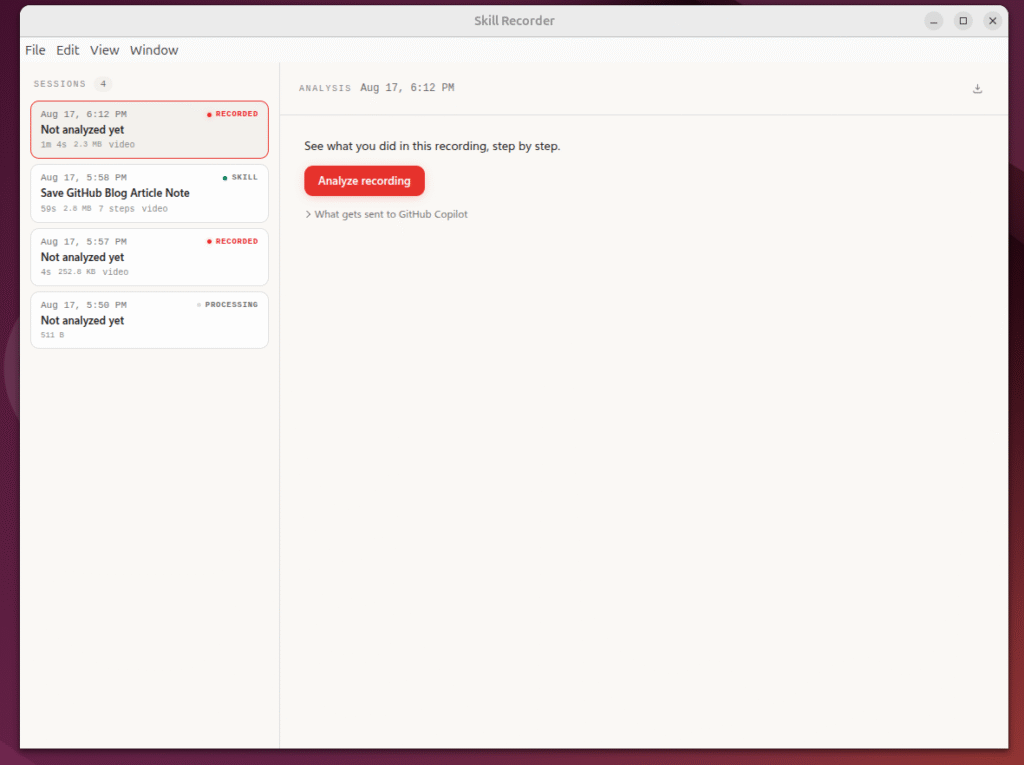
After stopping the recording and selecting Analyze, the result surprised me.
Skill Recorder inferred the intent as:
Research Microsoft Skill Recorder information from multiple language sources and document notes about the tool and its Agent Skills functionality.
It also correctly identified steps such as:
Opened new tab and navigated to Japanese Skill Recorder documentation
and:
Copied content from Japanese article
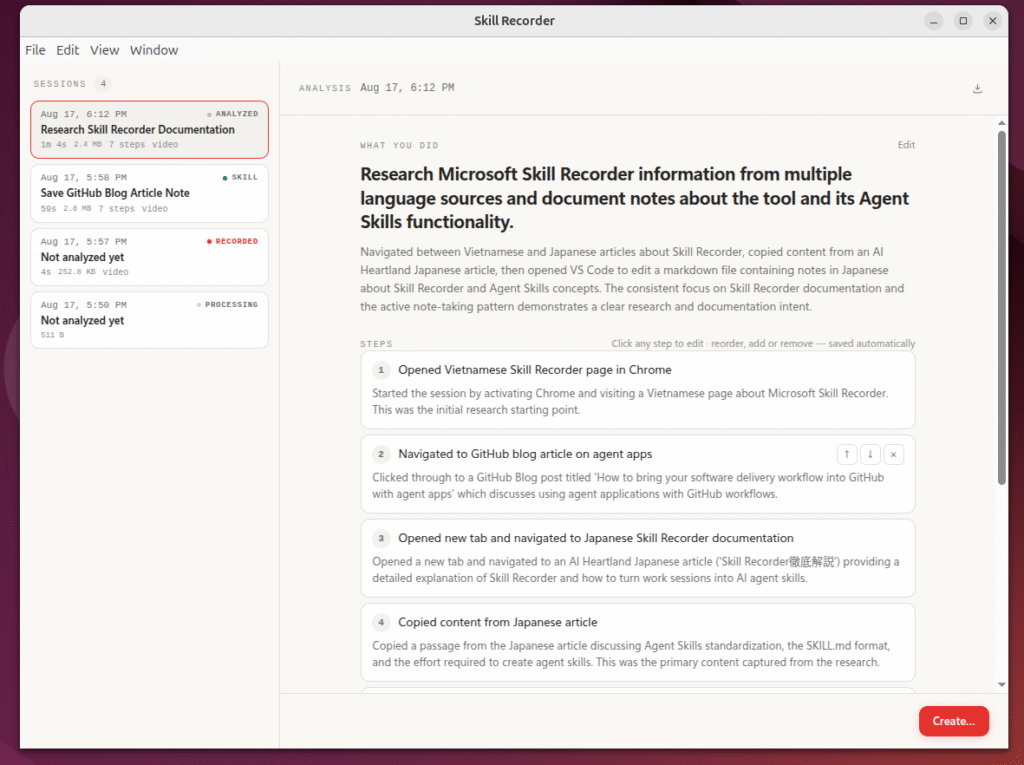
This suggests that the Japanese content was not only captured but also understood in context.
10. Did Japanese Cause Any Problems With the Skill Name?
This was something I specifically wanted to test.
After selecting:
Create → Agent Skill → Plan the skill
Skill Recorder generated:
Research a topic across multiple sources and document findings
with the skill identifier:
research-and-document-topic
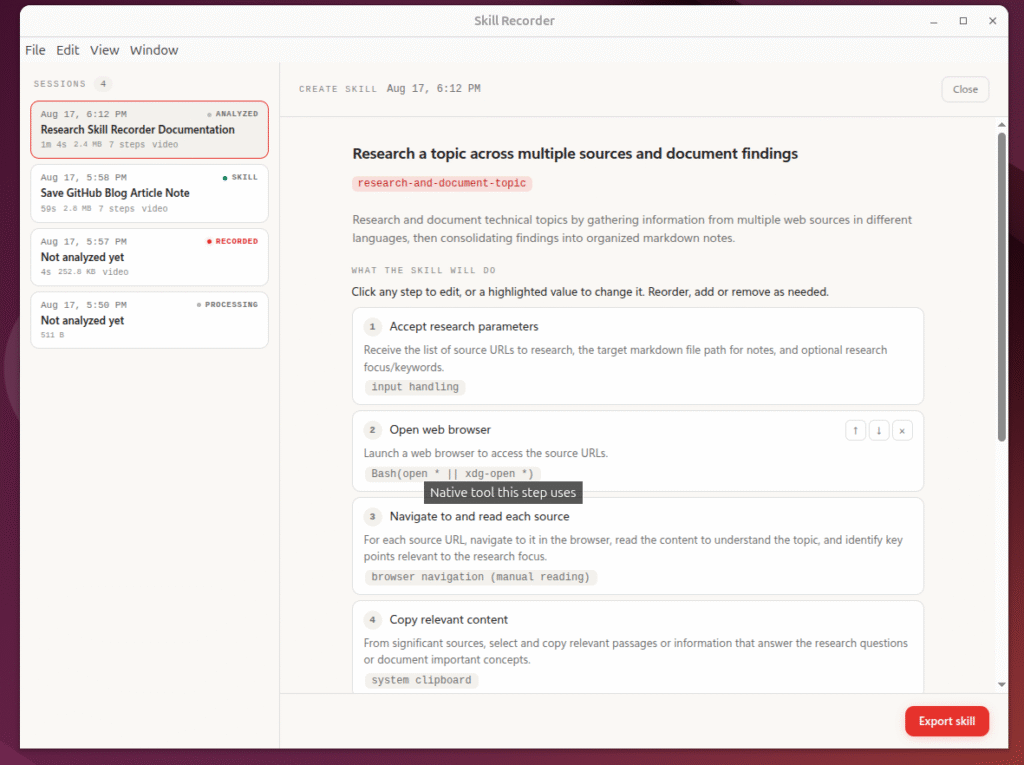
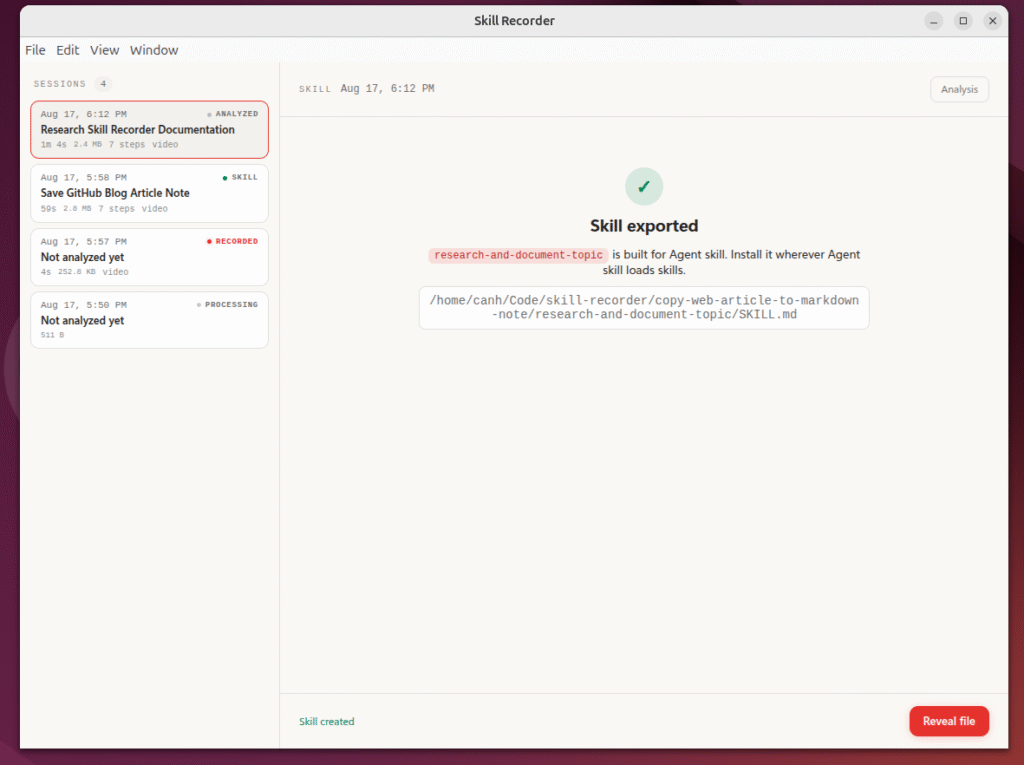
In my experiment, I did not encounter a Japanese skill-naming issue in the normal generation flow.
Even though part of the source content was Japanese, the AI understood the workflow and transformed its intent into a valid English kebab-case identifier:
research-and-document-topic
The observed flow was therefore:
Japanese Content
       ↓
Understood Correctly
       ↓
Intent Generated in English
       ↓
Valid English Skill Identifier
I did not encounter an encoding error or a meaningless fallback skill name.
This is important because rather than assuming that Japanese naming might be problematic based only on implementation details, my actual experiment showed:
Japanese content worked correctly in the normal skill-generation path I tested.
11. Experiment 2 Produced a More Reusable Skill
Another interesting finding appeared when I inspected the second SKILL.md.
Unlike Experiment 1, the generated skill no longer hard-coded the source URL or output filename.
The very first step was:
Accept research parameters
with inputs such as:
Source URLs
Target Markdown file path
Optional research focus / keywords / questions
This directly addressed the weakness I found in Experiment 1.
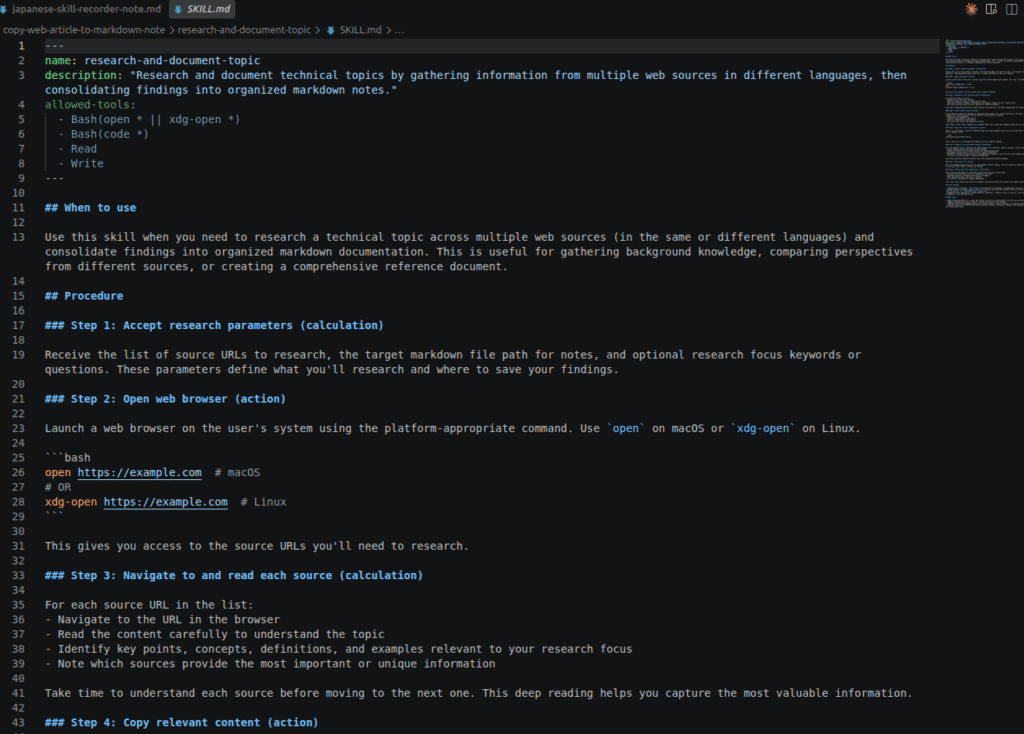
The generated skill also included a dedicated:
Input handling
section for:
- Source URLs
- Target notes file path
- Research focus
This created an interesting comparison:
Experiment 1

Specific demonstration
        ↓
Partially generalized skill


Experiment 2

Richer demonstration
        ↓
Parameterized reusable skill
Two experiments are obviously not enough to establish a general rule, but this was an interesting observation:
When the demonstration contained more variation and context, the AI had more signals to distinguish parameters from fixed workflow values.
12. AI Can Also Generalize Beyond What I Actually Demonstrated
Experiment 2 also revealed the other side of generalization.
The generated skill introduced:
Organize and consolidate findings
including actions such as:
- grouping related concepts
- combining information from multiple sources
- adding headings and structure
- synthesizing information
- maintaining traceability
It then added:
Review and verify completeness
to check sources, missing information, and organization.
These are completely reasonable steps for a research workflow.
However, I did not explicitly demonstrate all of those behaviors.
This creates an important trade-off:
Too little generalization
        ↓
AI becomes a macro recorder


Good generalization
        ↓
AI understands the reusable procedure


Too much generalization
        ↓
AI may introduce assumptions
that were never demonstrated
For this reason, I do not think a generated SKILL.md should automatically be treated as the final source of truth.
Human review is still essential.
13. Demonstration Engineering vs. Prompt Engineering
This experiment made me think more about how we transfer knowledge to AI.
A traditional approach might look like:
Human knows workflow
       ↓
Write documentation
       ↓
Write SOP
       ↓
Write prompt
       ↓
AI executes
With Skill Recorder, the process becomes:
Human knows workflow
       ↓
Human demonstrates workflow
       ↓
AI observes
       ↓
AI extracts intent
       ↓
AI creates procedure
       ↓
Human reviews
       ↓
Reusable Skill
The key difference is how knowledge is captured.
A senior engineer may be able to perform a task in five minutes but need thirty minutes to explain every detail to someone else.
Demonstration Engineering introduces another possibility:
Instead of asking experts to manually write down everything they know, let AI observe how they perform the work.
14. Where Could I Apply This in My Daily Work?
One workflow that I think could benefit from this approach is QA/Test Result Review.
For example:
Open Test Management System
        ↓
Check Test Results
        ↓
Identify Failed Cases
        ↓
Collect:
Case ID
Expected Result
Actual Result
        ↓
Open Issue Tracker
        ↓
Create Bug
        ↓
Set Severity
        ↓
Submit
If a QA engineer demonstrates this workflow, Skill Recorder could potentially generate a skill such as:
create-bug-report-from-failed-test
Another candidate is a Daily QA Report:
Check Test Results
        ↓
Count Passed / Failed / Blocked
        ↓
Review Critical Failures
        ↓
Summarize
        ↓
Generate Daily Report
which could potentially become:
generate-daily-qa-report
I see an even more valuable use case in:
Production Incident Investigation
A senior engineer may follow a workflow such as:
Receive Alert
     ↓
Check Monitoring
     ↓
Inspect Logs
     ↓
Identify Service
     ↓
Check Recent Deployment
     ↓
Find Related Changes
     ↓
Determine Possible Cause
     ↓
Create Incident Summary
If AI only learns the mouse clicks involved, the value is limited.
But if AI can learn:
how a senior engineer investigates a problem
then what is being captured is no longer just UI automation.
It is engineering knowledge.
15. From Workflow Automation to Knowledge Capture
This may be the most interesting idea I took away from the experiment.
Every organization has knowledge that looks like:
"Engineer A knows how to deploy to production."

"The QA Lead knows how to verify a release."

"The Senior Engineer knows how to investigate incidents."

"The Operations team knows how to handle a failed booking."
Much of this knowledge exists only in people’s heads.
The traditional approach is:
Tacit Knowledge
      ↓
Documentation
      ↓
SOP
      ↓
Automation
Demonstration Engineering suggests another possibility:
Tacit Knowledge
      ↓
Demonstration
      ↓
AI Analysis
      ↓
Reusable Skill
If this technology continues to mature, recording a workflow could become a new form of documentation.
16. Security: Not Every Workflow Should Be Recorded
There is also an important security consideration.
Skill Recorder observes work sessions, which means recordings may potentially contain:
- passwords
- API keys
- access tokens
- customer information
- production credentials
- confidential URLs
- clipboard content
- internal company information
Because of this, I would not begin by recording a real production workflow.
Instead:
Sanitize the workflow before recording it.
For example, use:
Dummy accounts
Test environments
Fake customer data
Public websites
Non-sensitive clipboard content
Equally important:
Review the generated SKILL.md before sharing it or committing it to a repository.
Experiment 1 demonstrated exactly why this matters: specific URLs and filenames from a demonstration can appear directly in the generated skill.
17. Conclusion
After these two experiments, I do not think Microsoft Skill Recorder is simply a screen recorder with AI added on top.
The more interesting process is:
Observe Actions
       ↓
Understand Intent
       ↓
Generalize Workflow
       ↓
Generate Procedure
       ↓
Reusable AI Skill
Experiment 1 showed that the AI understood the workflow order and generalized applications very well, although it retained some demonstration-specific values such as the URL and filename.
Experiment 2 showed that it could understand Japanese and multilingual content, generate a valid English skill identifier, and parameterize the workflow more effectively.
At the same time, Experiment 2 also showed that AI can sometimes generalize beyond what was explicitly demonstrated.
Generated skills therefore still need:
AI Generation
      ↓
Human Review
      ↓
Correction
      ↓
Validation
      ↓
Reuse
But the bigger idea behind Skill Recorder is worth thinking about.
For years, we have focused on:
How do I explain this task to AI?
Demonstration Engineering introduces a different question:
What if I just show AI how I do it?
If AI can observe how a QA engineer tests a system, how a developer investigates a bug, or how a senior engineer responds to a production incident—and then convert those demonstrations into reusable skills—
then we are not only automating actions.
We are beginning to capture how people work.
And for me, that is the most interesting idea behind Microsoft Skill Recorder.