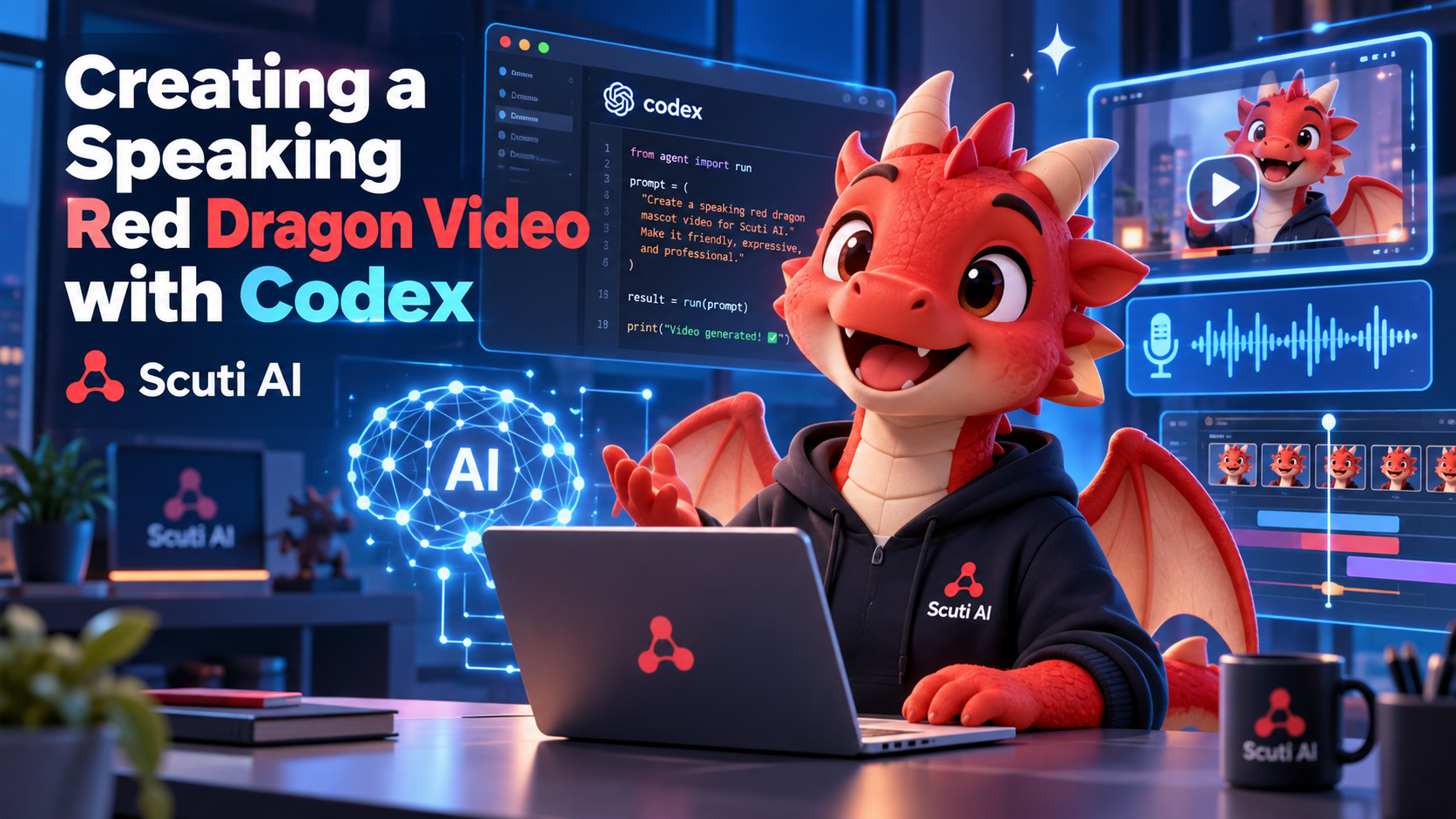
AI can now generate images, voices, videos, and even animations from simple prompts. What interested me more, however, was not just generating a video with one AI tool, but using an AI coding agent to coordinate different parts of the video-production process.
After watching the reference video about creating animations with Claude Code, I wanted to try a similar idea for Scuti AI.
There was one difference: I do not use Claude Code. I use Codex.
So my experiment became:
Can I create an audio-enabled promotional video featuring Scuti AI’s speaking Red Dragon mascot using Codex and mostly free tools?
The final goal was simple: create a promotional video longer than 20 seconds in which the Red Dragon appears, speaks, and introduces Scuti AI.
1. What I learned from the reference video
The reference video: https://www.youtube.com/watch?v=G3urGJ1RjEo demonstrates a workflow where an AI coding agent acts almost like a small video-production assistant.
Instead of asking a single AI video generator to create everything, the process separates the work into several parts.
The main tools introduced in the reference workflow include:
- Claude Code – writes code, creates animations, coordinates scenes, and adjusts the video based on the script and audio.
- Fish Audio – generates AI voice.
- Topview – handles lip-sync for talking characters.
- Higgsfield – generates AI video assets when more realistic or generative scenes are required.
- Artlist – provides music and audio assets.
What I found most interesting was not any individual tool, but the overall process:
Script → Voice → Visuals → Synchronization → Render → Review → Improve
The coding agent becomes the coordinator of the workflow rather than the tool that directly generates every part of the video.
2. Adapting the workflow to the tools I already have
I wanted to experiment with the same idea, but I had two constraints.
First, I use Codex instead of Claude Code.
Second, I did not want to depend on paid AI video-generation APIs just to complete a short experiment.
Therefore, I simplified the workflow.
My version became:
Codex + Fish Audio + HTML/CSS/JavaScript + FFmpeg
The responsibilities were divided as follows:
| Task | Tool |
|---|---|
| Planning and coding the video | Codex |
| Voice generation | Fish Audio |
| Character and background animation | HTML/CSS/JavaScript |
| Speech-driven mouth movement | JavaScript audio analysis |
| Final video rendering | FFmpeg |
Instead of generating every frame with an AI video model, I used Codex to build the video programmatically.
This also gave me more control over the mascot, colors, logo, text, and timing.
MY FINAL VIDEO:
3. Preparing the assets
I prepared three main assets:
- The official Scuti AI Red Dragon mascot
- The official Scuti AI logo
- The narration audio
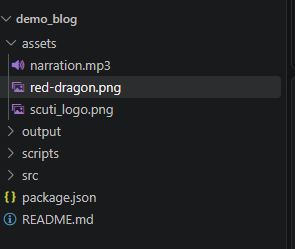
My project structure was intentionally simple:
scuti-ai-video/
│
├── assets/
│   ├── red-dragon.png
│   ├── scuti-logo.png
│   └── narration.mp3
│
├── src/
│
└── output/
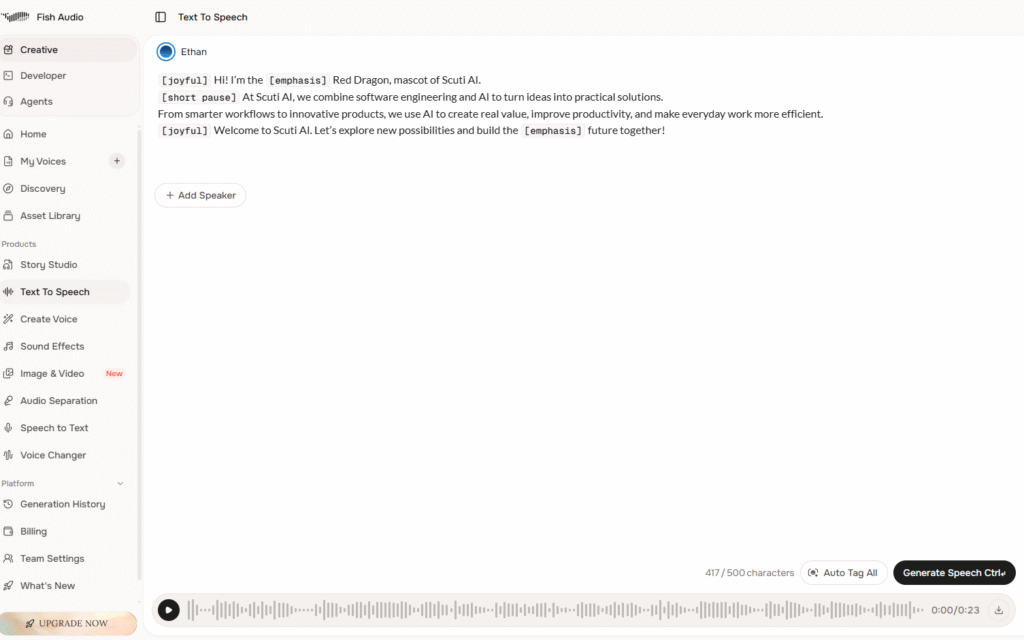
For the voice, I generated the narration using the Fish Audio web interface.
The narration used for the demo was:
Hi! I’m the Red Dragon, mascot of Scuti AI.
At Scuti AI, we combine software engineering and AI to turn ideas into practical solutions.
From smarter workflows to innovative products, we use AI to create real value, improve productivity, and make everyday work more efficient.
Welcome to Scuti AI. Let’s explore new possibilities and build the future together!
After generating a voice that matched the friendly style of the mascot, I downloaded the audio and saved it as narration.mp3.
4. Building the Scuti AI Red Dragon video
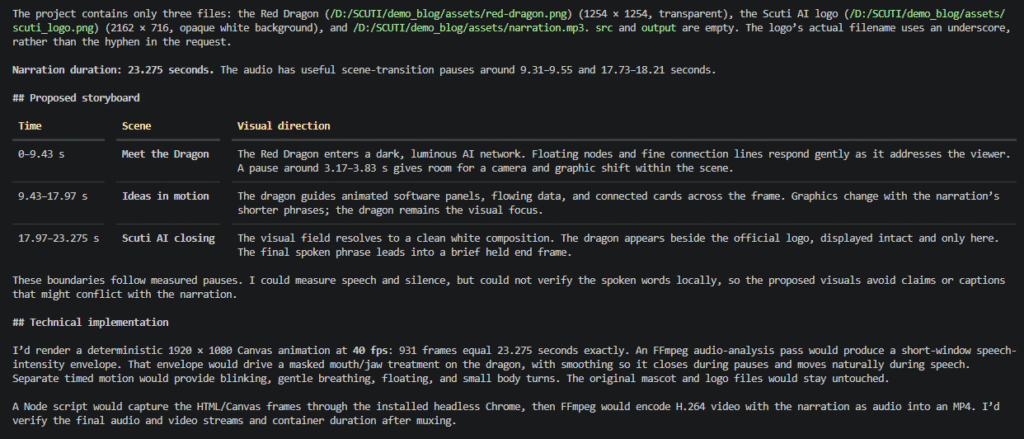
Codex analyzed the 23.275-second narration and divided the video into three scenes:
- 0.00–9.43s — Meet the Dragon
- 9.43–17.97s — Ideas in Motion
- 17.97–23.275s — Scuti AI Closing
From there, Codex created the animation using HTML, CSS, and JavaScript, while FFmpeg was used for the final video output.
The first preview worked, but the mascot still looked somewhat mechanical, so I continued refining the lip-sync and character movement.
5. What worked and what I improved
The first version proved that the workflow was possible, but it also showed the limitations of animating a static mascot.
The mouth movement initially looked too mechanical, and the rest of the character did not move enough to feel natural.
By iterating with Codex, I improved the timing, mouth transitions, and character gestures while keeping the original mascot design unchanged.
This reminded me that AI-generated content still needs review and refinement. The first output is usually only a starting point.
6. Rendering the final video
After the animation was approved, I used FFmpeg to combine the rendered visuals with the original Fish Audio narration.
The final output was exported as:
output/scuti-ai-red-dragon.mp4I also used ffprobe to verify the output.
The checks included:
- video duration;
- resolution;
- frame rate;
- video codec;
- audio codec;
- presence of an audio stream.
Final result:
Duration: 23.3
Resolution: 1920 × 1080
Frame rate: 30 FPS
Video: H.264
Audio: AAC
The final duration was longer than 20 seconds, satisfying the original requirement.
My demo: https://youtu.be/wAoPVtdU6Fk
The final video contains the Scuti AI Red Dragon mascot, narration, animated mouth movement, multiple scenes, and Scuti AI branding.
7. Reference workflow vs. my workflow
The reference video uses a more advanced AI-video production stack.
My goal was not to reproduce every tool exactly, but to test whether the same concept could be adapted to the tools I already had.
| Reference workflow | My experiment |
|---|---|
| Claude Code | Codex |
| Fish Audio | Fish Audio |
| Topview | Audio-driven mouth animation |
| Higgsfield | Programmatic HTML/JS animation |
| Artlist | Not required for this demo |
| AI-generated scenes | Code-generated visual scenes |
| Render/export | FFmpeg |
The reference approach can generate much more sophisticated visual content, especially when realistic or cinematic scenes are needed.
My approach produces a more controlled motion-graphics style.
For a mascot video, however, this control has some advantages.
The Red Dragon remains visually consistent, the Scuti AI logo is preserved exactly, and text does not suffer from the spelling problems that can sometimes occur in generated video.
8. My opinion after trying this workflow
Before doing this experiment, I mainly associated AI video generation with tools where a user writes a prompt and waits for a generated clip.
After building this demo, I think there is another useful approach.
AI does not necessarily need to generate every pixel of a video.
It can also act as the production assistant that connects existing assets, audio, animation logic, and rendering tools together.
For me, this is particularly interesting as a developer.
The Red Dragon image itself was not generated during this experiment. The voice was created separately. The animation was conventional web technology.
What made the workflow efficient was that Codex could understand the desired result and help turn these independent components into one working product.
I also learned that the first output should not be treated as the final output.
Video creation still requires reviewing timing, layout, movement, branding, and audio. AI makes iteration faster, but human judgment is still necessary to decide whether the result actually looks good.
9. How I can apply this to my daily work
This experiment is not only useful for creating a company mascot video.
I can see several ways to apply the same audio-visual generation workflow to daily tasks and real projects.
Short feature demonstrations
When a project releases a new feature, instead of only providing screenshots or release notes, I could create a short narrated video explaining what changed.
The coding agent could reuse screenshots, UI assets, and a prepared script to generate a lightweight product demo.
Internal documentation and training
Long documentation can sometimes be difficult to consume.
For selected topics, I could turn a short explanation into a narrated visual guide for onboarding, internal training, or process communication.
Project presentations
During early project stages, a concept may be difficult to explain with text alone.
A short animated prototype or narrated visual could help communicate the idea to both technical and non-technical members before spending time building a polished production version.
Reusable project communication
Because the animation is code-based, the same template can be reused.
For example:
New script
+
new screenshots
+
new narration
↓
generate another video
This could be useful for recurring updates such as feature introductions, sprint results, internal announcements, or technical explainers.
Multilingual content
The visual animation does not necessarily need to change when the language changes.
By replacing the narration and adjusting the timing, the same video structure could potentially be reused for English, Japanese, or Vietnamese communication.
10. Conclusion
The most useful lesson I took from the reference video was not that one particular AI tool can replace a traditional video-production workflow.
It was the idea that video production can be treated as a workflow that an AI coding agent can help orchestrate.
The reference uses Claude Code together with specialized AI services.
In my experiment, I used a simpler stack:
Codex → Fish Audio → Web Animation → FFmpeg
With an existing mascot and company assets, this was enough to create an audio-enabled promotional video in which the Scuti AI Red Dragon appears and speaks for more than 20 seconds.
The visual quality is different from fully generative AI video, but the workflow is inexpensive, controllable, reproducible, and surprisingly flexible.
For me, that is the most valuable takeaway.
AI video generation does not have to mean asking an AI to create an entire video.
Sometimes, the more practical approach is to let AI help build the system that creates the video.