
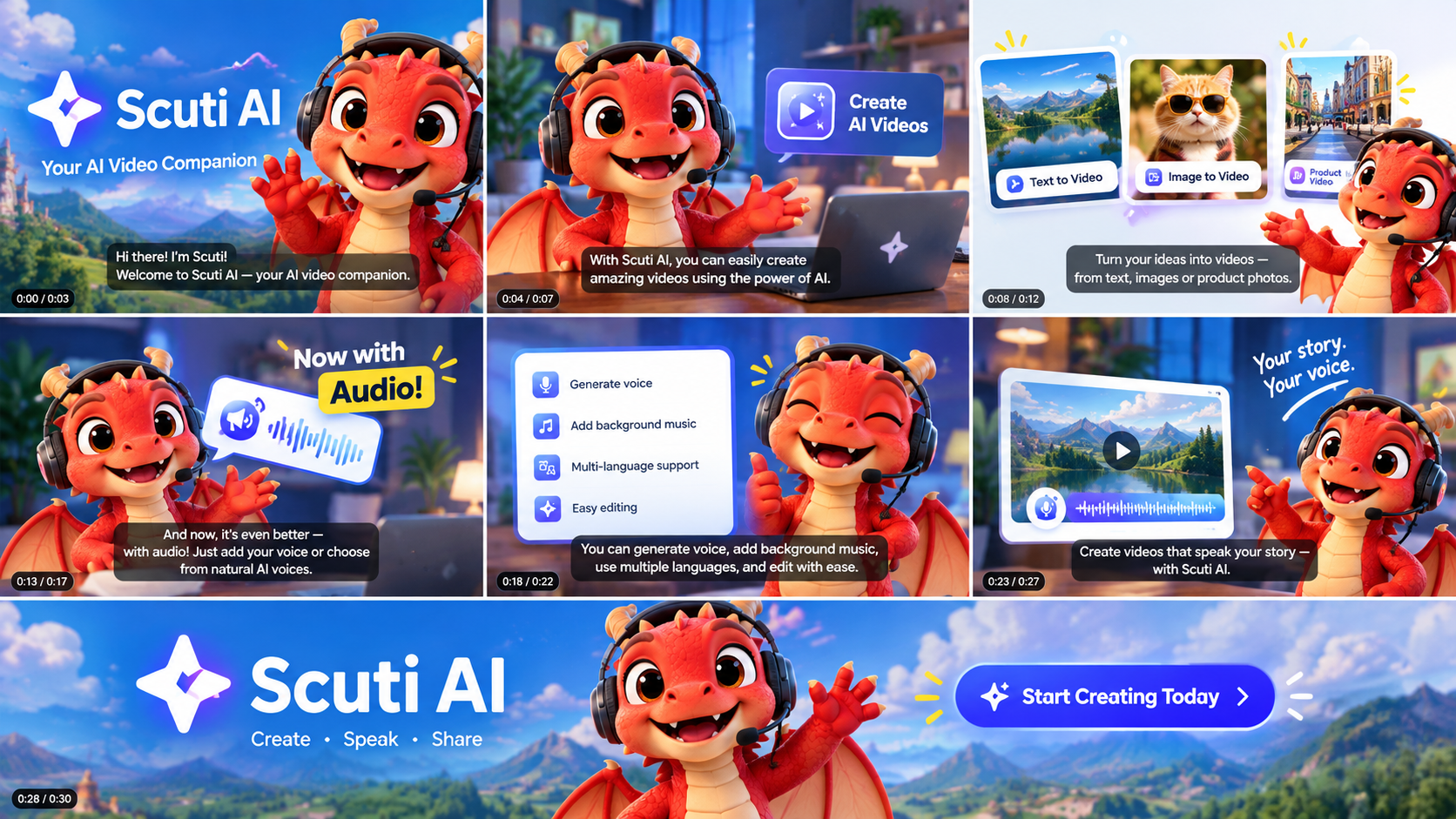
1. How does the reference video do it?
Reference: “Today, Claude killed the video industry…” (RKJ VIDEO channel). The core idea is simple:
Give the AI a script and a voice → the AI writes code that animates in sync with the audio → export the video → review and fix.
| Job | Tool used by the author |
|---|---|
| Write the video as code, sync visuals to audio | Claude Code (Claude Opus 5.5) |
| AI voice | Fish Audio |
| Lip-sync | Topview |
| AI live-action shots | Higgsfield (via MCP) |
| Background music | Artlist |
The prompt I derived from the video
In the video, the author uses a single prompt that clearly states length, character, dialogue and voice. I rewrote it for Scuti AI and gave it to Claude Code:
Make a ~30-second promo video for Scuti AI. – Main character: the Red Dragon mascot (chibi, yellow horns, navy scarf with an S). The dragon must SPEAK in Vietnamese. – Voice: use edge-tts to read the script file and keep the timing of every word. – Animation: HTML/SVG, 1280×720, 5 scenes for 5 sentences. The dragon’s mouth opens with the loudness of the voice; subtitles highlight the word being spoken. – Build a “Studio” page where I type the script, generate the voice, preview, and record an MP4 with sound. – When done, grab a few frames yourself to check that mouth and subtitles match the voice.
The most important piece of code Claude wrote is the mouth-opening function driven by the loudness of the voice file. That is what makes the dragon “talk” without a paid lip-sync tool:
env = loudness of the voice, 50 values per second (pre-computed from the mp3) function mouthOpen(t) { const e = TL.env[Math.floor(t * TL.fps)] || 0; return Math.max(0, Math.min(1, (e – 0.10) / 0.65)); // ignore breath noise; 0 = closed, 1 = wide open }
2. Result: the Red Dragon introduces Scuti AI
Turn the sound on to hear the Red Dragon — 33 s, 1280×720, MP4 (H.264 + AAC)
- 5 scenes: Greeting → About Scuti AI → Services → “This video was made with AI” → Call to action.
- The dragon really talks: the mouth follows the voice, subtitles highlight the current word, service cards appear exactly when the dragon mentions them.
- Cost: zero, no service accounts needed.
3. The method in 4 steps

| Tool | What it does |
|---|---|
| Red Dragon Studio (a local web page) | Where you work: type the script, pick a voice, listen, open the animation |
edge-tts |
Reads the script in a Vietnamese voice (free) and returns the timing of every word |
| HTML / SVG / JavaScript | Draws the dragon, scenes and subtitles; the mouth opens with the voice |
| Google Chrome | Previews and records the tab with sound using the built-in MediaRecorder |
ffmpeg |
Converts the recording to MP4 (H.264 + AAC) so it plays everywhere |
4. Step-by-step demo
Open a terminal in the project folder, run python studio/studio_server.py.
4.1. Open Red Dragon Studio
Three panels: (1) script and voice, (2) listen to the voice, (3) watch the dragon and export the video.
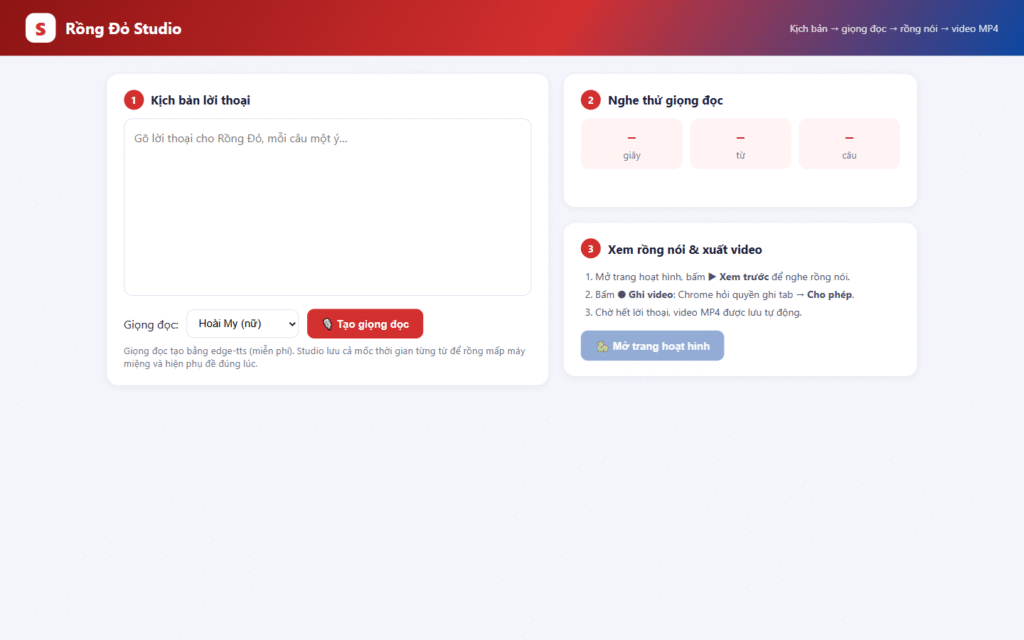
Step 1 — The Red Dragon Studio page
4.2. Type the script and pick a voice
One sentence = one scene. I picked the Nam Minh voice for the dragon.
Xin chào! Mình là Rồng Đỏ, linh vật của Scuti AI. Ở Scuti, các kỹ sư Việt Nam kết hợp cùng trí tuệ nhân tạo để xây dựng phần mềm nhanh hơn và thông minh hơn. Từ AI agent, tự động hóa quy trình, đến ứng dụng web và di động, chúng mình đồng hành cùng bạn từ ý tưởng đến sản phẩm. Ngay cả video này cũng được làm bằng AI: giọng nói tổng hợp, hoạt hình viết bằng code, và ghép tiếng bằng ffmpeg. Bạn đang có ý tưởng? Hãy cùng Scuti AI biến nó thành hiện thực nhé!
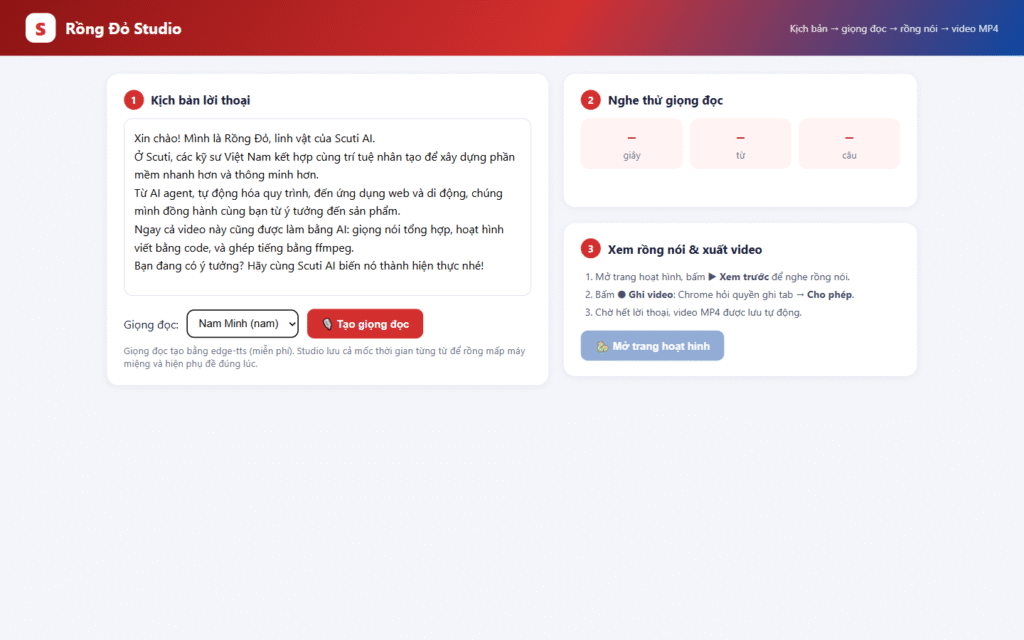
Step 2 — 5-sentence script, Nam Minh voice
4.3. Click “Generate voice”
A few seconds later the Studio shows the voice length, word count, sentence count and the waveform. Word timings are saved for lip-sync and subtitles.
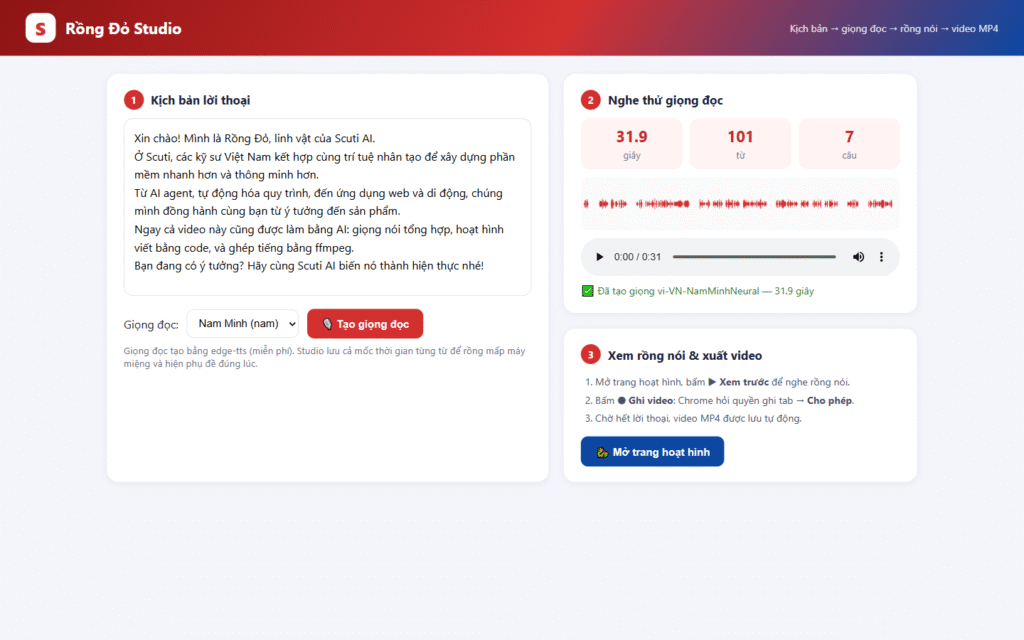
Step 3 — About 32 seconds of voice ready
4.4. Listen to the voice
Press play in the player. Not happy? Edit the script or switch voice and generate again.
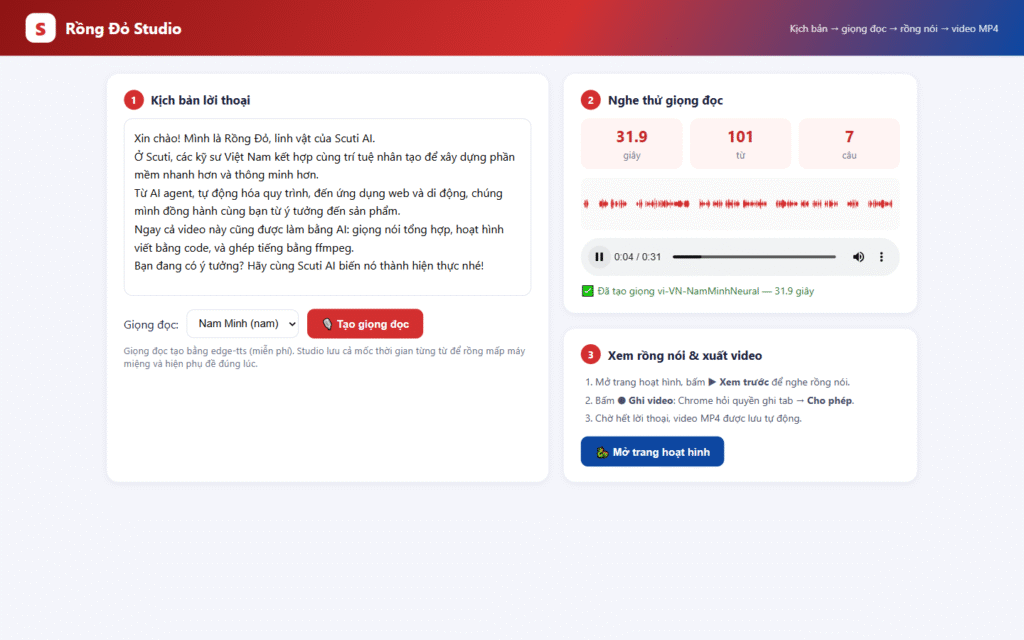
Step 4 — Listening inside the Studio
4.5. Open the animation and preview
Click “Open animation page”, then “▶ Preview”: the dragon talks, its mouth follows the voice, subtitles highlight the current word.
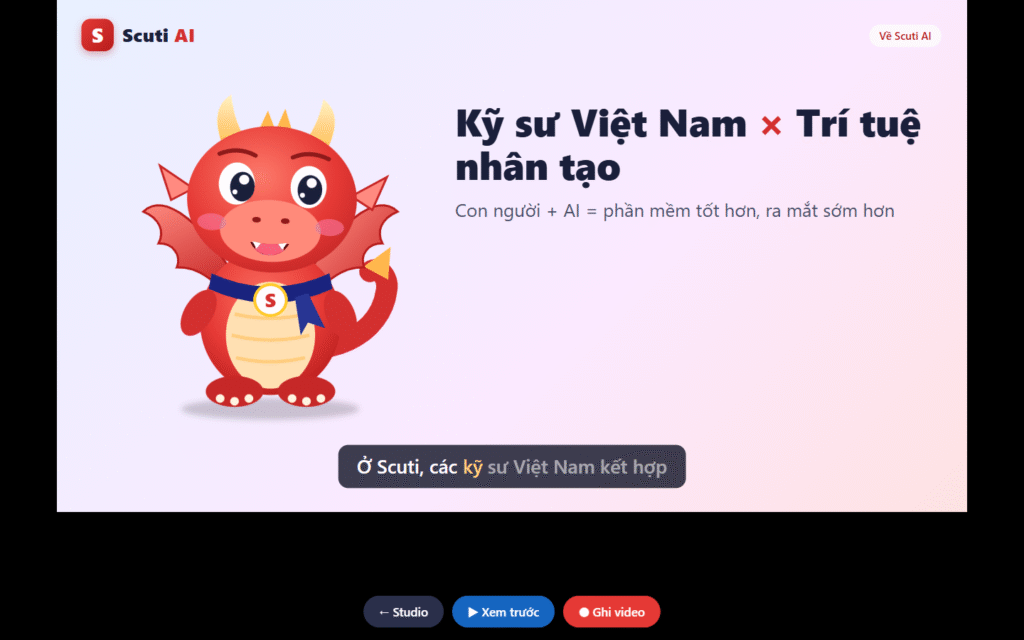
Step 5 — The Red Dragon speaking, subtitles follow the voice
4.6. Click “⏺ Record video”
Chrome asks for permission to record the tab, so click Allow. The animation restarts and Chrome records picture and sound together. A “Recording” timer appears below the 1280×720 frame, so it is not part of the video.
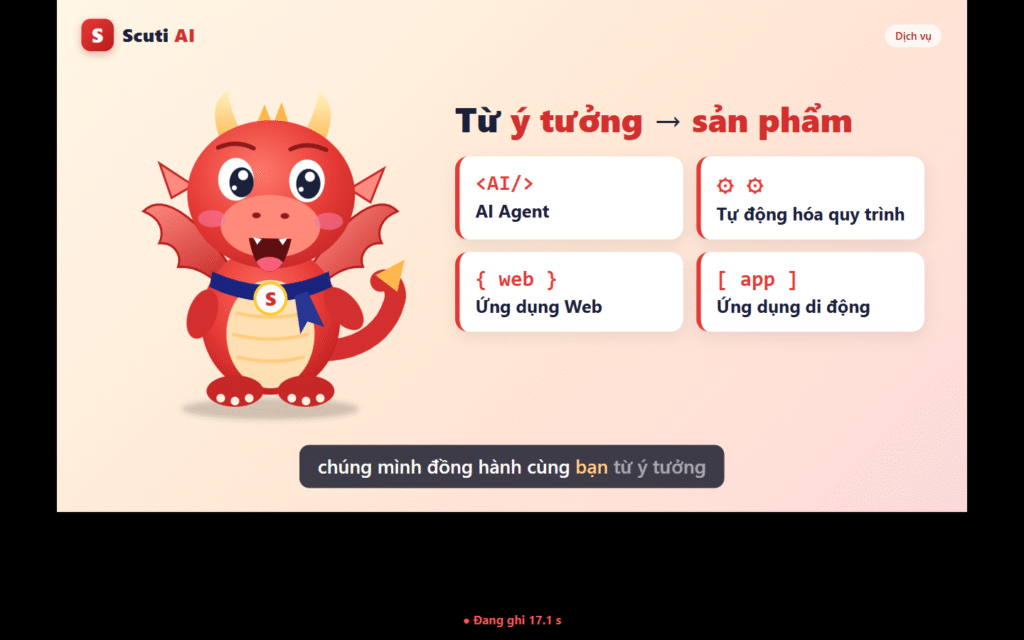
Step 6 — Recording: service cards pop up when the dragon mentions them
4.7. The MP4 is saved automatically
When the narration ends, the Studio converts the recording to MP4 and reports the file name, duration and whether it has sound.
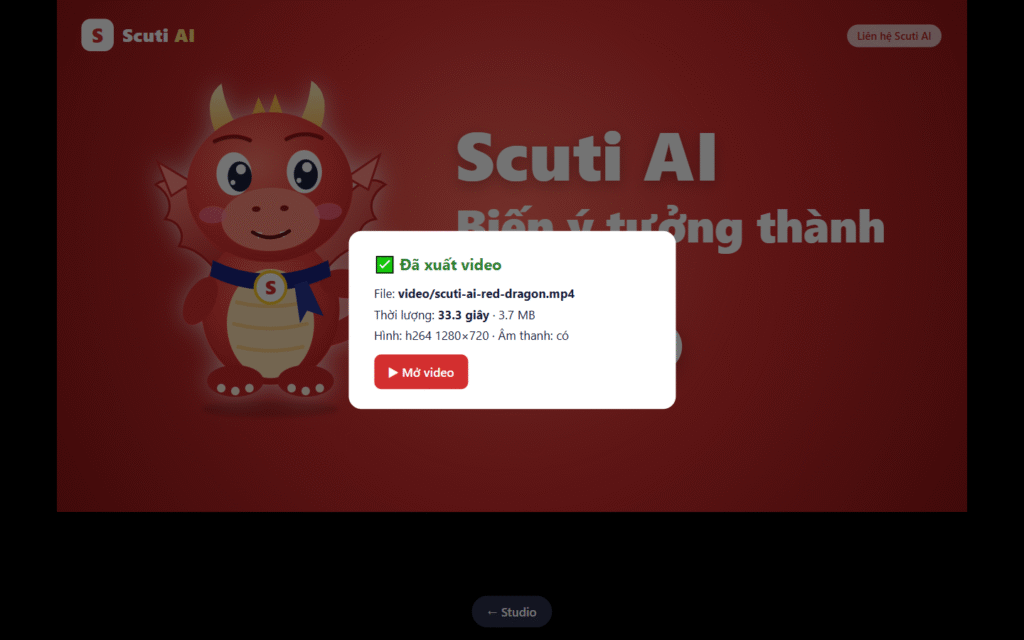
Step 7 — Saved video/scuti-ai-red-dragon.mp4, 33 s, with audio
4.8. Open and check the video
Click “▶ Open video”. Quick checks: does the mouth match the voice, are the subtitles right, do scenes change on the right sentence?
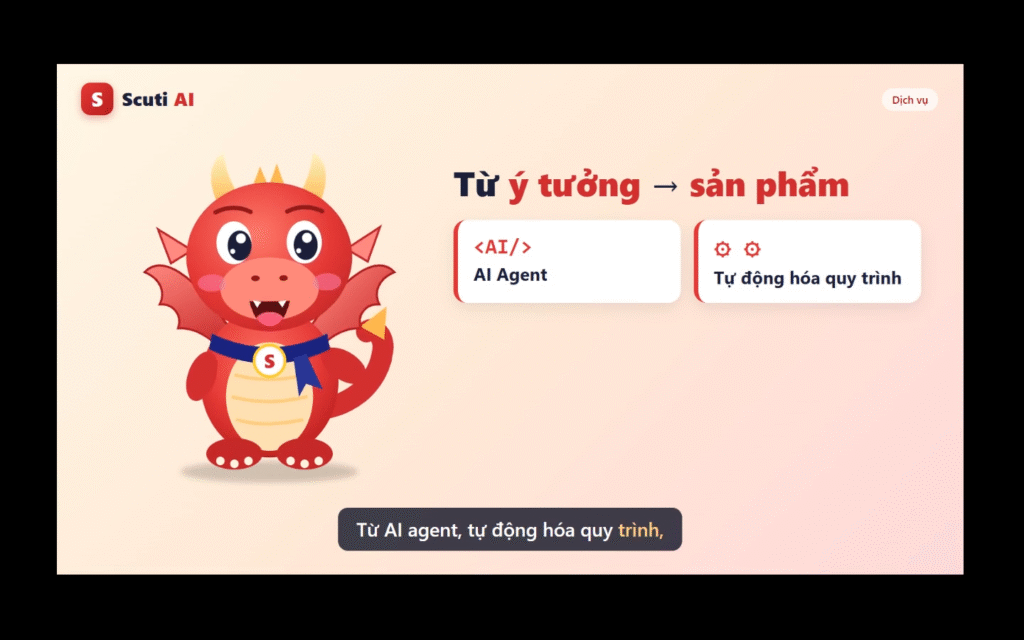
Step 8 — The final video playing
6. Comparison with the reference tools
| Reference video (Claude Code + Fish Audio + Topview + Higgsfield) |
My approach (Claude Code + edge-tts + HTML/SVG + Chrome) |
|
|---|---|---|
| Cost | Paid Claude plan + credits for each service | Free |
| Voice | Expressive, voice cloning | Clear but flat intonation |
| Lip-sync | Phoneme-accurate, works for human faces | Loudness-based: enough for a cartoon mascot |
| Branding | Generated visuals may drift (colors, logo, text) | Exact colors, logo and Vietnamese text |
| Editing | Regenerate; results vary each time | Edit one sentence → regenerate voice → record (~1 min) |
Both share one principle: the voice is the backbone, and the visuals are coded to follow it. With budget, just swap the voice step for Fish Audio or Azure TTS and keep the rest.
7. My opinion & how I apply it
- “Claude killed the video industry” is an exaggeration, but the point stands: when video is code, an AI that writes good code becomes a small studio. The hardest part is still a good script.
- Let the voice drive everything. Scenes, subtitles and effects take their timing from the voice, so changing the voice or a sentence re-syncs the whole video.
- Loudness-based lip-sync is enough for a mascot. Human faces need a dedicated tool like Topview.
- To improve: the voice is still flat and there is no music. That is where to spend money for a real campaign.
| Daily work | How I apply it |
|---|---|
| Release notes / sprint demos | The Red Dragon reads a 30-second summary of new features for every release |
| Internal training | Each process (git flow, security…) is a short script; edit the text to get a new video |
| Japanese / global clients | Switch to a ja-JP or en-US voice; subtitles and timing update automatically |
| Client proposals | Add a short mascot intro video in minutes |
| Subtitles for any video | Export word timings to an SRT subtitle file |