Introduction
Google Drive Projects (with Ask Gemini in Drive) let you pin a fixed set of files, folders, or emails as stable sources, then ask synthesis questions across multiple internal documents at once—ideal when presales needs a client-specific proposal or pitch while still aligning with product specs, standard templates, and past meeting notes.
Unlike ad-hoc Gemini chats on single files, a Project does not move original files on Drive; it creates a reusable research frame you can share with the team, resume conversation history, and verify answers through citations back to source Docs. Official documentation: Share Gemini sources using Drive projects, Use Gemini in Drive for research & analysis.
Requirements & checklist
- Create a new Project on Drive and aggregate source files: product specification, proposal template, and past meeting notes.
- Use Ask Gemini within the project to synthesize documents and generate a comprehensive draft for a new client proposal.
- Attach step-by-step screenshots (Steps 1–16) plus run/history notes when available.
- Include your own analysis on how cross-file synthesis improves efficiency and accuracy in sales or internal reporting routines.
- Ensure reproducibility: folder rules, source file names, and sample prompts so another team member can rebuild the setup.
Business scenario & dummy data
Context: an IT outsourcing team receives an RFP from Nexa Logistics (warehouse visibility MVP). They need a client pitch document in one working session, reusing internal product spec, proposal template, and lessons from the Acme Retail deal.
| Item | Sample value |
|---|---|
| New client (pitch) | Nexa Logistics Co., Ltd. |
| Project | Real-time warehouse stock visibility MVP (WMS integration) |
| Spec file | SPEC_Warehouse_Visibility_MVP_v1.2 |
| Proposal template | TEMPLATE_Proposal_IT_Intake |
| Reference meeting notes | NOTES_Acme_Retail_2026-03-18_REQ_interview |
| Drive Project | Pitch — Nexa Logistics — Warehouse MVP |
| Output | PITCH_Nexa_Logistics_Warehouse_MVP_draft (Google Doc or Word, depending on export) |
Workflow

Reproducibility
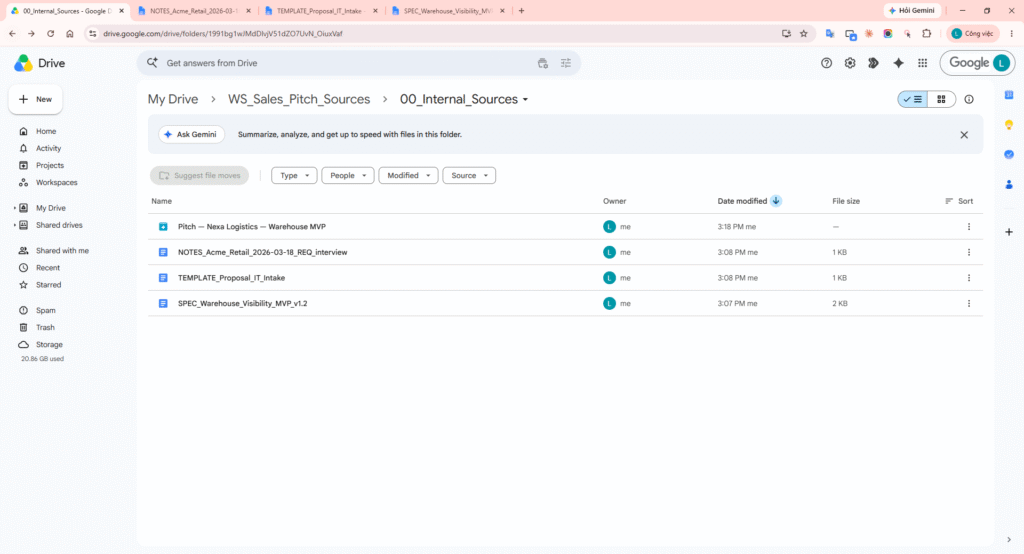
Drive folder tree
Order matters: create folders first, then create Docs inside 00_Internal_Sources, then create the Drive Project.
| Path | Role | Fixed vs parameterized |
|---|---|---|
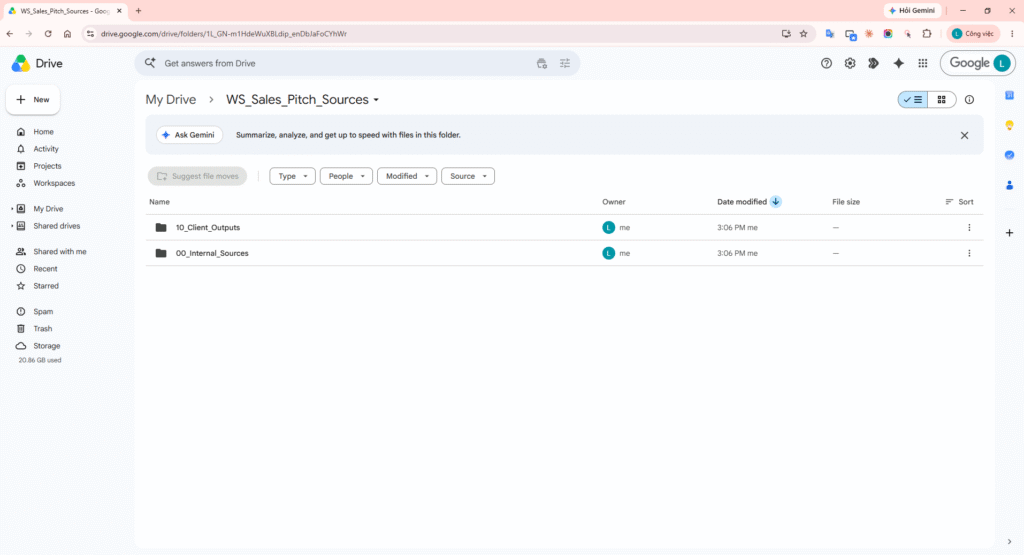
| WS_Sales_Pitch_Sources/00_Internal_Sources | Spec, template, notes—do not edit while running Gemini | Fixed folder name; version in Doc footer |
| WS_Sales_Pitch_Sources/10_Client_Outputs | Client-specific pitch drafts | File name: PITCH_{{clientSlug}}_draft |
Projects do not relocate files: when you add sources, original Drive permissions and paths stay the same—suitable for company-wide shared source standards.
Drive Project + Ask Gemini implementation
Step A — Prepare 3 source files (before creating the Project)
Create 3 Google Docs in 00_Internal_Sources using the sample bodies below (expand as needed for your demo):
1) Product specification (excerpt)
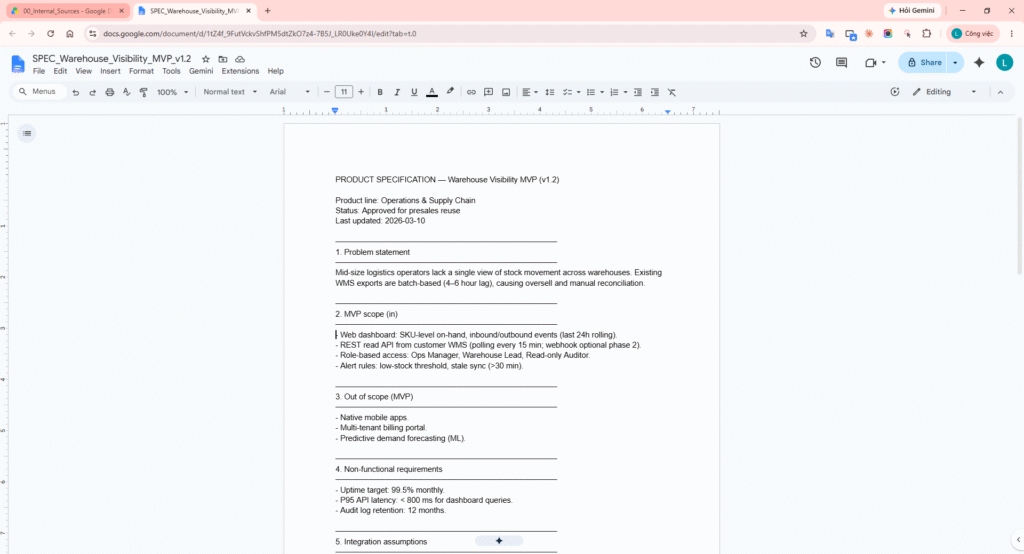
PRODUCT SPECIFICATION — Warehouse Visibility MVP (v1.2)

MVP scope (in)
- Web dashboard: SKU on-hand, inbound/outbound (24h rolling).
- REST read API from customer WMS (polling 15 min).
- RBAC: Ops Manager, Warehouse Lead, Auditor.

Out of scope (MVP)
- Native mobile apps; ML forecasting.

Internal MD reference
Work package   | Role      | MD low | MD high
WMS connector  | Backend   | 18     | 28
Dashboard UI     | Frontend  | 12     | 18
2) Proposal template (section structure)
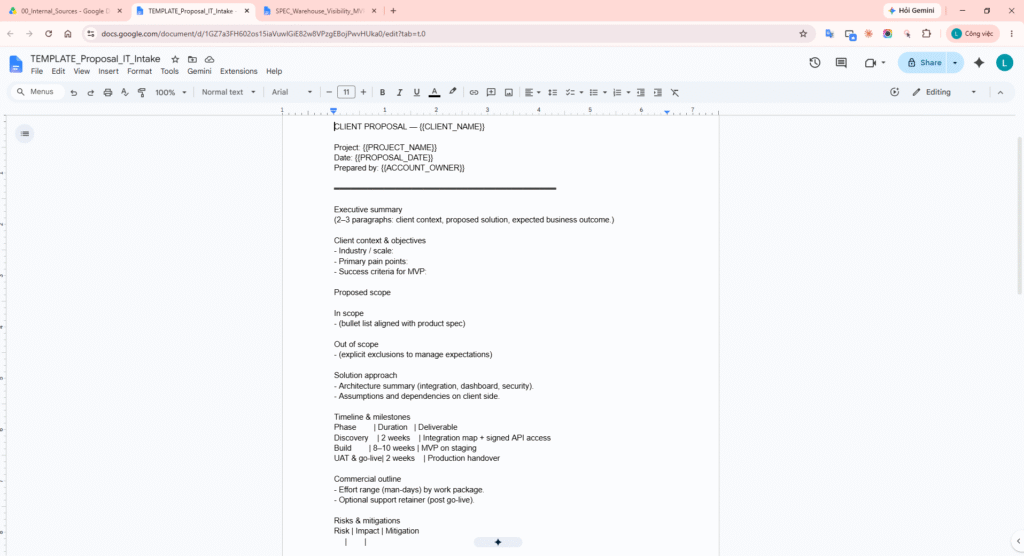
CLIENT PROPOSAL — {{CLIENT_NAME}}

Executive summary
Client context & objectives
Proposed scope (in / out)
Solution approach
Timeline & milestones
Commercial outline
Risks & mitigations
Next steps
3) Past meeting notes (lessons learned)
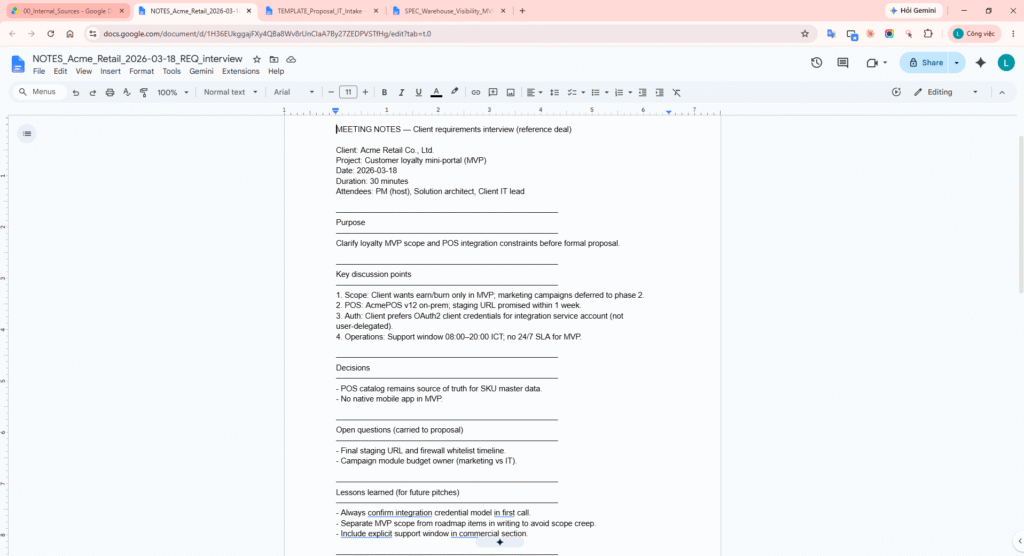
MEETING NOTES — Acme Retail (reference deal)

Lessons learned
- Confirm integration credential model in first call.
- Separate MVP scope from roadmap in writing.
- Include explicit support window in commercial section.
Step B — Create Project and attach sources
- Web: drive.google.com → New → Project (or project.new).
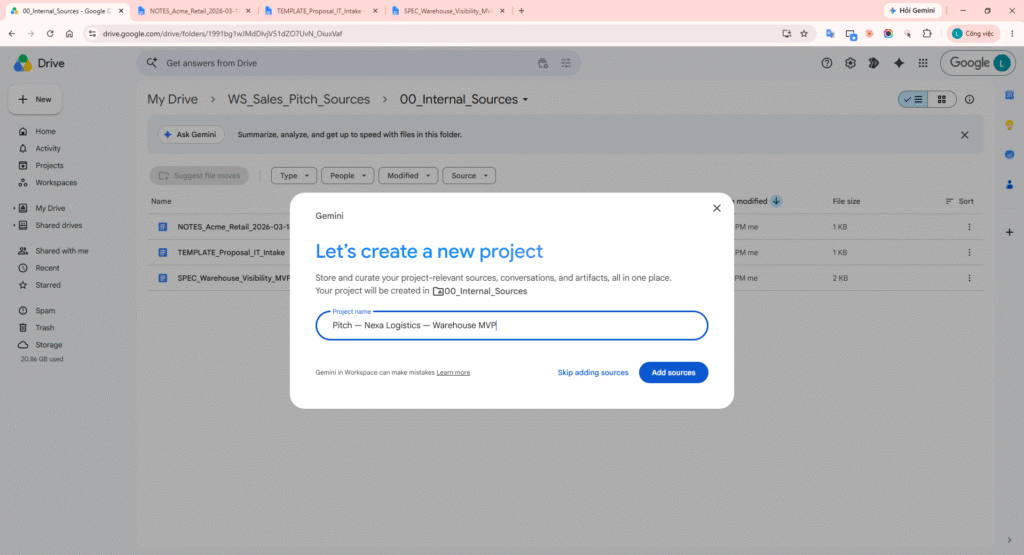
- Name: Pitch — Nexa Logistics — Warehouse MVP → Create Project.
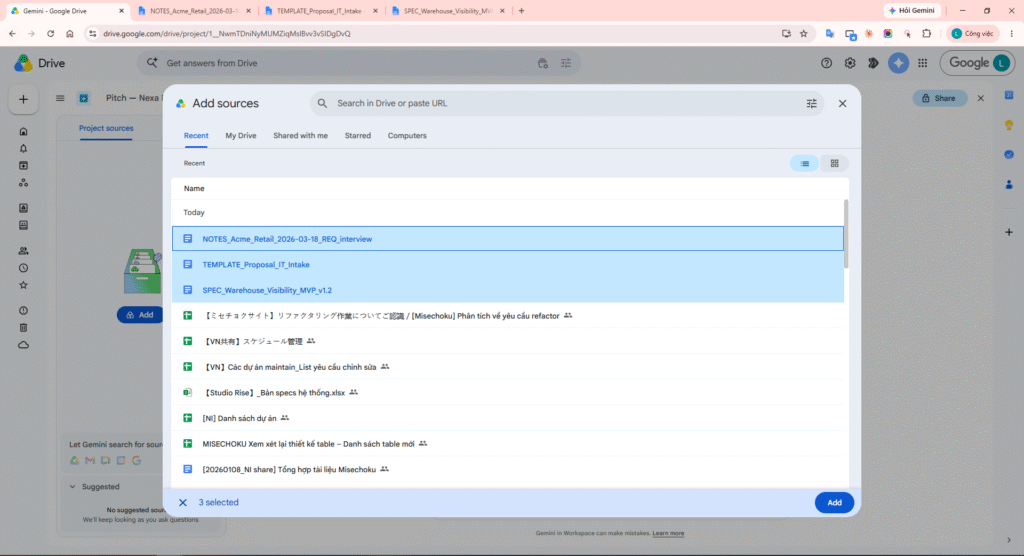
- Add sources → select the 3 Docs: spec, template, meeting notes.
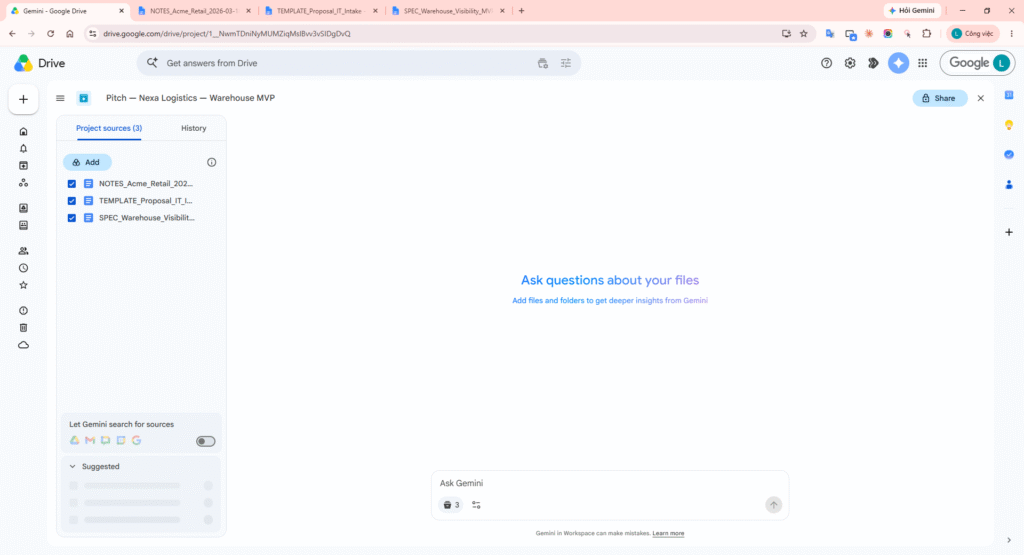
- Keep all sources checked (active) before asking Gemini.
Permissions: collaborators can only analyze file content if they already have View access on Drive. Sharing a Project does not replace sharing the underlying files.
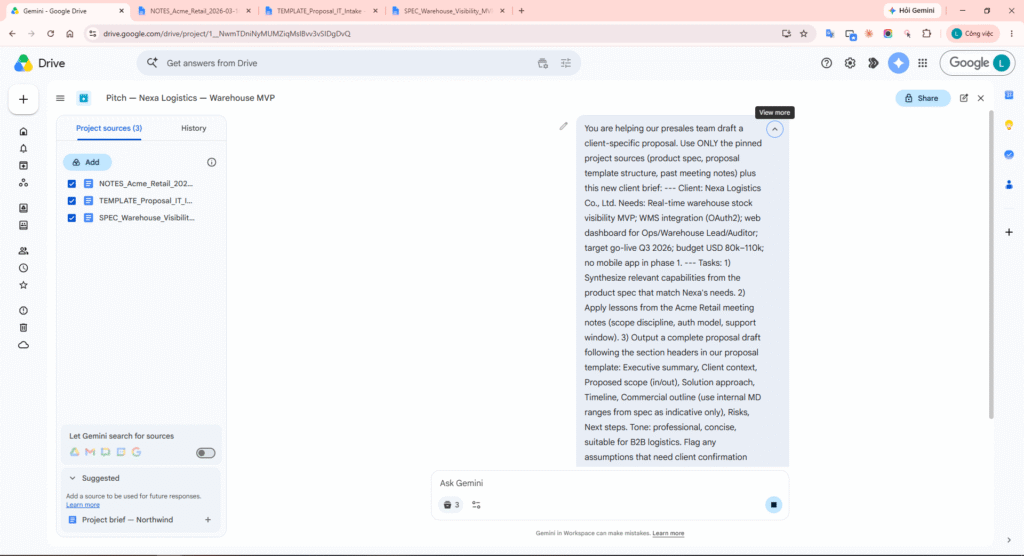
Step C — Ask Gemini: synthesis prompt
Paste the prompt below into Ask Gemini (full-screen inside the Project). The new client brief is embedded in the prompt—a separate Drive file is optional.
You are helping our presales team draft a client-specific proposal.

Use ONLY the pinned project sources (product spec, proposal template structure, past meeting notes) plus this new client brief:

---
Client: Nexa Logistics Co., Ltd.
Needs: Real-time warehouse stock visibility MVP; WMS integration (OAuth2); web dashboard for Ops/Warehouse Lead/Auditor; target go-live Q3 2026; budget USD 80k–110k; no mobile app in phase 1.
---

Tasks:
1) Synthesize relevant capabilities from the product spec that match Nexa's needs.
2) Apply lessons from the Acme Retail meeting notes (scope discipline, auth model, support window).
3) Output a complete proposal draft following the section headers in our proposal template: Executive summary, Client context, Proposed scope (in/out), Solution approach, Timeline, Commercial outline (use internal MD ranges from spec as indicative only), Risks, Next steps.

Tone: professional, concise, suitable for B2B logistics.
Flag any assumptions that need client confirmation with [CONFIRM].
Step D — Verify citations & export draft
- Read the response; click citation [1], [2]… or a file name under Sources used to open the source Doc (see research & analysis guide).
- Edit anything incorrect or off-client; adjust bullets per PM review.
- Export to Docs (or Word, depending on your tenant) → save into 10_Client_Outputs with the client pitch file name.
- (Optional) Save as a project from a regular Gemini conversation if you started from a single file first.
Step E — Follow-up in the same Project
Based on the draft above, tighten the Commercial outline into a table with 4 work packages and map each to the MD ranges from the product spec. Keep [CONFIRM] flags where budget or WMS API docs are uncertain.
Analysis: efficiency & accuracy for sales / reporting
The following is an operational assessment for presales/PM teams—it does not replace legal review or final pricing approval.
1) Efficiency (time & throughput)
| Previous manual step | With Drive Projects + Gemini | Estimated impact |
|---|---|---|
| Open 3–5 Docs one by one and copy-paste into a new proposal | One Project, one synthesis prompt aligned to template | ~40–60% less time for first draft |
| New AE onboarding: unclear which file is “source of truth” | Pinned source list + Project name per deal | Fewer wrong files / missing context on handoff |
| Weekly report: aggregate risks from multiple meeting notes | Cross-file prompt (“top 3 risks across Q2 notes”) | Useful for staff reports, not only client pitches |
2) Accuracy (quality & traceability)
- Citations and Sources used push authors back to original Docs—reduces hallucination vs sourceless chat.
- Fixed template in sources keeps proposal structure consistent across brand and delivery.
- Meeting notes bring lessons from past deals into new pitches (scope, auth, SLA)—avoids repeating presales mistakes.
- Toggle sources (temporarily uncheck) supports A/B analysis with or without reference notes.
3) Team operating recommendations
- Standardize Project prefix: Pitch — {Client} — {Offering}.
- Each exported pitch includes a footer line: Generated from Project: … | Prompt version: v1.
- PM must review all [CONFIRM] items before sending to the client.
- Do not rely on shared Gmail as a common source (email in Projects is private per Google documentation).
DEMO
Step 1: Open root folder WS_Sales_Pitch_Sources and show 00_Internal_Sources and 10_Client_Outputs.
Step 2: Open product spec Doc SPEC_Warehouse_Visibility_MVP_v1.2; show MVP scope and internal MD table.
Step 3: Open proposal template TEMPLATE_Proposal_IT_Intake; show all standard section headers.
Step 4: Open reference meeting notes NOTES_Acme_Retail_2026-03-18_REQ_interview; highlight Lessons learned.
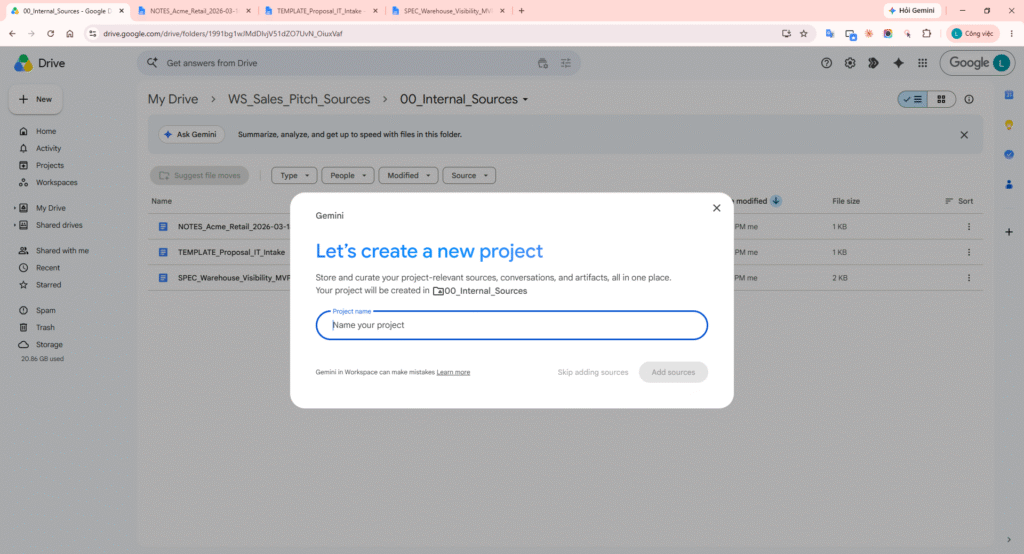
Step 5: On Drive, click New and select Project (or use project.new).
Step 6: Enter Project name Pitch — Nexa Logistics — Warehouse MVP and create the project.
Step 7: Click Add sources and select the 3 files in 00_Internal_Sources.
Step 8: Sources panel shows all 3 files with checkboxes enabled (active).
Step 9: Open Ask Gemini in the Project; confirm Sources area and prompt box.
Step 10: Paste the synthesis prompt (Implementation — Step C) into the question box.
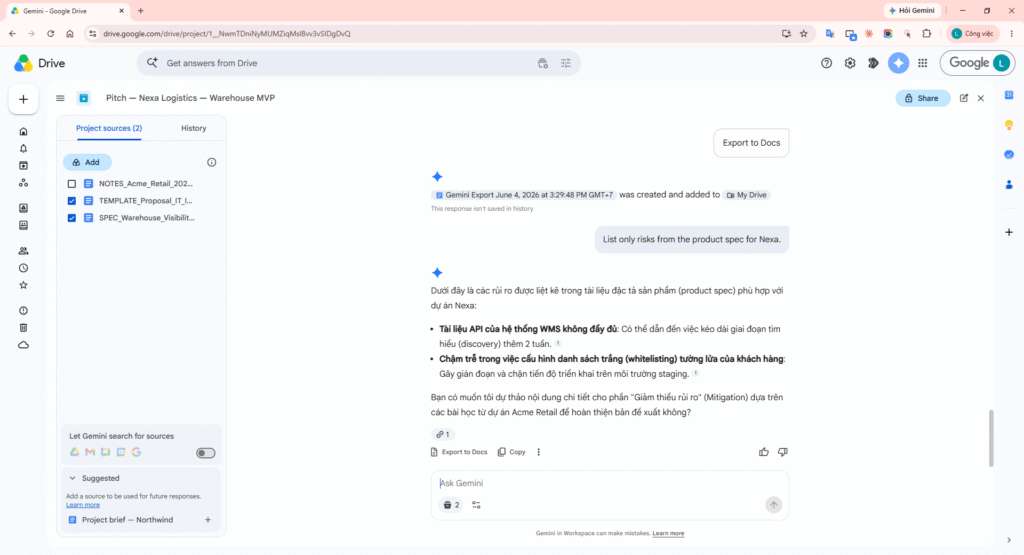
Step 11: Send the prompt; capture the response with citations and proposal sections (Risk table, Next steps, etc.).
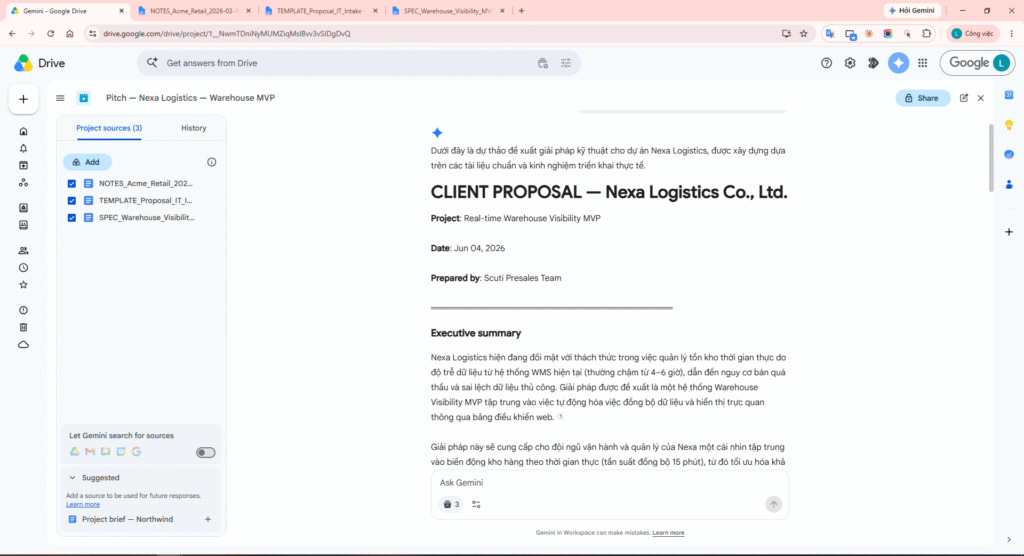
Step 12: In the right Sources used column, click a source file name (e.g. spec) to open the Doc and verify content. If inline [1], [2] appear, click those too. Do not click Export yet (Step 13).
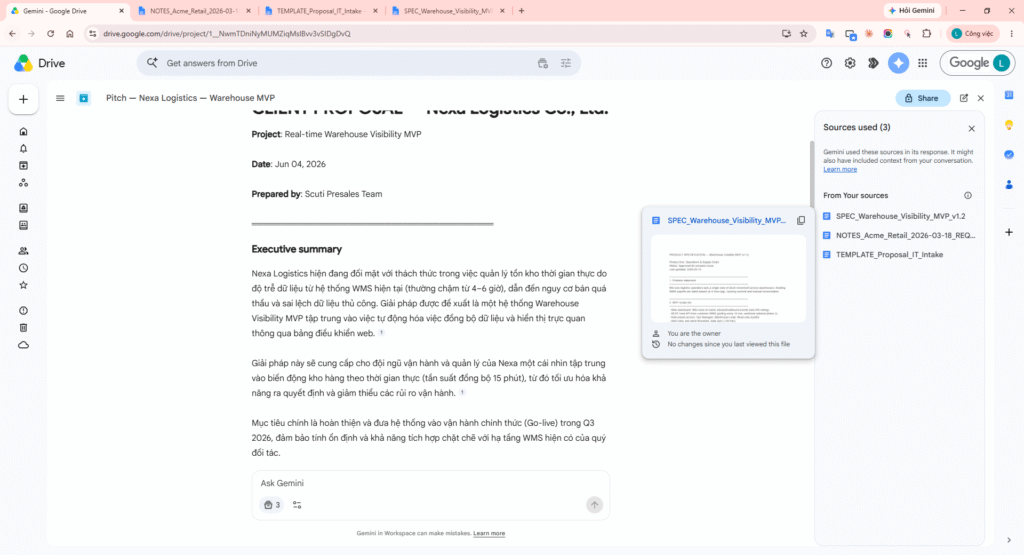
Step 13: Below Gemini’s response, click Export to Docs (not Export to Sheets—Sheets only exports a table such as Risks). Some tenants produce Word (.docx); move/rename to 10_Client_Outputs as PITCH_Nexa_Logistics_Warehouse_MVP_draft.
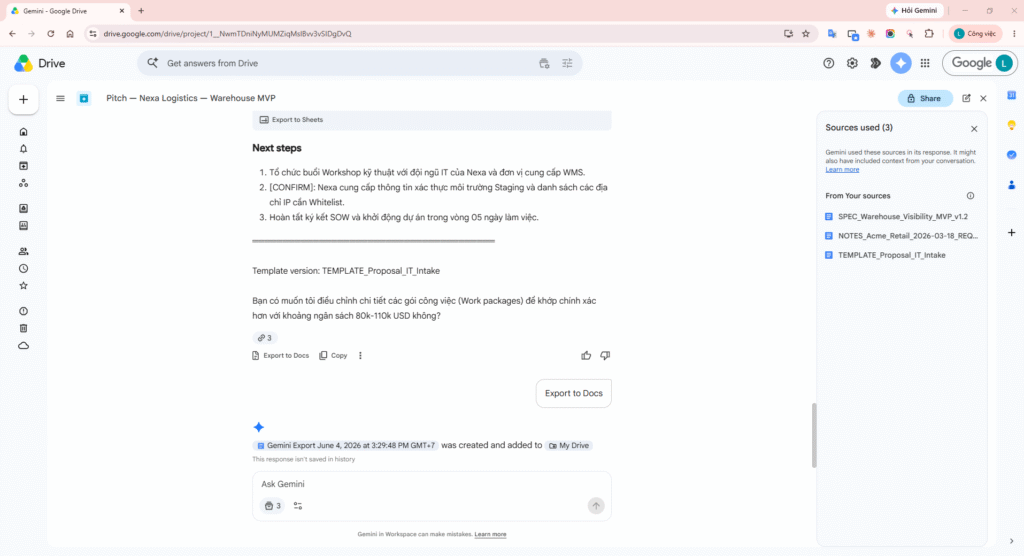
Step 14: Open PITCH_Nexa_Logistics_Warehouse_MVP_draft; confirm Nexa-specific Executive summary, scope, timeline, etc.
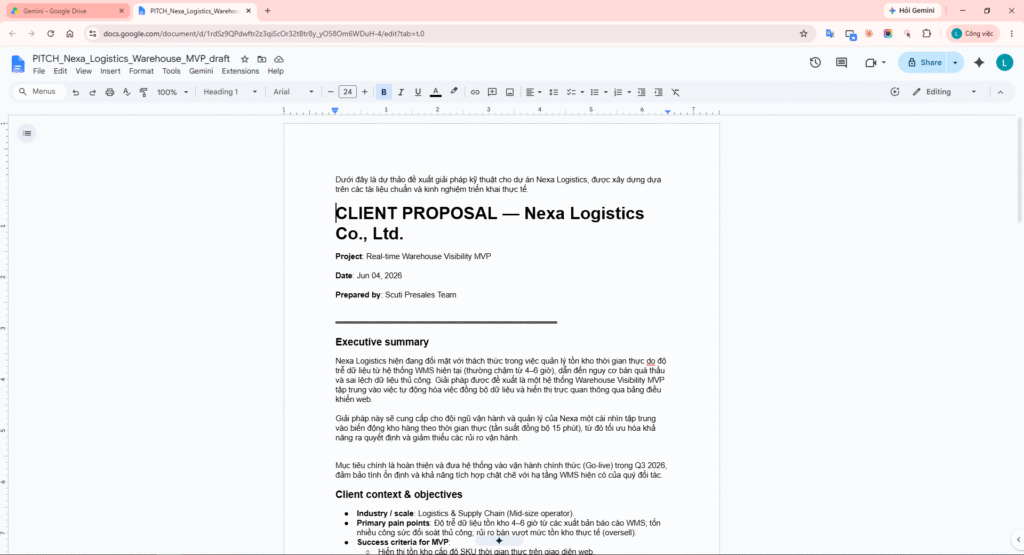
Step 15: Temporarily uncheck one source (e.g. meeting notes) and ask a short follow-up to show scope control.
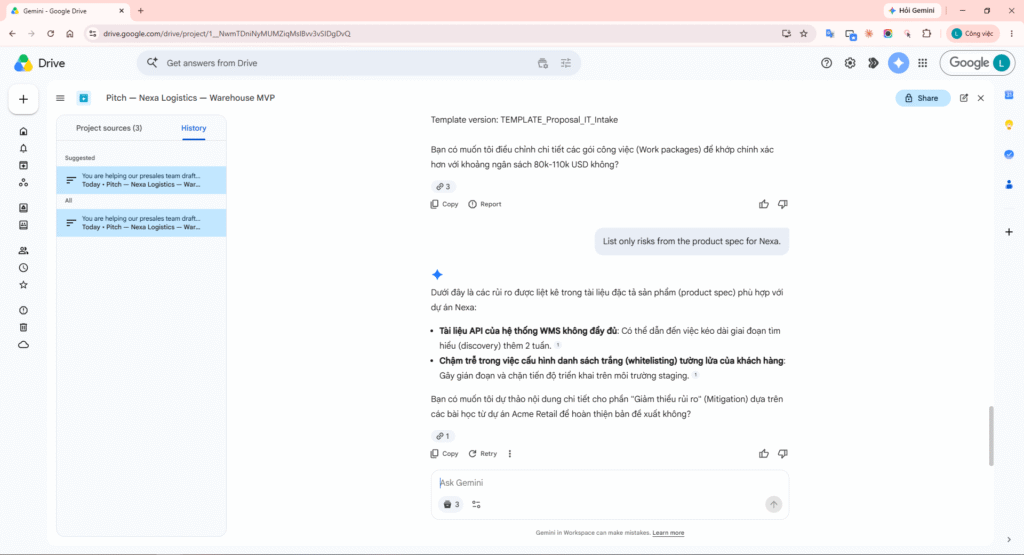
Step 16: Drive → Projects → open History and show the conversation you just ran (resume research).
Failure-prone points (3+)
| Risk | What you observe | Mitigation |
|---|---|---|
| Drive permissions | Collaborator opens Project but Gemini cannot read source file content. | Share underlying files first; use a presales Drive group. |
| Wrong or stale sources | Old spec still pinned → pitch proposes out-of-scope features. | Version in file names; quarterly review of pinned sources. |
| Over-trusting output | MD/budget numbers from spec misapplied to the new client context. | Mandatory PM review + [CONFIRM] tags; never send raw Gemini output to clients. |
| Sharing Project vs chat | Sharing a Project shares the source list only; chat history stays private. | Export to Doc/Word before internal handoff. |
Conclusion
Drive Projects turn scattered internal files into a controlled context for Ask Gemini—well suited for client-specific pitches and proposals that still align with product specs, templates, and prior deal experience. Combined with citations, source toggles, and PM review, sales teams can shorten first-draft time while improving traceability compared to manual copy-paste or sourceless chat.