Introduction
One of the biggest challenges in any development team is onboarding new members efficiently.
Whenever a new engineer joins the project, the same questions often come up:
- Where can I find the project architecture?
- Which coding conventions should I follow?
- How do we create a feature branch?
- What should I check before creating a Pull Request?
- Where are the deployment documents?
Although the answers already exist, they are usually scattered across multiple Google Docs, PDFs, spreadsheets, meeting notes, and chat messages.
As a result, senior engineers spend a considerable amount of time answering repetitive questions instead of focusing on development.
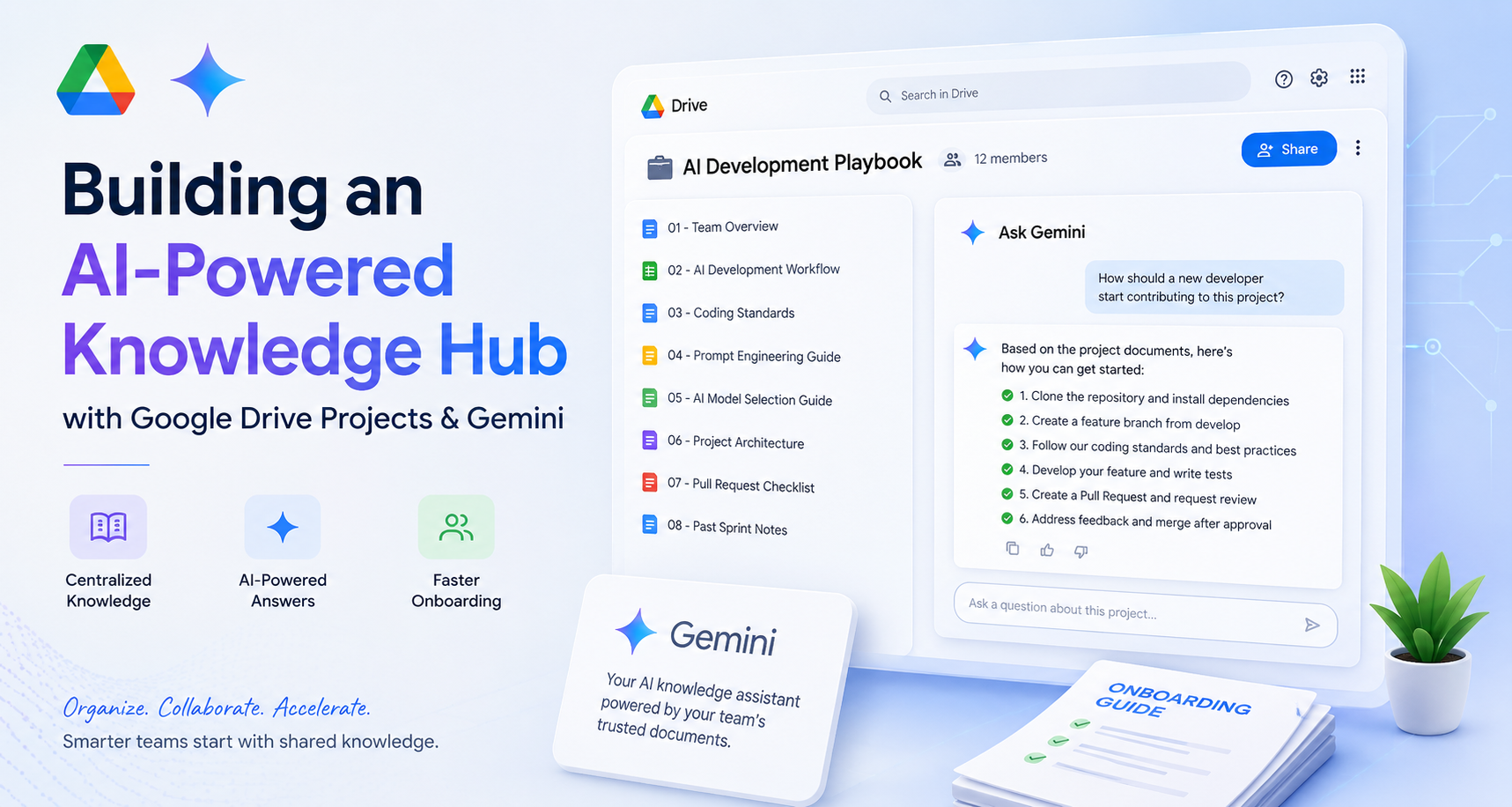
For this AI Quest, I wanted to explore how Google Drive Projects could become a centralized knowledge repository, allowing Gemini to answer onboarding questions using only trusted project documents.
The goal was simple:
Reduce onboarding time while making team knowledge easier to discover and reuse.
The Challenge
Most development teams already have documentation.
The problem is not the lack of documentation—it is the difficulty of finding the right information.
A typical project folder might contain:
Development Docs
├── Architecture
├── Coding Guidelines
├── Deployment Guide
├── Meeting Notes
├── API Specifications
├── Sprint Reports
├── Pull Request Checklist
└── Miscellaneous Documents
While everything technically exists, new developers often spend more time searching than learning.
Even experienced engineers sometimes forget where specific information is stored.
I wanted to see whether Google Drive Projects combined with Gemini could solve this problem.
Building the Development Onboarding Hub
I created a Google Drive Project called:
Development Team Onboarding Hub
Inside the Project, I gathered the essential documents that every new developer would need.
The Project contains:
| Document | Purpose |
|---|---|
| Team Overview | Introduces the team and technology stack |
| Development Workflow | Explains the development lifecycle |
| Coding Guidelines | Coding standards and naming conventions |
| Project Architecture | High-level system architecture |
| Pull Request Checklist | Requirements before opening a PR |
| Frequently Asked Questions | Common onboarding questions |
| Sprint Meeting Notes | Historical project context |
Instead of storing these files separately across different folders, they are now grouped into one dedicated Project that serves as a single source of truth.
Testing Gemini with Project Knowledge
Once the Project was ready, I wanted to evaluate how well Gemini could understand and summarize information from multiple documents.
Example 1 – Getting Started
Prompt:
How should a new developer start contributing to this project?
Gemini summarized the onboarding process by combining information from several documents, including:
- Project setup
- Branch strategy
- Development workflow
- Coding standards
- Pull Request process
Instead of opening multiple files manually, the answer was generated in a single response.
Example 2 – Understanding the Workflow
Prompt:
Summarize our development workflow.
Gemini generated a concise explanation covering:
- Feature branch creation
- Development
- Code review
- QA testing
- Merge strategy
- Deployment
The response was easy to understand, especially for someone joining the project for the first time.
Example 3 – Explaining Architecture
Prompt:
Explain the project architecture to a new backend engineer.
Rather than copying the architecture document, Gemini produced a simplified explanation describing how each component communicates:
- Frontend
- Backend APIs
- Database
- AI Services
- Cloud Infrastructure
This makes complex technical documentation much more approachable.
Example 4 – Creating an Onboarding Guide
Finally, I asked Gemini:
Create a one-page onboarding guide for a new developer using every document in this Project.
This was the most impressive result.
Gemini generated a structured onboarding guide that combined knowledge from every uploaded document, including:
- Team introduction
- Development process
- Coding rules
- Architecture overview
- Best practices
- Pull Request checklist
Instead of reading seven different documents, a new engineer could start with one AI-generated guide.
What Makes Google Drive Projects Valuable?
The real value is not simply storing documents together.
The real value comes from turning documentation into searchable organizational knowledge.
Instead of asking a teammate:
“Where is the deployment guide?”
A new developer can simply ask:
“How do we deploy this application?”
Gemini searches the trusted Project documents and provides an answer based on verified internal knowledge.
This creates a more consistent onboarding experience while reducing repetitive questions for senior engineers.
My Idea: AI Knowledge Hub for Every Department
While this experiment focused on development onboarding, the same approach can be applied across the organization.
Development
- Architecture
- Coding standards
- Deployment guides
- API documentation
- Incident reports
Human Resources
- Employee handbook
- Company policies
- Leave procedures
- Benefits
- Onboarding checklist
Sales
- Product documentation
- Pricing
- Proposal templates
- Customer success stories
Marketing
- Brand guidelines
- Campaign reports
- Content strategy
- Social media playbooks
Each department could maintain its own Google Drive Project, allowing Gemini to answer questions based on curated internal knowledge.
Rather than searching through folders or asking colleagues repeatedly, employees can simply ask Gemini.
What I Learned
This experiment changed the way I think about documentation.
Documentation should not only be stored—it should be easily discoverable and genuinely useful.
Google Drive Projects combined with Gemini transform static documents into an intelligent knowledge assistant capable of understanding context across multiple files.
For onboarding, this means:
- Faster ramp-up for new team members
- Less repetitive work for senior engineers
- More consistent knowledge sharing
- Better preservation of organizational knowledge
Conclusion
Google Drive Projects are more than just a way to organize files.
When combined with Gemini, they become a centralized knowledge repository that enables employees to interact with documentation using natural language.
For development teams, this approach has the potential to significantly reduce onboarding time while improving the overall knowledge-sharing experience.
As organizations continue to grow, preserving and sharing knowledge becomes increasingly important.
Instead of asking:
“Where is the document?”
New team members can simply ask:
“How does our team work?”
And Gemini already knows where to find the answer.