
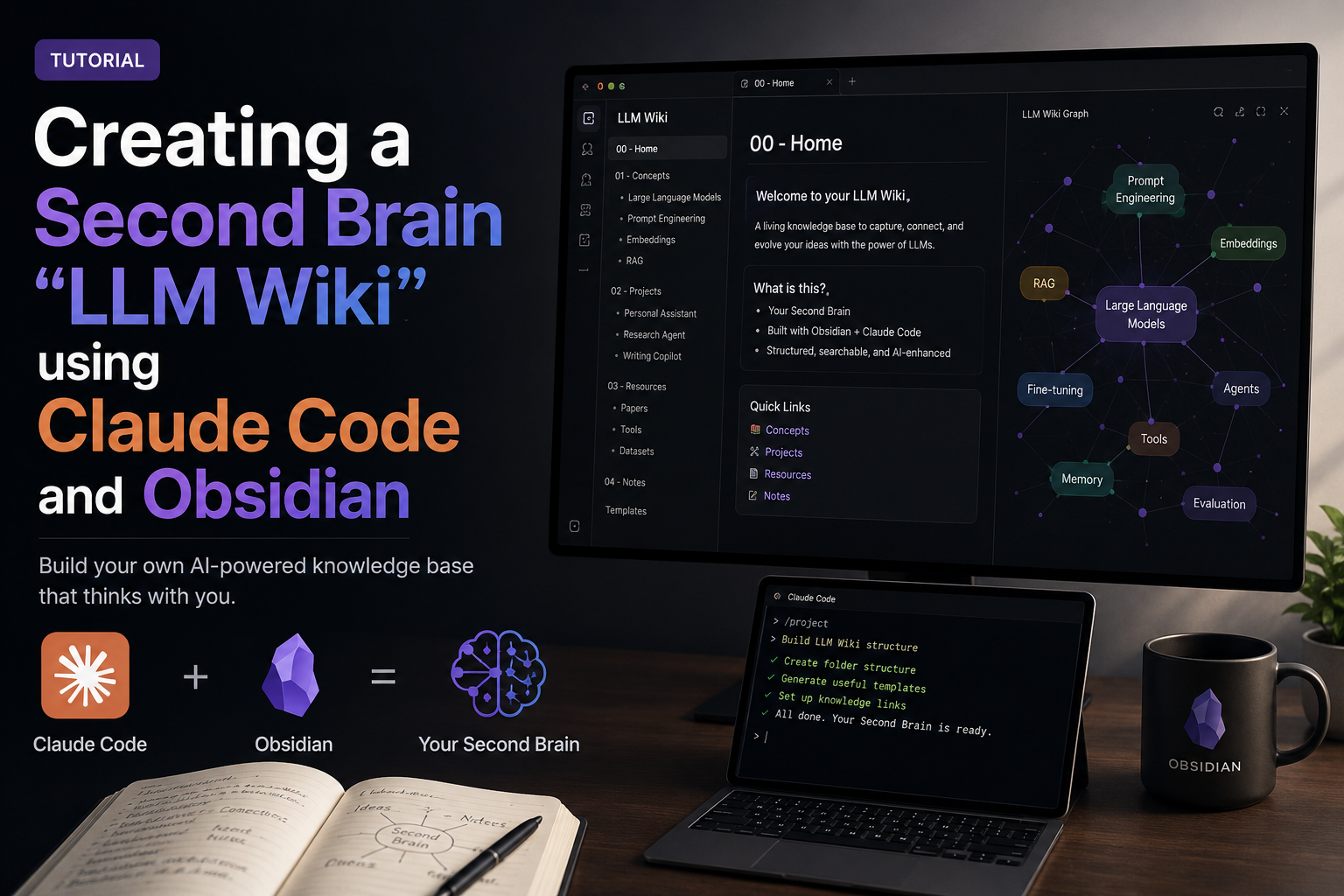
1. Introduction
- Most people’s experience with LLMs and documents looks like RAG: you upload a collection of files, the LLM retrieves relevant chunks at query time, and generates an answer. This works, but the LLM is rediscovering knowledge from scratch on every question. There’s no accumulation. Ask a subtle question that requires synthesizing five documents, and the LLM has to find and piece together the relevant fragments every time. Nothing is built up. NotebookLM, ChatGPT file uploads, and most RAG (Retrieval Augmented Generation) systems work this way.
- The idea of “wiki” here is different. Instead of just retrieving from raw documents at query time, the LLM incrementally builds and maintains a persistent wiki — a structured, interlinked collection of markdown files that sits between you and the raw sources.
2. What is LLM Wiki?
- Follow Karpathy: Wiki is a pattern for building personal knowledge bases using LLMs. This is an idea file, it is designed to be copy pasted to your own LLM Agent (e.g. OpenAI Codex, Claude Code, OpenCode / Pi, or etc.). Its goal is to communicate the high-level idea, but your agent will build out the specifics in collaboration with you.
- Architecture: There are three layers:
- Raw sources — your curated collection of source documents. Articles, papers, images, data files. These are immutable — the LLM reads from them but never modifies them. This is your source of truth.
- The wiki — a directory of LLM-generated markdown files. Summaries, entity pages, concept pages, comparisons, an overview, a synthesis. The LLM owns this layer entirely. It creates pages, updates them when new sources arrive, maintains cross-references, and keeps everything consistent. You read it; the LLM writes it.
- The schema — a document (e.g. CLAUDE.md for Claude Code or AGENTS.md for Codex) that tells the LLM how the wiki is structured, what the conventions are, and what workflows to follow when ingesting sources, answering questions, or maintaining the wiki. This is the key configuration file — it’s what makes the LLM a disciplined wiki maintainer rather than a generic chatbot. You and the LLM co-evolve this over time as you figure out what works for your domain.
- Operations:
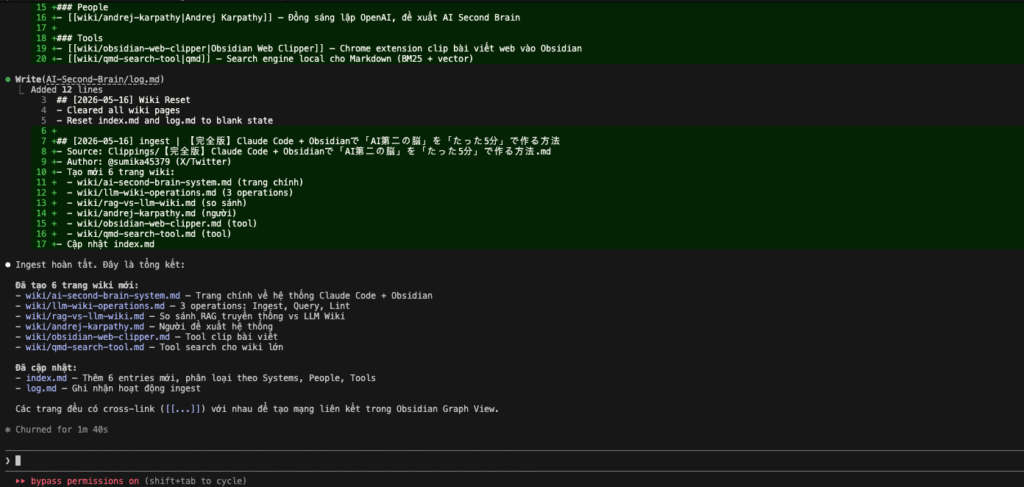
- Ingest. You drop a new source into the raw collection and tell the LLM to process it. An example flow: the LLM reads the source, discusses key takeaways with you, writes a summary page in the wiki, updates the index, updates relevant entity and concept pages across the wiki, and appends an entry to the log. A single source might touch 10-15 wiki pages.
- Query. You ask questions against the wiki. The LLM searches for relevant pages, reads them, and synthesizes an answer with citations. Answers can take different forms depending on the question — a markdown page, a comparison table, a slide deck (Marp), a chart (matplotlib), a canvas.
- Lint. Periodically, ask the LLM to health-check the wiki. Look for: contradictions between pages, stale claims that newer sources have superseded, orphan pages with no inbound links, important concepts mentioned but lacking their own page, missing cross-references, data gaps that could be filled with a web search. The LLM is good at suggesting new questions to investigate and new sources to look for. This keeps the wiki healthy as it grows.
- Two special files help the LLM (and you) navigate the wiki as it grows. They serve different purposes:
- index.md is content-oriented. It’s a catalog of everything in the wiki — each page listed with a link, a one-line summary, and optionally metadata like date or source count. Organized by category (entities, concepts, sources, etc.). The LLM updates it on every ingest. When answering a query, the LLM reads the index first to find relevant pages, then drills into them. This works surprisingly well at moderate scale (~100 sources, ~hundreds of pages) and avoids the need for embedding-based RAG infrastructure.
- log.md is chronological. It’s an append-only record of what happened and when — ingests, queries, lint passes. A useful tip: if each entry starts with a consistent prefix (e.g. ## [2026-04-02] ingest | Article Title), the log becomes parseable with simple unix tools — grep “^## \[” log.md | tail -5 gives you the last 5 entries. The log gives you a timeline of the wiki’s evolution and helps the LLM understand what’s been done recently.
3. Download Obsidian
- Download Obsidian from https://obsidian.md/
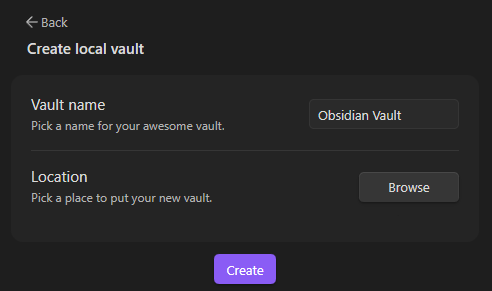
- Create a new vault, you can name it “Obsidian Vault” or any name you want:

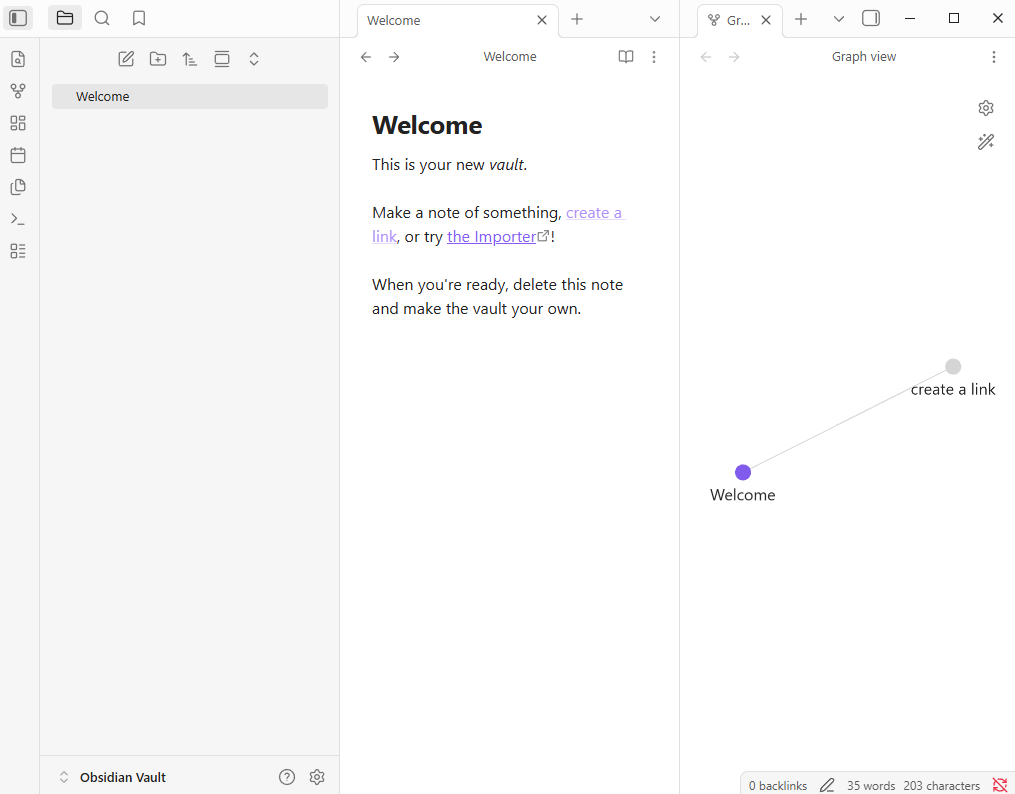
- Then after successfully creating, it shows up a window:
4. Downloaded the Obsidian extension “Obsidian Web Clipper”.
Link download: https://obsidian.md/clipper

5. Create a instruction for Claude Code
In Obsidian, I created 3 folders: sources, Clippings, and wiki. Then I added an instruction file for Claude named CLAUDE.md.
Link download CLAUDE.md file: https://gist.github.com/karpathy/442a6bf555914893e9891c11519de94f
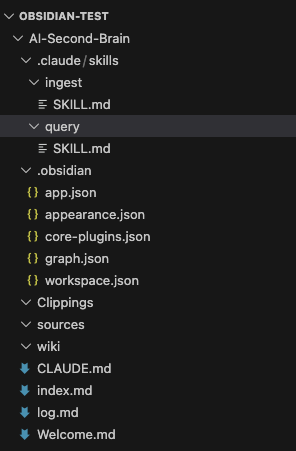
To make the LLM Wiki more efficient and structured, I created two dedicated skill files inside the .claude/skills/ folder. These files act as system prompts that define clear behaviors for Claude Code when using slash commands.
1. /ingest Skill – Intelligent Document Ingestion
Purpose: This skill turns Claude into a disciplined Wiki Administrator. It handles the full ingestion workflow when new knowledge (articles, clippings, papers, etc.) is added to the raw/ folder.
Key Responsibilities:
- Read the source file from the raw/ directory (or web clippings).
- Evaluate content quality and relevance.
- Create or intelligently update relevant wiki pages in the wiki/ folder.
- Maintain consistency by updating index.md and log.md.
- Build cross-links between related concepts and entities.
- At the end, provide a clear summary of all files created or modified.
Usage Example:
text
/ingest nextjs-15-app-router.mdThis command ensures new information is not just stored, but properly integrated into the existing knowledge base, preventing the wiki from becoming disorganized.
2. /query Skill – Structured Knowledge Retrieval
Purpose: This skill transforms Claude into a precise Wiki Researcher. It forces the model to answer questions only using the curated knowledge inside the wiki, ensuring high faithfulness and consistency.
Key Rules Enforced:
- Always read index.md first to understand the overall structure.
- Only retrieve information from files inside the wiki/ folder.
- Provide structured, clear, and well-organized answers.
- Cite sources using wiki links [[Page Name]].
- Never use external web search unless explicitly allowed.
Usage Example:
text
/query What are the best practices for error handling in Next.js 15 App Router?This command guarantees that responses are based on my own accumulated and verified knowledge, rather than generic LLM hallucinations.
6. Capture data from a website
Open an url, example: https://x.com/sumika45379/status/2048681621432549402, and capture it with Obsidian Web Clipper
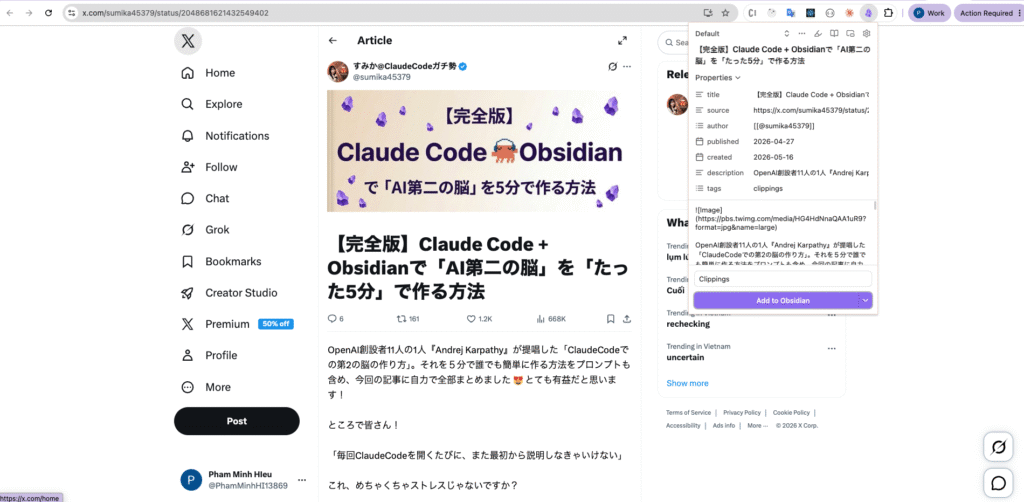
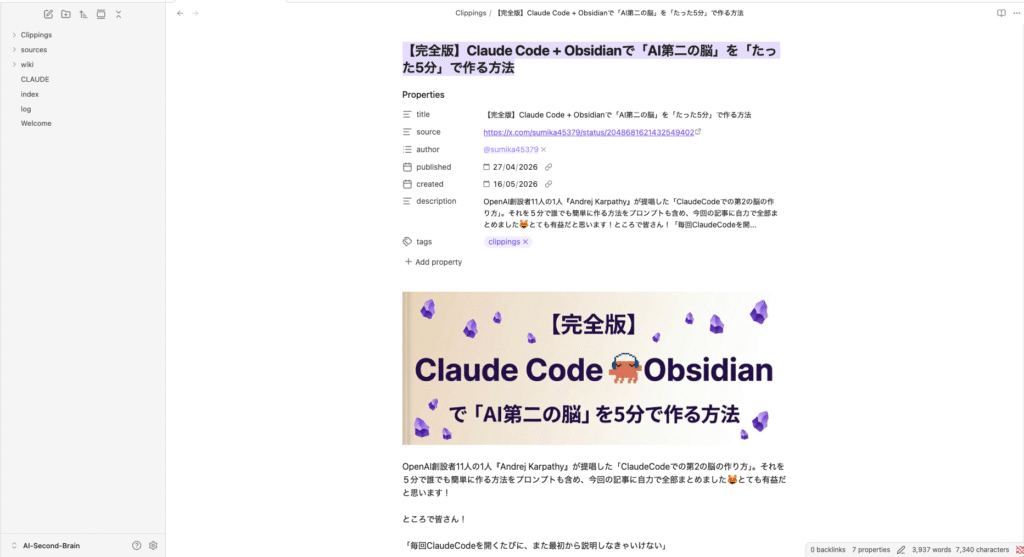
7. Ingest document
After capture, i use claude code to ingest document
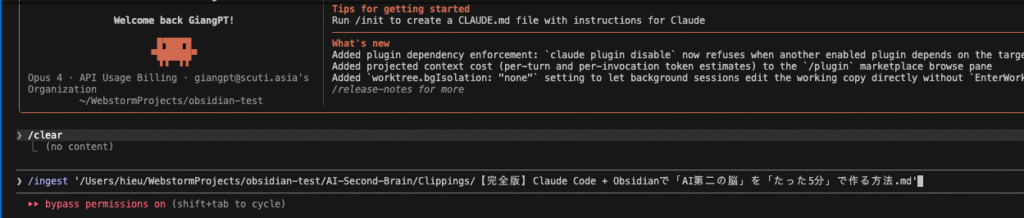
Result claude code
Open graph view on Obsidian
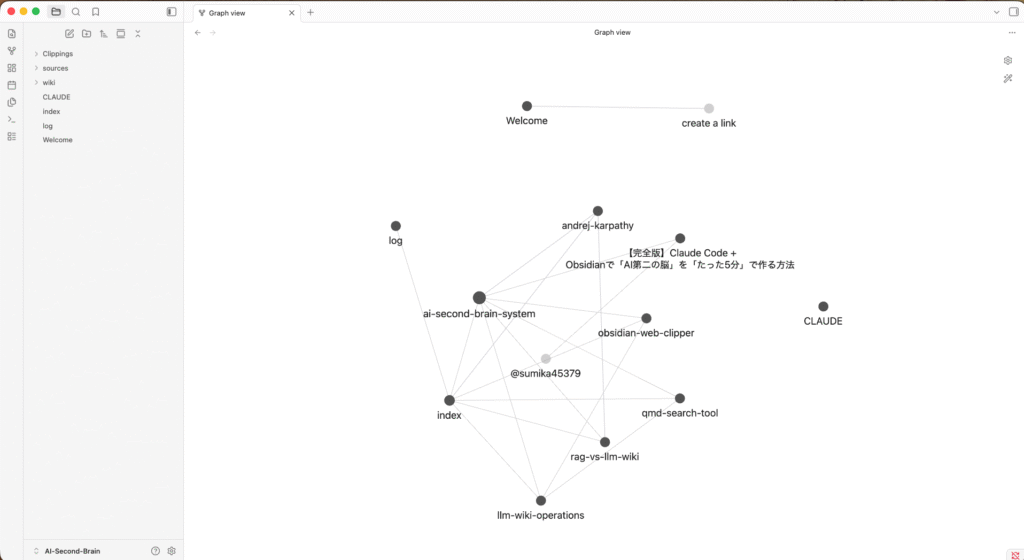
The image above shows the Graph View of my LLM Wiki vault named AI-Second-Brain in Obsidian. This graph provides a visual representation of how all the notes are interconnected through backlinks, giving an overview of the knowledge structure.
Key observations from the graph:
- The central node ai-second-brain-system acts as the main hub, connecting most of the important concepts and pages in the wiki.
- Major connected nodes include:
- index – The main index page of the wiki
- log – The chronological activity log
- andrej-karpathy – Information about the creator of the LLM Wiki concept
- obsidian-web-clipper – Documentation about the web clipping tool I use
- rag-vs-llm-wiki – Comparison between traditional RAG and the LLM Wiki approach
- llm-wiki-operations – Details of wiki operations (ingest, query, lint, etc.)
- CLLAUDE – Configuration and skill files for Claude Code
- The graph demonstrates that even with a relatively small number of notes, the system has already begun forming meaningful connections between concepts, tools, and ideas.
This visual graph is one of the biggest advantages of using Obsidian. It allows me to see the relationships between knowledge pieces at a glance and helps identify potential gaps or areas that need deeper exploration.
As the wiki grows, this graph will become increasingly rich and complex, effectively turning my personal knowledge base into a living, interconnected “Second Brain.”
8. Query information
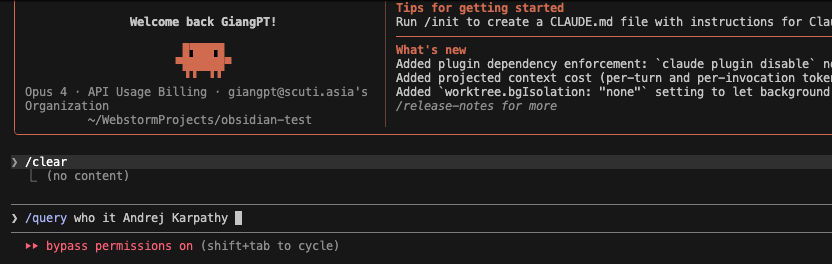
I entered the command: /query who is Andrej Karpathy
This triggers Claude Code to search and synthesize information only from the curated knowledge stored in the wiki/ folder.
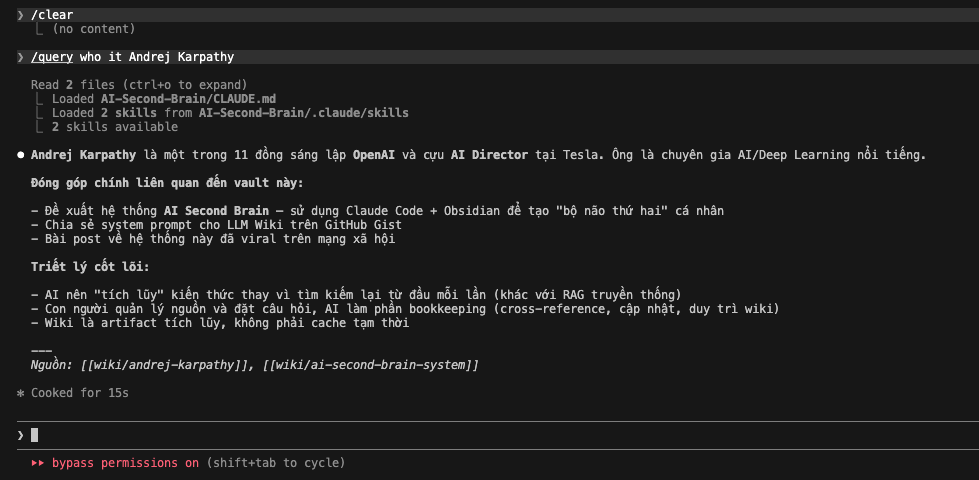
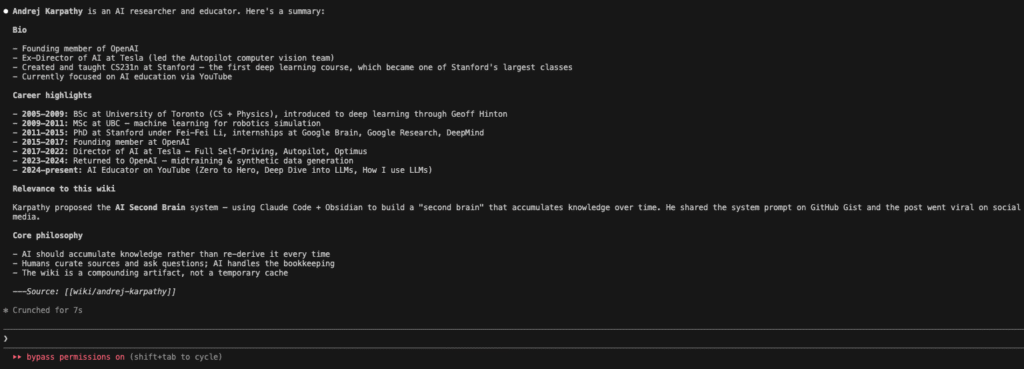
The image above displays the actual output from Claude Code after executing the command:
/query who is Andrej Karpathy
Claude successfully retrieved and synthesized information entirely from my LLM Wiki, without using external web search. It provided a concise, well-structured summary about Andrej Karpathy, including:
- His background (co-founder of OpenAI, former AI Director at Tesla).
- His direct contribution to this vault (introducing the LLM Wiki concept using Claude Code + Obsidian).
- The core philosophy behind the LLM Wiki system.
At the bottom, it clearly cited the sources using internal wiki links: [[wiki/andrej-karpathy]] and [[wiki/ai-second-brain-system]]
9. Update LLM Wiki
Although the /query command returned useful information about Andrej Karpathy from my existing wiki, I noticed the content was still quite limited. To enrich my knowledge base, I decided to gather more detailed and official information.
I visited Karpathy’s official website at karpathy.ai. I used the Obsidian Web Clipper to capture the full biography and timeline from his personal site. The captured content was automatically saved into the Clippings/ folder as a new source file.
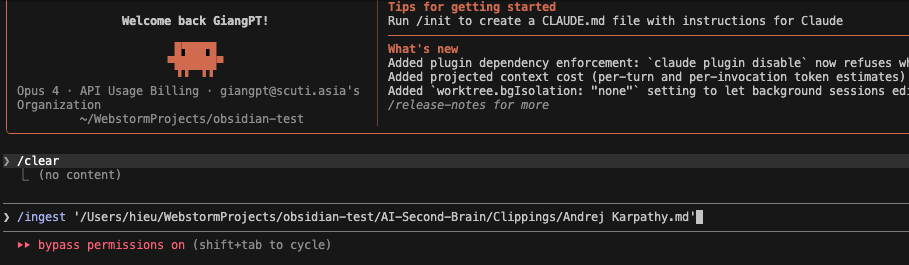
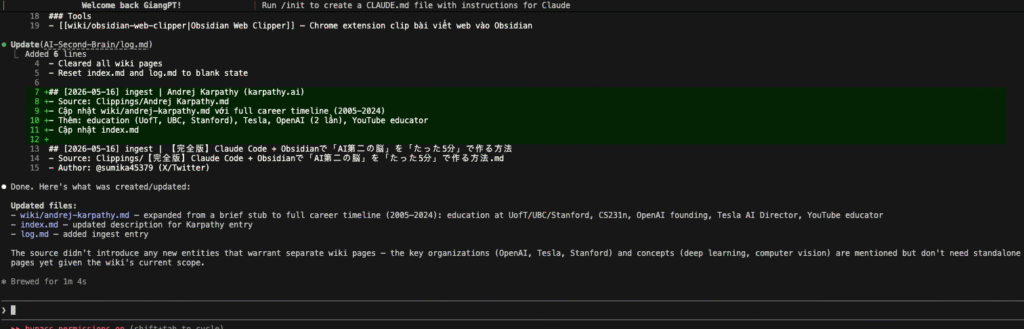
And Claude Code’s response was excellent:
Claude successfully:
- Expanded the stub page wiki/andrej-karpathy.md into a comprehensive profile with a complete career timeline (2005–2024).
- Added detailed education history (University of Toronto, UBC, Stanford), key roles at OpenAI and Tesla, and his current work as an AI educator.
- Automatically updated index.md and log.md.
- Maintained wiki cleanliness by not creating unnecessary new entity pages.
After the ingestion, the Graph View in Obsidian clearly showed improvement:
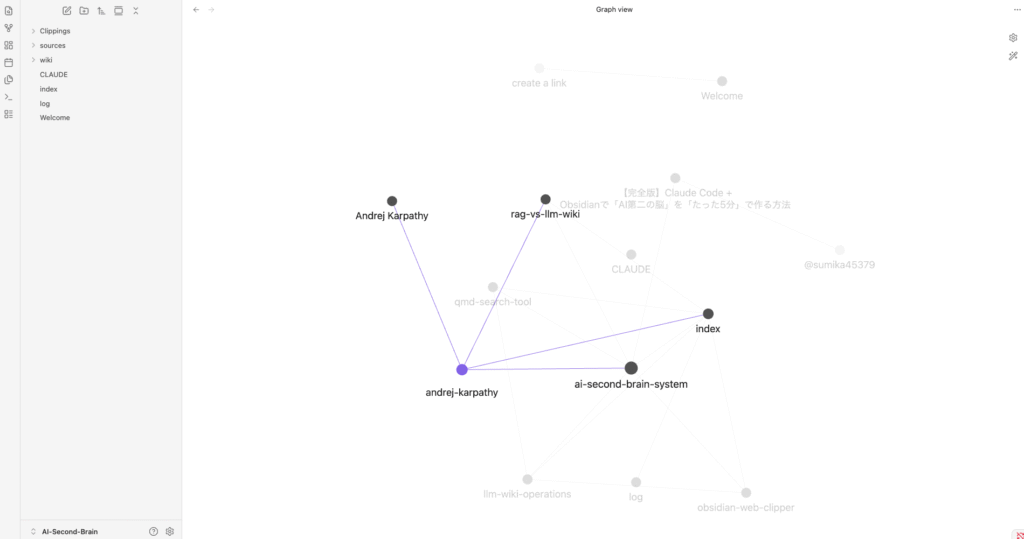
The node andrej-karpathy became much more prominent and strongly connected to the central hub ai-second-brain-system. This demonstrates how ingesting quality sources helps the wiki evolve from isolated notes into a richly interconnected knowledge network.
10. My Personal Opinion: Practical Application of LLM Wiki in My Daily Work
After building and experimenting with the LLM Wiki for a short period, I realized that this system fits my real working style better than trying to record everything I read.
I don’t save everything. A lot of content is temporary or not valuable enough for long-term retention. Thanks to the Quality Gate and Reusability Score in my CLAUDE.md, my wiki remains relatively clean and has not turned into a mess of random notes.
The biggest benefit I have experienced so far is in Research:
- The Graph View helps me clearly visualize the structure of my knowledge. Instead of reading articles in isolation, I can see how different notes are connected to each other.
- It becomes easier to identify what core content I already have and which aspects are still missing or need deeper exploration.
- For example, when researching Andrej Karpathy, my wiki initially only had very basic information. After ingesting more details, the graph showed how this node connected with other related nodes (LLM Wiki concept, Claude Code, Obsidian, etc.), giving me a much clearer picture of the overall topic.
At this stage, I mainly use the LLM Wiki to:
- Save important knowledge during technology research.
- Use the Graph View to evaluate how well I understand a particular subject.
- Discover knowledge gaps and decide what to research next.
Implementation & References My current LLM Wiki implementation is publicly available here: GitHub Repository: https://github.com/mhieupham1/AI-Second-Brain
This project was inspired by:
The practical demonstration shared by @sumika45379 on X: https://x.com/sumika45379/status/2048681621432549402
Andrej Karpathy’s original LLM Wiki concept: https://gist.github.com/karpathy/442a6bf555914893e9891c11519de94f
Conclusion: The LLM Wiki is not yet a “magic tool” that dramatically boosts my productivity overnight. However, it is gradually changing the way I conduct research. Instead of just reading and forgetting, I am starting to see knowledge as an interconnected network. I believe that as I continue using and building it over time, this system will become increasingly powerful and genuinely helpful for my work as a software developer.