
1. Overview
Both Business Starter and Business Standard are part of Google Workspace, providing essential tools such as Gmail, Google Drive, Docs, Sheets, Slides, Meet, and Chat.
However, the real difference is not about what tools are included, but rather how powerful and scalable those tools are.
2. Key Differences (Detailed Analysis)
🔹 2.1 Storage – from “individual use” to “team collaboration”
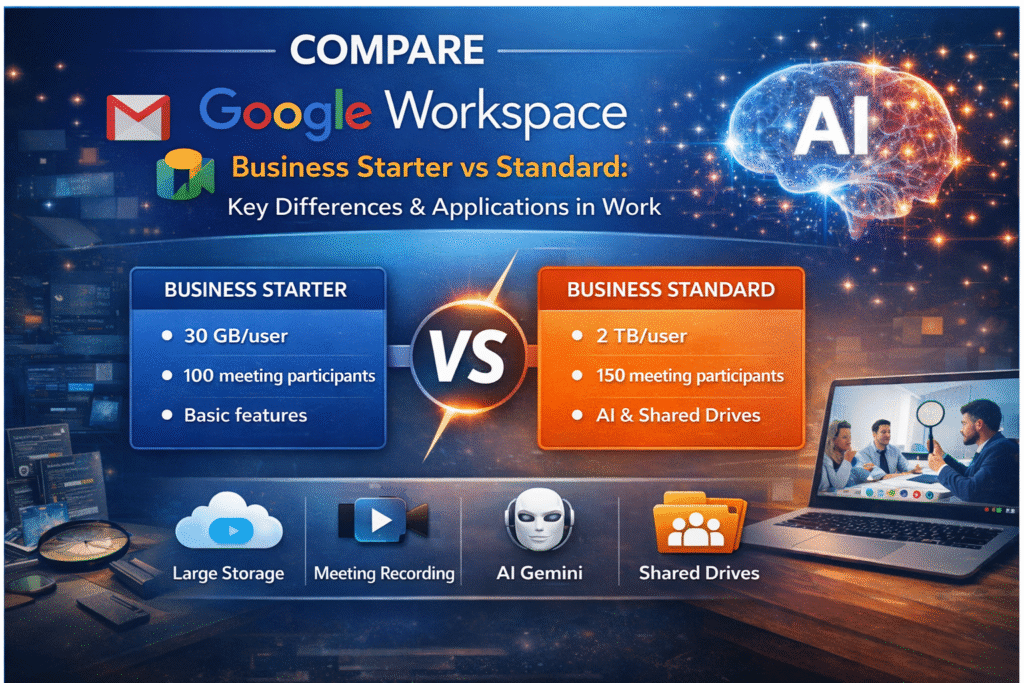
- Starter: 30GB per user
- Standard: 2TB per user (shared across the organization)
👉 This is not just about “more storage” — it directly impacts how you work:
- Starter → suitable for emails and small documents
- Standard → supports large files (videos, logs, test data)
💡 Example:
Testers often store bug videos, logs, and screenshots → 30GB fills up quickly.
Standard allows you to store all project resources in one place.
🔹 2.2 Google Meet – from “meetings” to “collaboration”
Starter:
- Up to 100 participants
- Basic meeting features
Standard:
- Up to 150 participants
- Meeting recording
- Noise cancellation
- Q&A, polls, breakout rooms
👉 The key difference is not just the number of participants, but the level of interaction and productivity.
💡 Meaning:
- Starter → meetings = discussion
- Standard → meetings = collaboration + documentation + decision-making
👉 Example:
- Recording meetings → review requirements later
- Polls/Q&A → faster decision-making
🔹 2.3 AI Features (Gemini) – the biggest difference
- Starter: limited
- Standard: integrated AI (Gemini)
Includes:
- Email/chat summarization
- Writing suggestions
- Automatic meeting notes
👉 This is a game-changing difference:
- Starter → manual work
- Standard → AI-assisted workflow
💡 Example:
- No need to read long chats → AI summarizes
- Writing test reports → AI provides suggestions
🔹 2.4 Shared Drive – from “personal files” to “team assets”
- Starter: mainly personal storage
- Standard: includes Shared Drive
👉 Core difference:
- Starter → files belong to individuals
- Standard → files belong to the team
💡 Benefits:
- No data loss when employees leave
- Easier sharing and collaboration
🔹 2.5 Security & Management
- Starter: basic level
- Standard: more advanced (better data control and management)
👉 It’s not just about “more secure”:
- Better data control
- Reduced risks
3. Personal Perspective – Application for Testers
As a Tester, I find that using the Standard plan is not just an upgrade, but a transformation in daily workflow:
✅ 3.1 Faster test documentation (with AI)
Use AI to:
- Summarize bug discussions
- Suggest test cases
- Generate reports
👉 Significantly reduces manual writing time
✅ 3.2 Better understanding of requirements (via recorded meetings)
- Record meetings with BA/Developers
- Rewatch when unclear
👉 Avoid misunderstandings → reduce incorrect bugs
✅ 3.3 Centralized test asset management
Store:
- Test cases
- Evidence (videos, images)
- Logs
👉 Team can access anytime → no dependency on individuals
✅ 3.4 Easier handling of large data
With 2TB:
- No need to delete old data
- Store full testing history
👉 Very useful for regression testing
✅ 3.5 More effective meetings
Use:
- Q&A → clarify requirements
- Polls → faster decisions
- Breakout rooms → group discussions
👉 Meetings become productive, not just for reporting
4. Conclusion
The difference between Starter and Standard is not just about having more features, but about:
👉 Efficiency and scalability in your workflow
- Starter → suitable for individuals or small teams
- Standard → suitable for growing teams that need:
- Collaboration
- Automation (AI)
- Data management
💡 Final thought:
If Starter helps you work, Standard helps you work smarter and faster.