
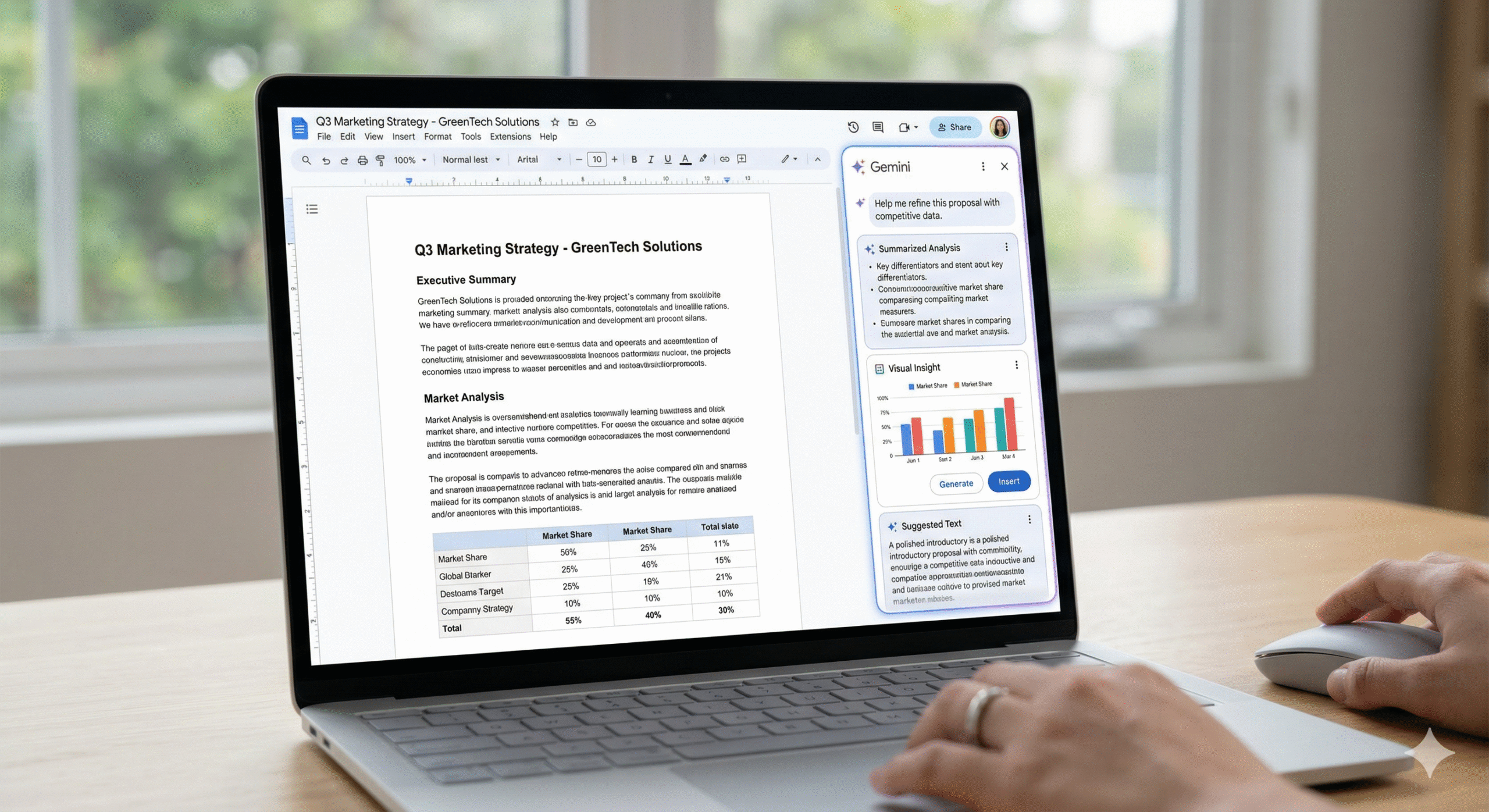
Most of us start with messy notes — scattered ideas, half-written bullets, and unclear structure. I wanted to see if Gemini in Google Docs could turn that into a real, client-ready proposal.
So I tested it on a warehouse system project — and the results were surprisingly usable.
The Scenario
Project: Internal Proposal – Warehouse Inventory System Upgrade (Manufacturing Company)
Goal: Turn rough bullets + Drive docs into a 2-page professional proposal draft using Gemini in Google Docs.
Initial Input
Client: ABC Manufacturing
Problems:
- Inventory managed by Excel
- Data mismatch (~10%)
- No real-time tracking
Solution:
- Web-based system
- Barcode scanning
- Dashboard
Timeline:
- 3 months
Team:
- 1 PM, 2 Dev, 1 QA
Cost:
- $15,000
Tech:
- .NET + SQL Server
References:
@Inventory_Current_Process.pdf
@Budget_Estimate.xlsx
@System_Architecture.docs
Target structure
1. Executive Summary
2. Current Challenges
3. Proposed Solution
4. Scope of Work
5. Timeline
6. Team Structure
7. Cost Estimate
8. Risks & Mitigation
9. Next Steps
Tone: Professional / Business English
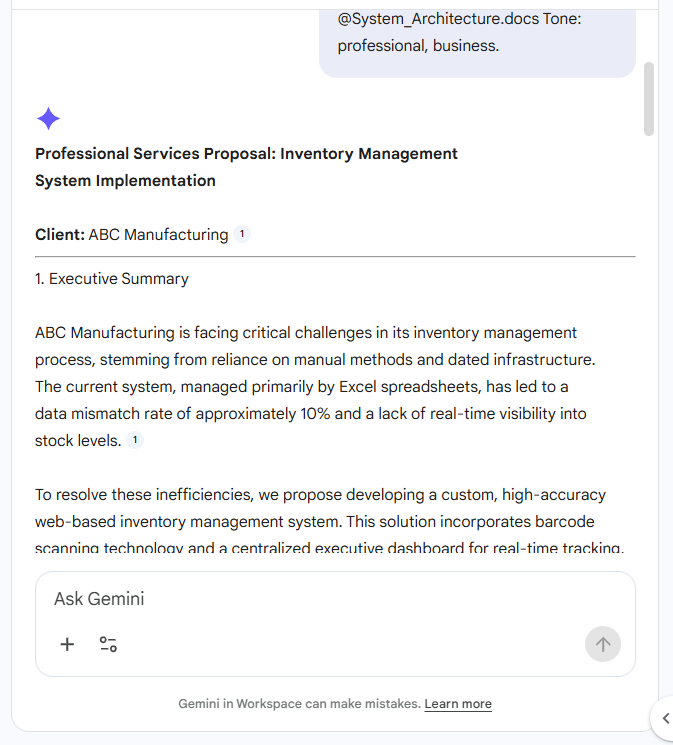
1. Create firts draft
The Naive Prompt: Create a 2-page professional client proposal based on the following information.
Structure:
- Executive Summary
- Current Challenges
- Proposed Solution
- Scope of Work
- Timeline
- Team Structure
- Cost Estimate
- Risks & Mitigation
- Next Steps
Use context from:
@Inventory_Current_Process.pdf
@Budget_Estimate.xlsx
@System_Architecture.docs
Tone: professional, business.
Gemini Output:
2. Rewrite
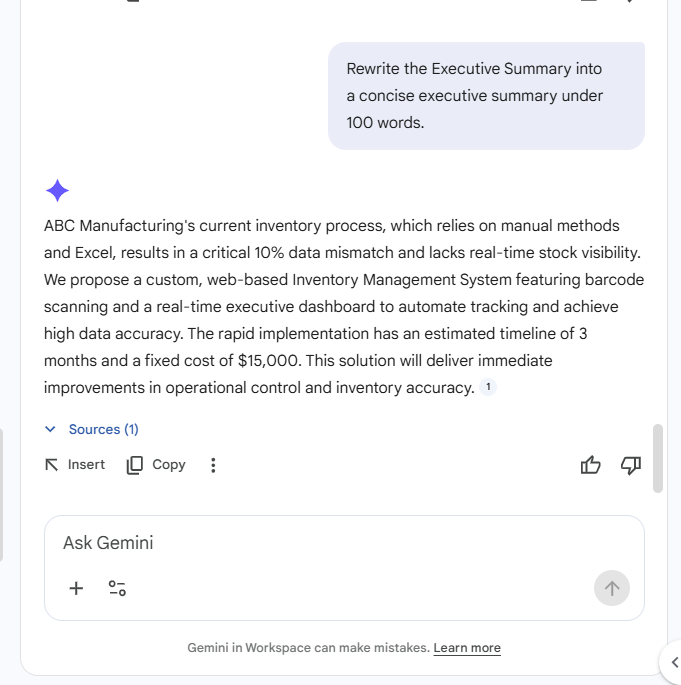
A. Executive Summary
The Prompt: Rewrite the Executive Summary into a concise executive summary under 100 words.
Gemini Output:
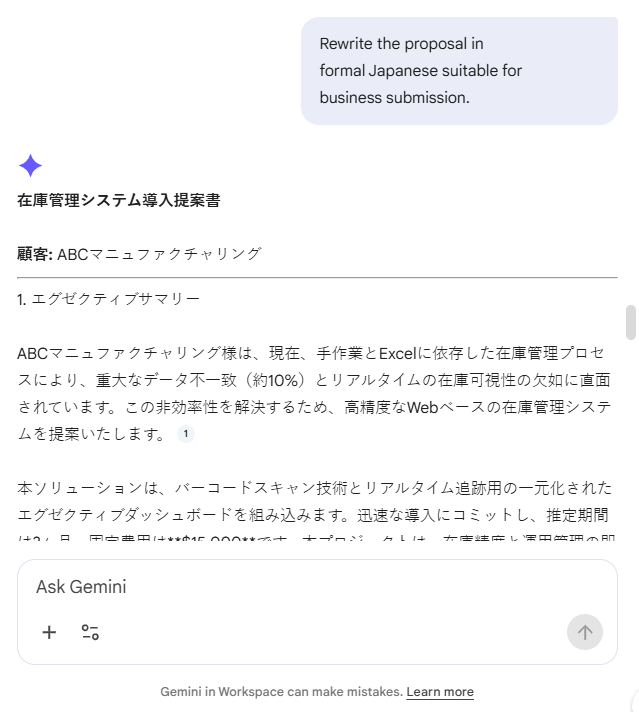
B. Formal Japanese
The Prompt: Rewrite the proposal in formal Japanese suitable for business submission.
Gemini Output:
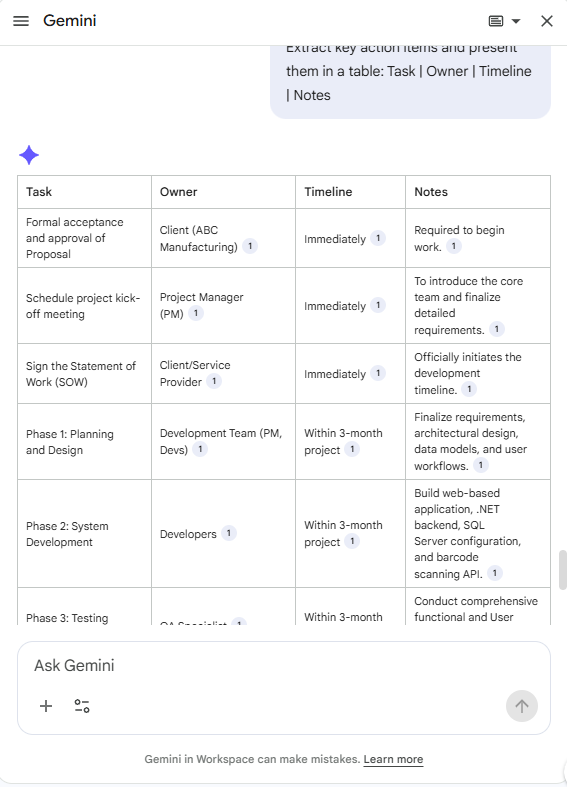
3. Extract table
The Prompt:
Extract key action items and present them in a table:
Task | Owner | Timeline | Notes
Gemini Output:
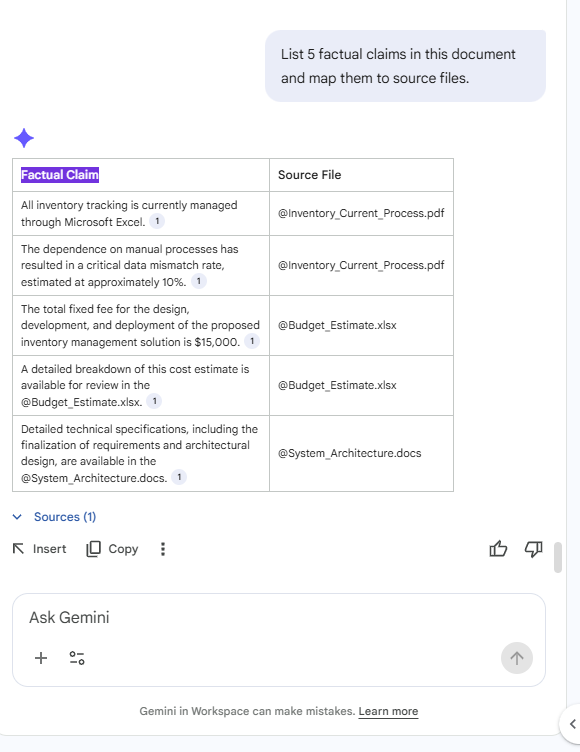
4. Quality gate
The Prompt: List 5 factual claims in this document and map them to source files.
Gemini Output:
Limitations
While Gemini in Google Docs significantly improves drafting speed and structure, several limitations should be considered:
- Dependence on input quality: The output is only as good as the initial prompts and provided context. Vague or incomplete inputs may lead to generic results.
- Potential inaccuracies: Gemini may generate assumptions or estimated figures when real data is not provided, requiring manual validation.
- Limited understanding of domain-specific nuances: For specialized manufacturing processes, AI-generated content may lack depth or miss critical operational details.
- Overly polished but generic language: The generated text can sound professional but may require customization to match company tone or client expectations.
- Data integration constraints: When using mock or limited reference documents, insights may not fully reflect real-world constraints.
Conclusion
Gemini in Google Docs demonstrates strong potential in transforming rough bullet points into structured, professional documents within minutes.
It is particularly effective for:
- Generating initial drafts
- Rewriting content for different tones and audiences
- Extracting structured information such as action items
However, it should be used as a supporting tool rather than a replacement for human judgment.
A proper review process—especially validating key data and assumptions—is essential before using the output in real business scenarios.
Overall, Gemini can significantly accelerate document creation workflows, provided that users apply critical thinking and quality control.
Resources & Official Documentation