
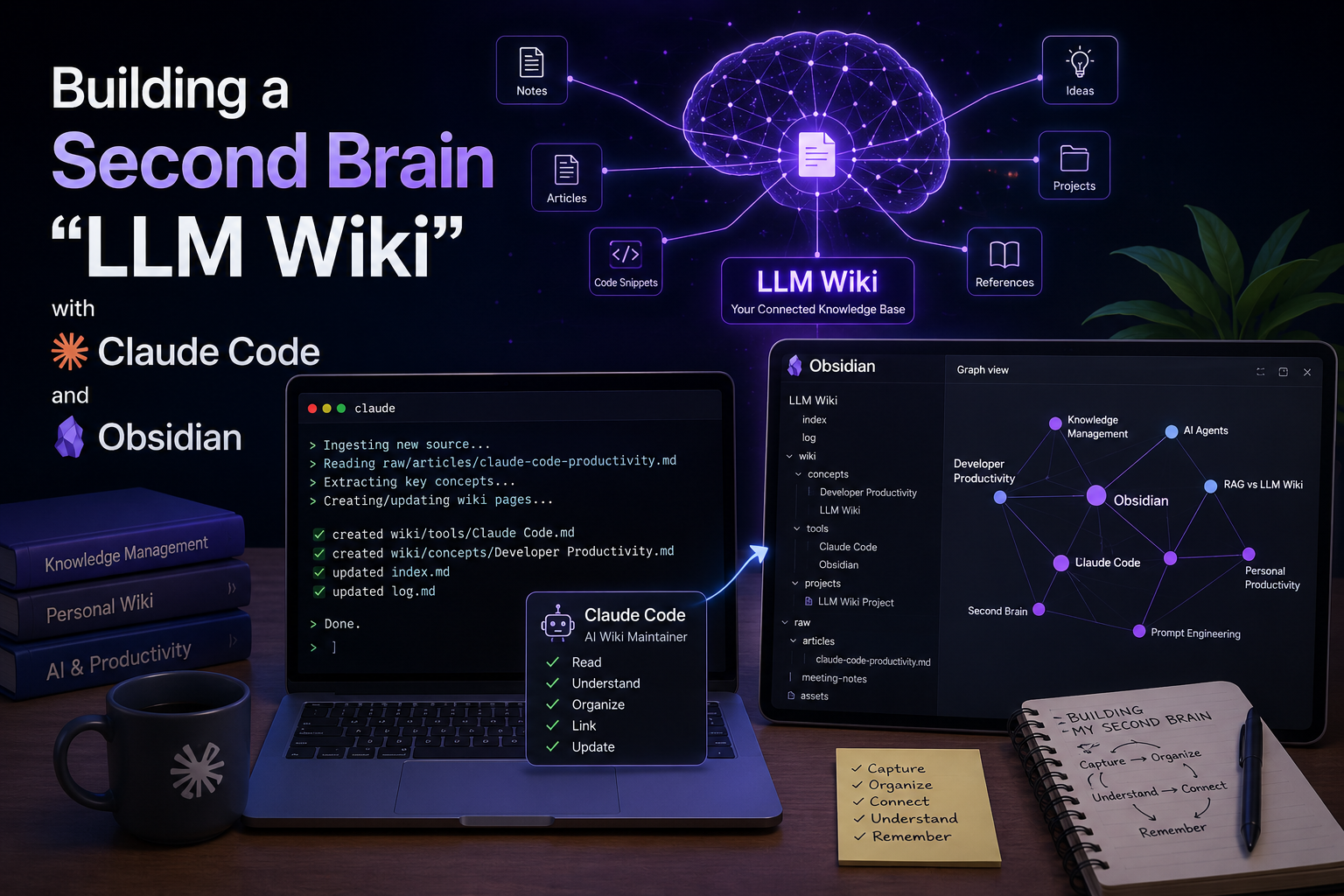
1. Introduction
Recently, I explored the idea of an “LLM Wiki”, inspired by Andrej Karpathy’s proposal for building personal knowledge bases using LLMs. The core idea is simple but powerful: instead of only asking an LLM questions over scattered documents, we let the LLM continuously build and maintain a structured, interlinked wiki from our sources.
In this architecture, the wiki becomes a persistent knowledge layer. Every article, document, meeting note, bug report, or research material can be processed once, summarized, linked, updated, and reused later.
2. Basic Concept of the LLM Wiki
Traditional RAG systems retrieve relevant chunks from raw documents at query time. This works, but the LLM has to rediscover and resynthesize knowledge every time.
The LLM Wiki approach is different.
Instead of only storing raw files, the system has three layers:
- Raw Sources
Original documents, articles, PDFs, meeting notes, code snippets, or web clips. These should remain unchanged. - Wiki Layer
LLM-generated Markdown files containing summaries, entity pages, concept pages, comparisons, and synthesis notes. - Schema / Instruction Layer
A file such asCLAUDE.mdthat tells the LLM how to maintain the wiki, how to ingest sources, how to create links, and how to update indexes.
In short:
Obsidian is the knowledge browser.
Claude Code is the wiki maintainer.
Markdown files are the actual knowledge base.
3. Role of Claude Code
Claude Code acts as the LLM agent responsible for maintaining the wiki.
Its role includes:
- Reading raw source files
- Creating summaries
- Updating existing wiki pages
- Creating backlinks between related notes
- Detecting contradictions
- Maintaining
index.md - Maintaining
log.md - Answering questions based on the wiki
Claude Code is suitable for this because it runs in the terminal, understands a local codebase or folder structure, edits files, and executes commands with user permission.
4. Role of Obsidian
Obsidian is used as the visual knowledge interface.
Obsidian stores notes as local Markdown files inside a vault, which is simply a folder on your computer.
Its role includes:
- Opening and browsing Markdown wiki pages
- Visualizing links using Graph View
- Editing notes manually when needed
- Reviewing LLM-generated pages
- Using plugins such as Web Clipper, Dataview, or Marp
Obsidian Web Clipper is especially useful because it can save web content into local Markdown files for later processing.
5. Tools Required
1. Claude Code
Claude Code is used to create and update the Markdown wiki.
Installation example:
npm install -g @anthropic-ai/claude-codeClaude Code requires Node.js 18 or later.
2. Obsidian
Obsidian is used to open the wiki folder as a vault.
Download and install Obsidian from the official website.
3. Git
Git is optional but recommended for version control.
git init4. Obsidian Web Clipper
Useful for saving online articles into the raw source folder.
6. Folder Structure
I created the following folder structure:
llm-wiki/
├── CLAUDE.md
├── index.md
├── log.md
├── raw/
│   ├── articles/
│   ├── meeting-notes/
│   └── assets/
└── wiki/
    ├── concepts/
    ├── projects/
    ├── tools/
    └── daily-work/
Explanation:
raw/stores original source materialswiki/stores LLM-generated knowledge pagesindex.mdlists all wiki pageslog.mdrecords all ingestion and update activityCLAUDE.mddefines how Claude Code should operate
7. Step-by-Step Setup Process
Step 1: Create the Project Folder
mkdir llm-wiki
cd llm-wiki
mkdir -p raw/articles raw/meeting-notes raw/assets
mkdir -p wiki/concepts wiki/projects wiki/tools wiki/daily-work
touch index.md log.md CLAUDE.md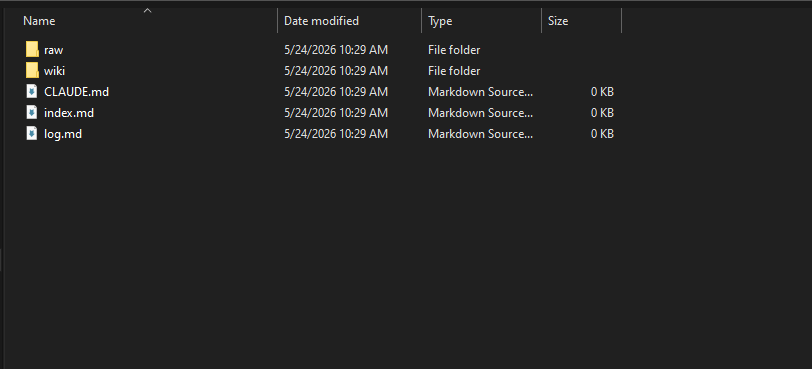
Screenshot 1: Initial LLM Wiki folder structure created from the terminal.
Step 2: Initialize Git
git init
git status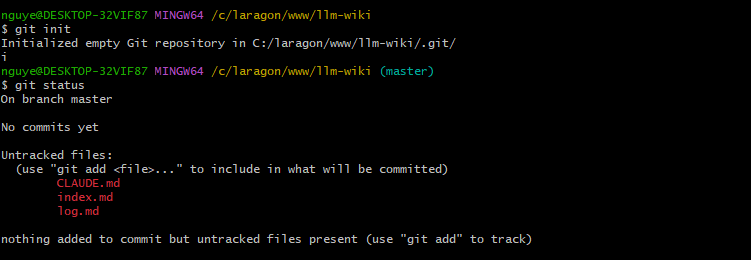
Screenshot 2: Git initialized to track changes made by Claude Code.
Step 3: Create the CLAUDE.md Instruction File
Example CLAUDE.md:
# LLM Wiki Maintenance Rules

You are maintaining a personal LLM Wiki.

## Folder Rules

- Raw sources are stored in `/raw`.
- Generated wiki pages are stored in `/wiki`.
- Do not modify raw source files.
- Always update `index.md` after creating or editing wiki pages.
- Always append a new entry to `log.md`.

## Ingestion Workflow

When a new source is added:

1. Read the source carefully.
2. Extract key concepts, tools, decisions, and action items.
3. Create or update relevant wiki pages.
4. Add backlinks using Obsidian-style links.
5. Update `index.md`.
6. Append an entry to `log.md`.

## Page Format

Each wiki page should include:

- Title
- Summary
- Key points
- Related pages
- Source references
- Last updated date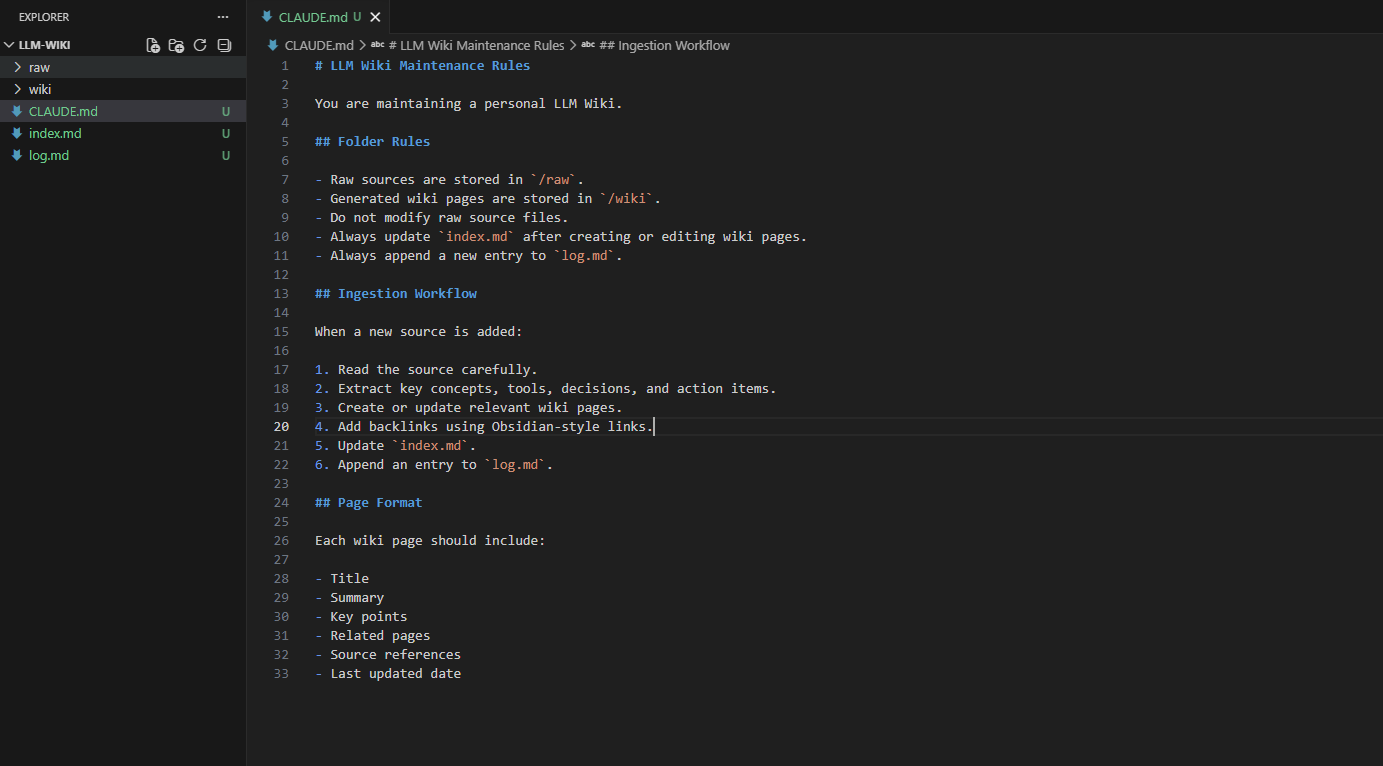
Screenshot 3: The CLAUDE.md file defines how Claude Code should maintain the wiki.
Step 4: Open the Folder in Obsidian
In Obsidian:
- Click Open folder as vault
- Select the
llm-wikifolder - Open
index.md - Enable Graph View
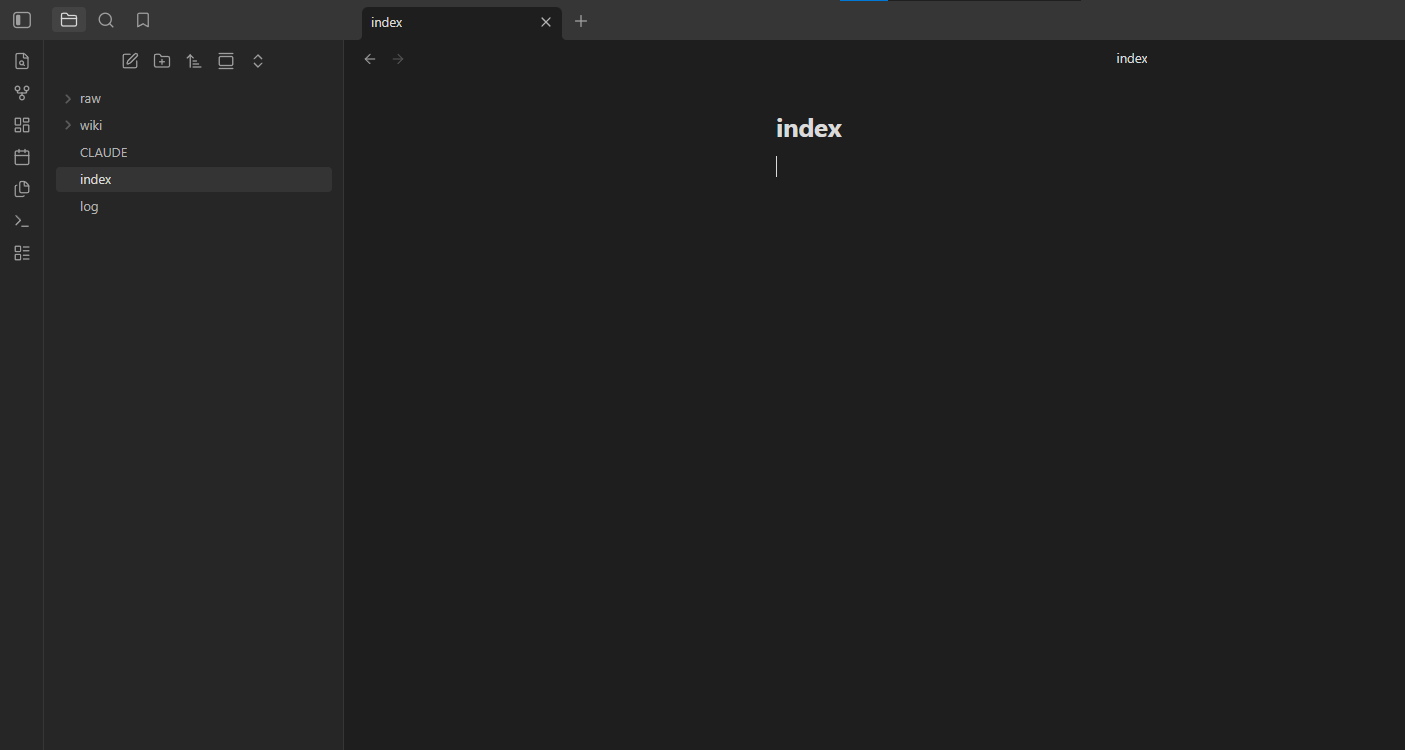
Screenshot 4: The LLM Wiki folder opened as an Obsidian vault.
Step 5: Add a Raw Source
Example file:
touch raw/articles/claude-code-productivity.mdAdd content such as:
# Claude Code for Developer Productivity

Claude Code helps developers work with codebases through natural language.
It can read files, edit code, explain logic, generate documentation, and assist with debugging.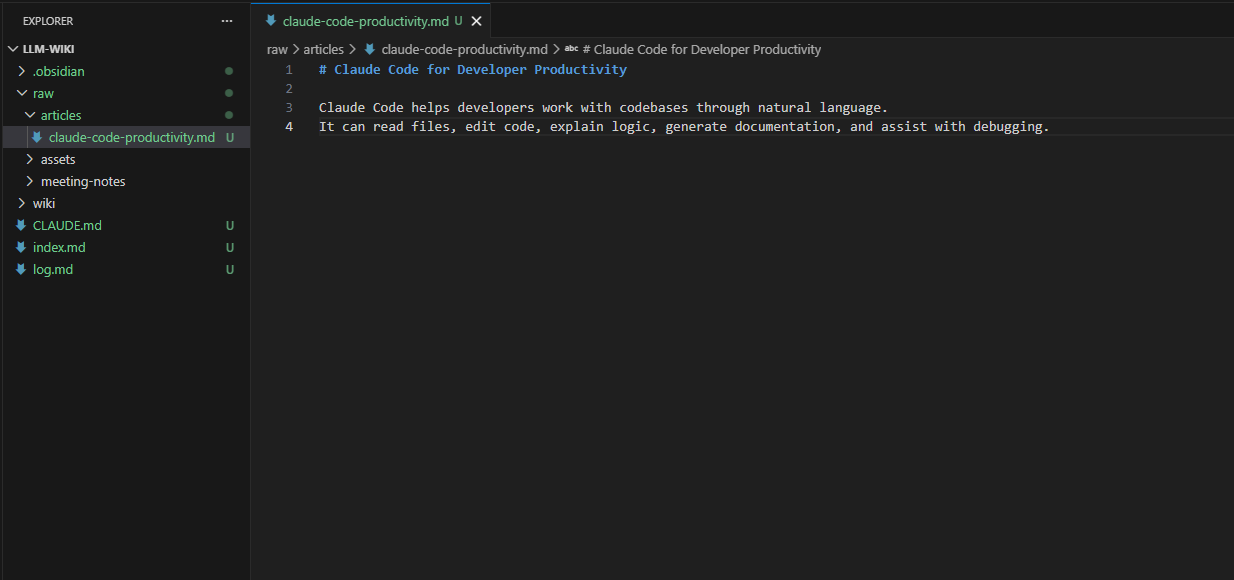
Screenshot 5: A raw source article added to the wiki environment.
Step 6: Ask Claude Code to Ingest the Source
Run:
claudeThen prompt Claude Code:
Please ingest raw/articles/claude-code-productivity.md into the LLM Wiki.
Follow the rules in CLAUDE.md.
Create or update relevant wiki pages, update index.md, and append to log.md.
Expected result:
Claude Code should create pages such as:
wiki/tools/claude-code.md
wiki/concepts/developer-productivity.md
It should also update:
index.md
log.md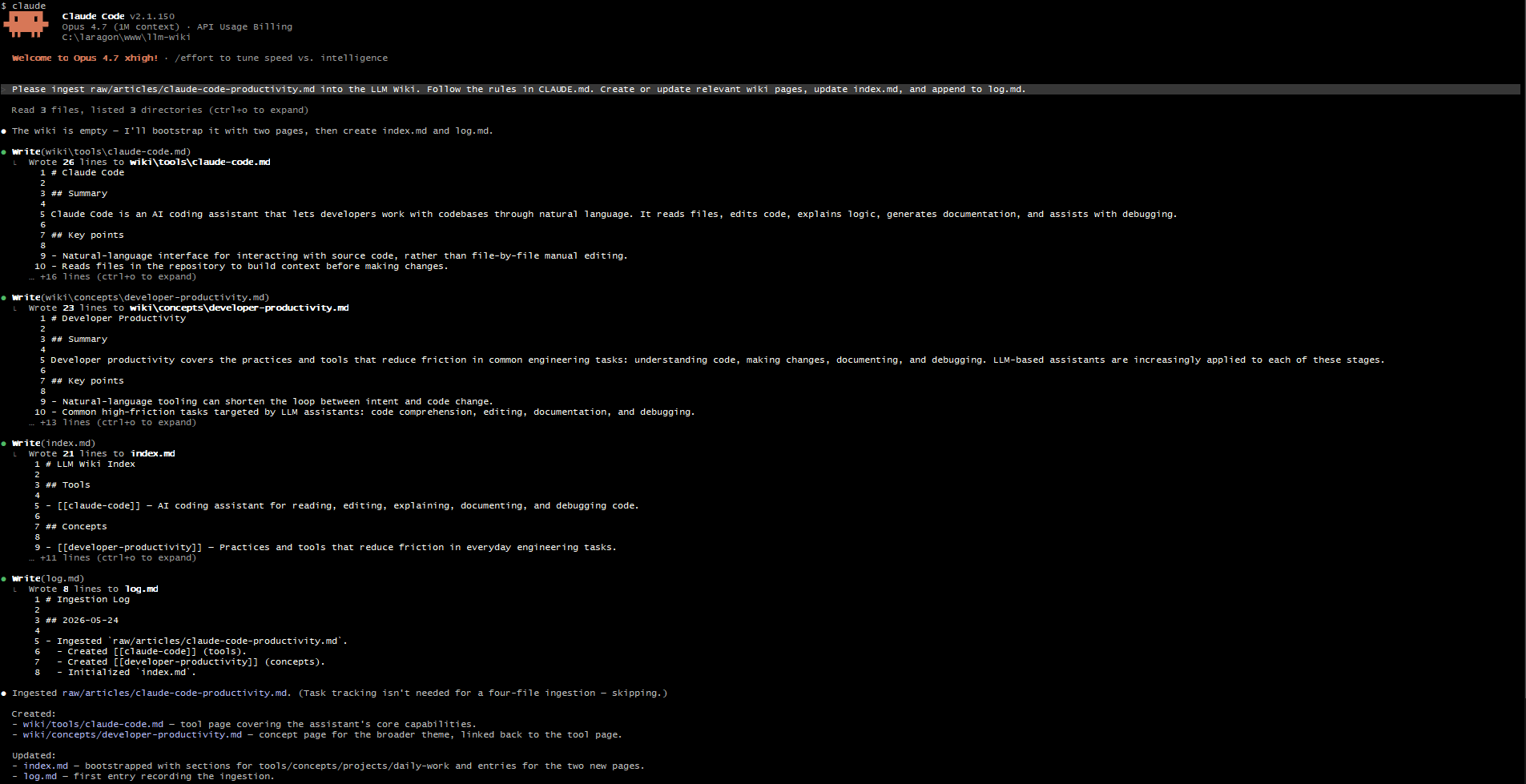
Screenshot 6: Claude Code ingesting the raw source.
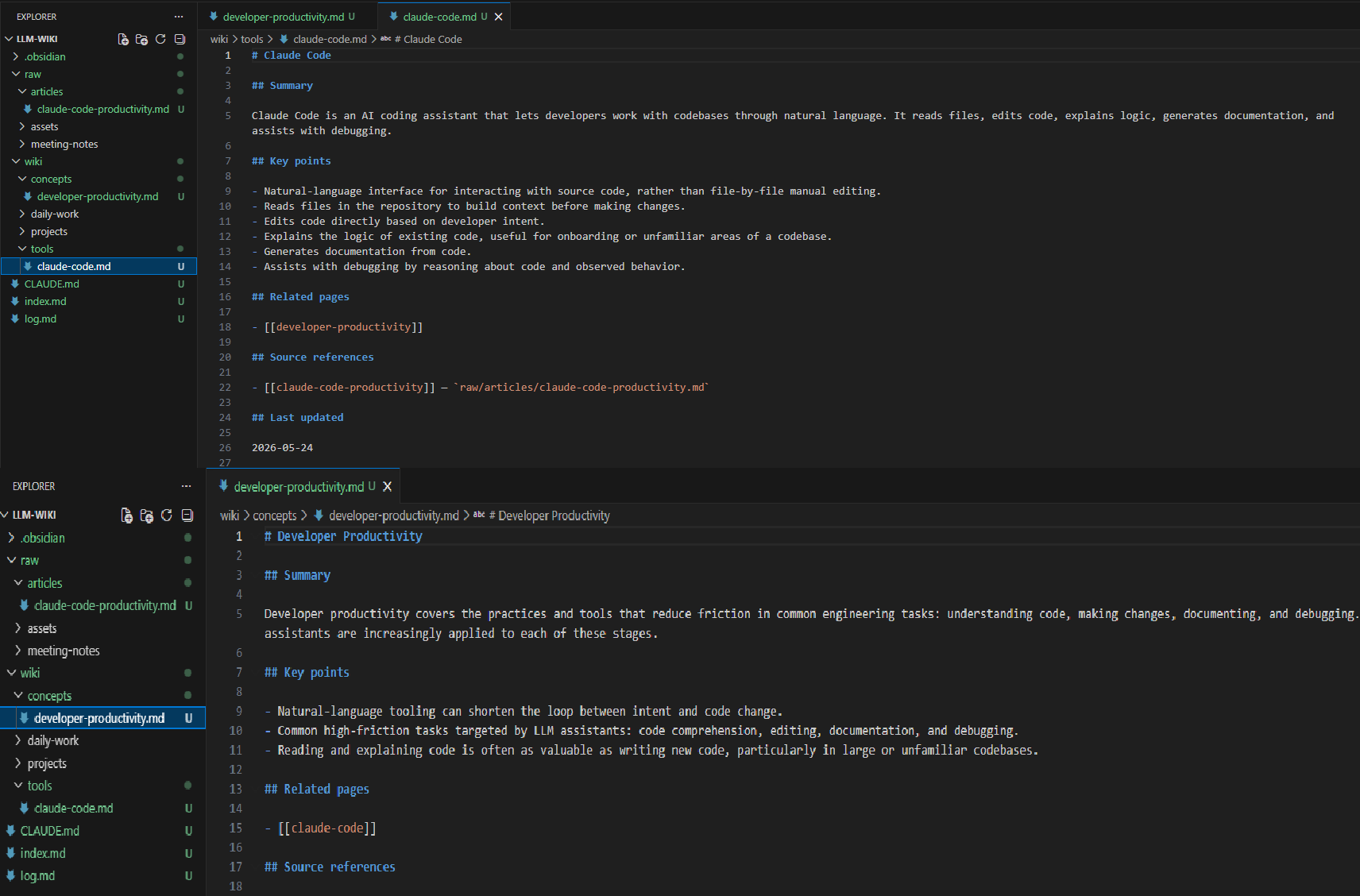
Screenshot 7: New wiki pages generated automatically.
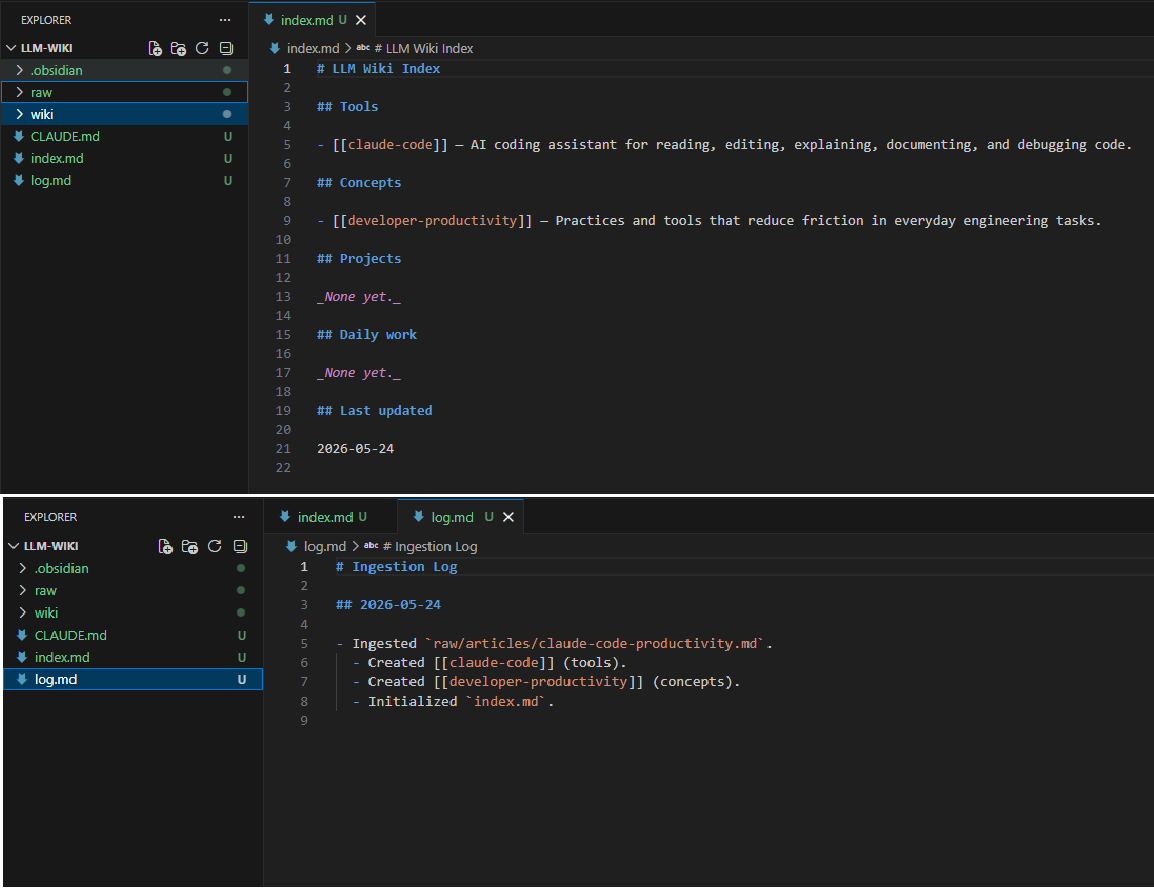
Screenshot 8: index.md and log.md updated after ingestion.
Step 7: Review the Wiki in Obsidian
Open Obsidian again and check:
- New wiki pages
- Internal links
- Graph View
- Updated index
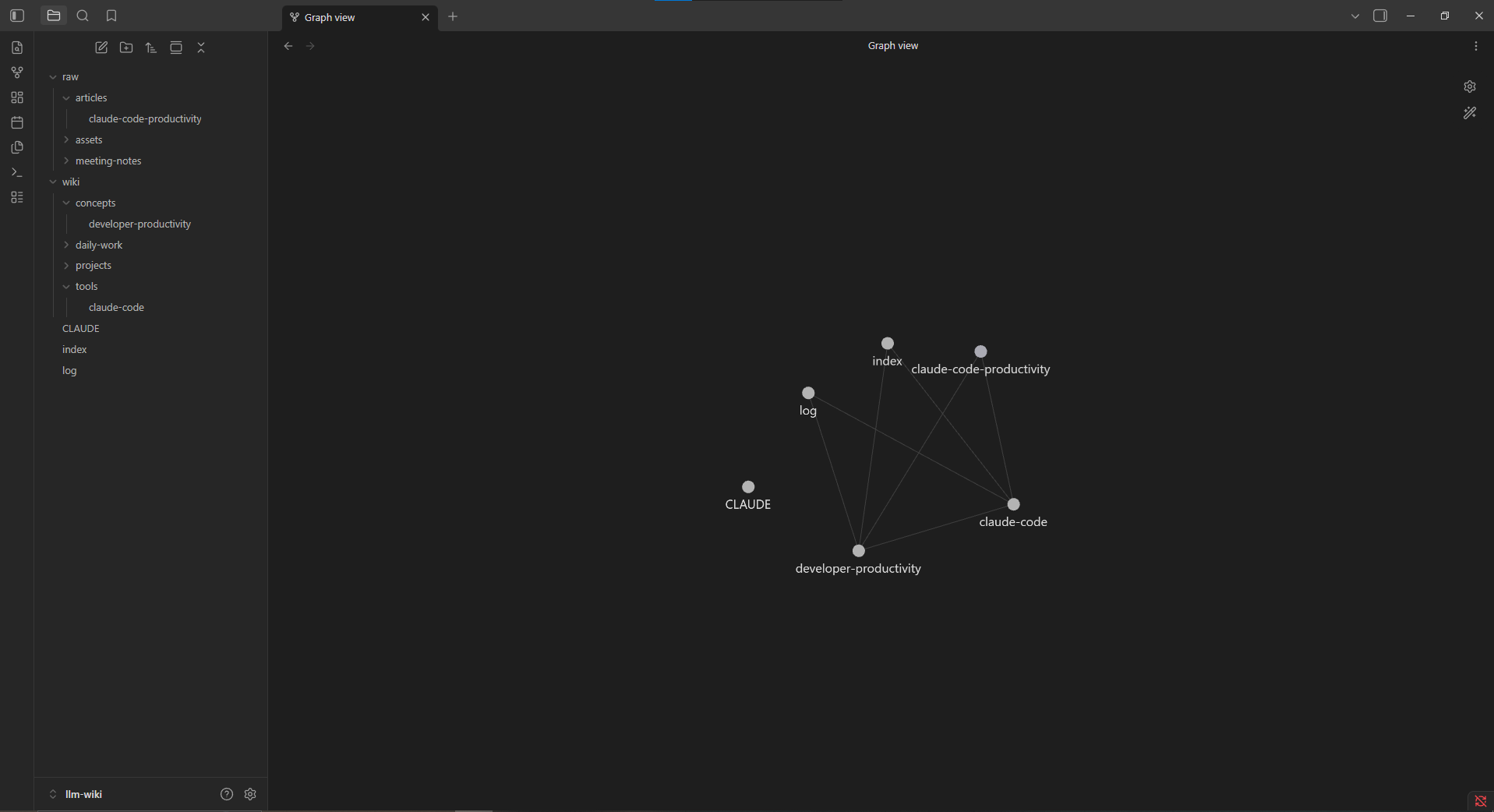
Screenshot 9: Obsidian Graph View showing connections between generated wiki pages.
8. Example Wiki Output
Example page:
# Claude Code

## Summary

Claude Code is an agentic coding tool that can work inside a local project folder, read files, edit content, and help automate development-related workflows.

## Key Points

- Works from the terminal
- Can edit local files
- Can maintain Markdown documentation
- Useful for building and maintaining an LLM Wiki

## Related Pages

- [[Developer Productivity]]
- [[LLM Wiki]]
- [[Obsidian]]

## Source References

- raw/articles/claude-code-productivity.md

## Last Updated

2026-05-24
9. Practical Use Cases for My Daily Work
For my daily work, I can apply the LLM Wiki system in several practical ways.
1. Project Requirement Management
I often receive task specifications, bug reports, and client questions. Instead of keeping them scattered across Slack, GitHub, documents, and chat history, I can save them into raw/meeting-notes or raw/project-specs.
Claude Code can then generate structured pages such as:
wiki/projects/Neologi.md
wiki/concepts/Simple Pagination.md
wiki/concepts/eBay Sandbox Error.md
wiki/concepts/NextEngine API Mapping.md
This makes it easier to search old decisions and avoid asking the same questions again.
2. Bug Investigation Notes
When debugging Laravel, Shopify API, eBay API, or database performance issues, I can store investigation notes in the wiki.
For example:
wiki/bugs/eBay errorId 25001.md
wiki/bugs/Laravel timeout on admin report.md
wiki/bugs/CSV import mapping issue.md
Each bug page can contain:
- Cause
- Investigation steps
- Related files
- Final fix
- Client response
- Deployment status
This would help me reuse past solutions faster.
3. API Knowledge Base
I frequently work with APIs such as:
- eBay API
- Shopify GraphQL
- NextEngine API
- Internal Laravel APIs
The LLM Wiki can become a personal API reference system.
Example pages:
wiki/apis/eBay Inventory API.md
wiki/apis/Shopify InventoryItem.md
wiki/apis/NextEngine Product Dimensions.md
Instead of searching old conversations repeatedly, I can ask Claude Code:
Based on the wiki, explain how marketplaceId and currency work in eBay integration.4. Client Communication Templates
I often need to write clear Japanese or Vietnamese responses to clients. The wiki can store reusable communication patterns:
wiki/templates/Client confirmation message.md
wiki/templates/Bug investigation report.md
wiki/templates/Deployment notice.md
Claude Code can help generate better responses based on previous examples.
5. Personal Learning System
For AI tools, Laravel, database optimization, or productivity workflows, I can use the wiki as a learning system.
For example:
wiki/tools/Lovable.md
wiki/tools/Replit AI.md
wiki/concepts/LLM Agent.md
wiki/concepts/RAG vs LLM Wiki.md
Over time, this becomes a personal second brain that grows with my work.
10. Benefits
The biggest benefit of this system is that knowledge becomes cumulative.
Instead of asking an LLM the same thing again and again, the system keeps improving the wiki after each source, question, and investigation.
Main benefits:
- Less repeated research
- Better project memory
- Easier onboarding for old tasks
- Faster bug investigation
- Better client communication
- More structured technical learning
11. Limitations
This system is useful, but it is not perfect.
Some limitations:
- Claude Code may create incorrect summaries
- Human review is still necessary
- Large wikis may need better search tooling
- Sensitive documents should be handled carefully
- The schema file must be improved over time
- Contradictions should be reviewed manually
For important technical or business decisions, I should not blindly trust the generated wiki. I should treat it as an assistant-maintained knowledge base, not an absolute source of truth.
12. Conclusion
The LLM Wiki approach is a practical way to build a second brain using local Markdown files, Claude Code, and Obsidian.
Claude Code acts as the maintainer that reads, summarizes, links, and updates knowledge. Obsidian acts as the visual interface for browsing and reviewing that knowledge.
For my daily work, this system can help manage project requirements, bug investigations, API notes, client communication templates, and technical learning materials.
The most important point is that knowledge does not disappear into chat history. It becomes a maintained, searchable, and connected wiki that improves over time.
13. References
-
Andrej Karpathy — LLM Wiki Concept
https://gist.github.com/karpathy/442a6bf555914893e9891c11519de94f -
Original X/Twitter Discussion
https://x.com/sumika45379/status/2048681621432549402 -
Claude Code Documentation
https://docs.anthropic.com/en/docs/claude-code -
Obsidian Official Website
https://obsidian.md/