1. Antigravity Overview
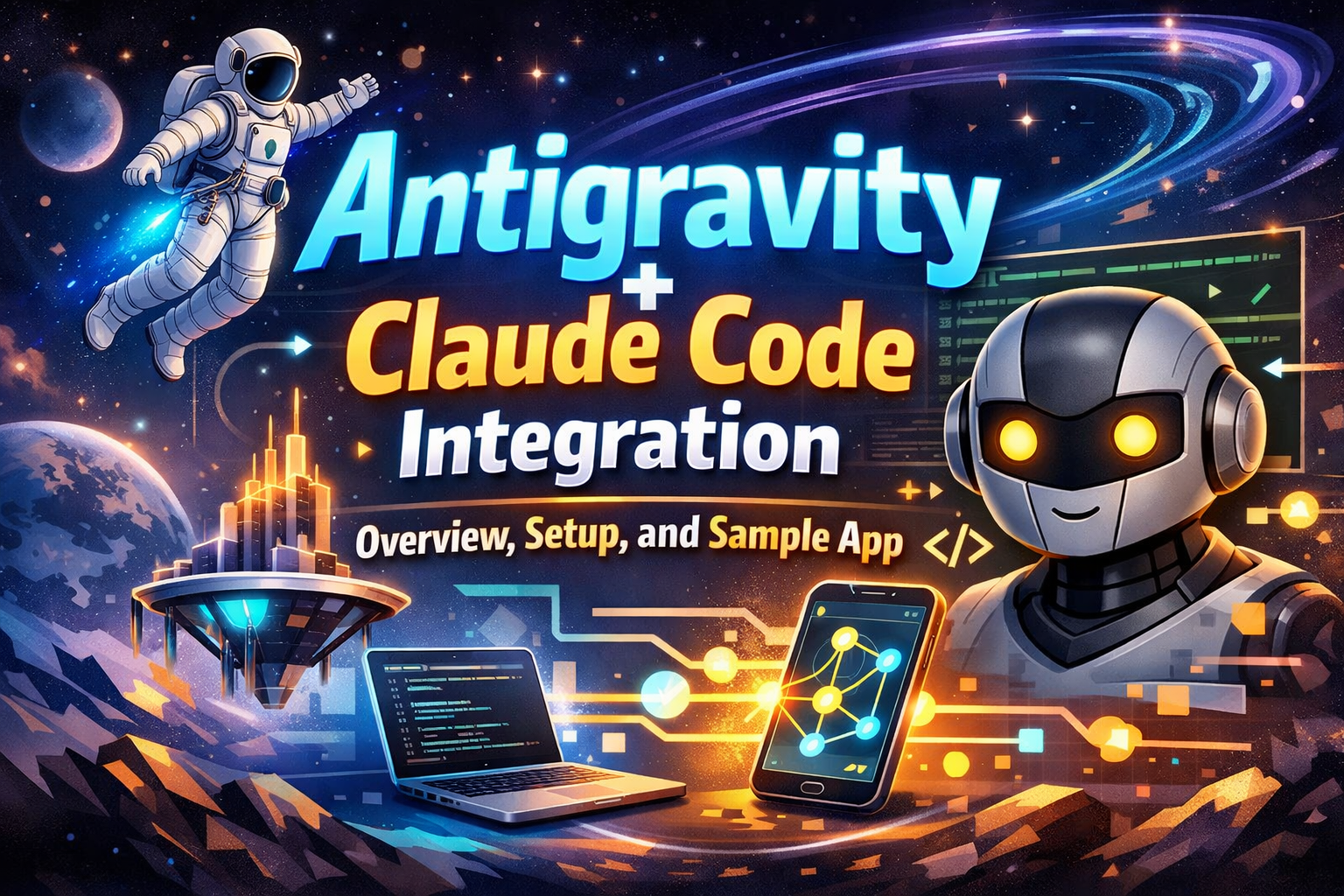
Google Antigravity is an “agent-first” IDE by Google DeepMind, released as a public preview in November 2025. It combines an editor, Agent Manager, and integrated browser in a single development environment, built on top of VS Code (full fork, not a sandbox).
1.1. Key Features
- Autonomous agents: AI agents work across the editor, terminal, and browser—writing code, running tests, debugging, and verifying results.
- Manager View: Run multiple agents in parallel, assign different tasks, track progress, and resolve conflicts.
- Editor View (Cmd+E / Ctrl+E): Full IDE—tab completion, inline refactor, contextual multi-file editing.
- Artifact transparency: Each task produces clear artifacts—plans, diffs, screenshots, recordings—for review and verification.
- Real-time feedback: Comment directly on artifacts; agents update from feedback immediately.
- Multimodal: Supports code, images, and design mocks.
- MCP (Model Context Protocol): Connect GitHub, Stripe, Notion, Supabase, Linear, PayPal, etc. via the MCP server store.
1.2. Models & Platforms
- Default models: Gemini 3 Flash; also supports Claude Sonnet 4.5, GPT-OSS.
- Platforms: Windows, macOS, Linux. Free public preview with rate limits (quota refreshes roughly every 5 hours).
2. Initial Setup – Integrating Antigravity and Claude Code
Antigravity is a VS Code fork, so you can install the Claude Code extension inside it. A common workflow: Gemini (Antigravity) for planning → Claude Code for implementation → optional Test Sprite MCP for testing.
2.1. Install Antigravity
- Download Antigravity: antigravity.google/download (or antigravityai.org, antigravity.codes).
- Choose the build for Windows (.exe), macOS (.dmg), or Linux (.deb / .tar.gz).
- Install following the instructions (Windows: run .exe; macOS: drag to Applications).
- Launch, sign in with your Google Account, and accept permissions if prompted.
Tip: You can use winget install Google.Antigravity (Windows) or brew install –cask antigravity (macOS) if supported.
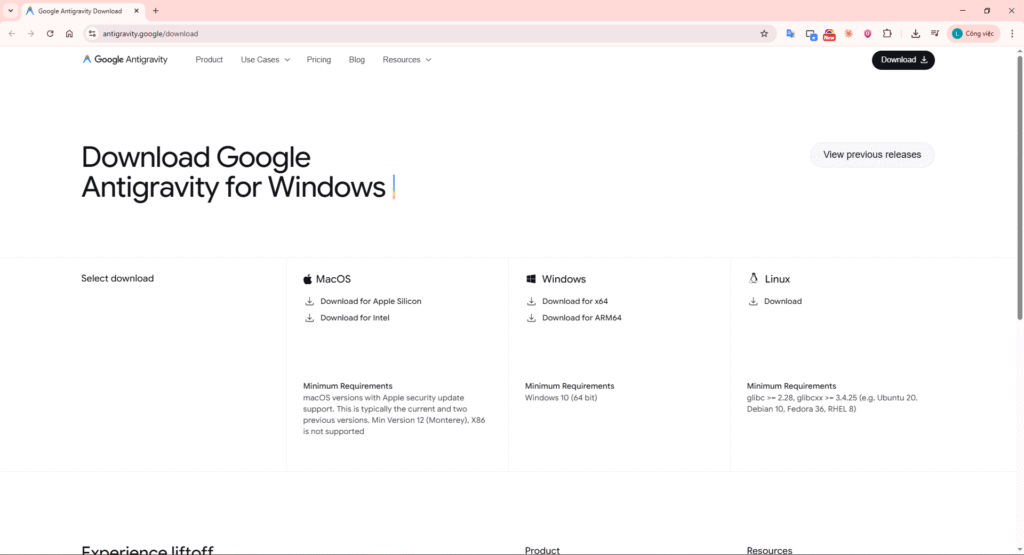
Install Antigravity: Download page, installer screen, or Antigravity after launch, signed in with Google.
2.2. Install Claude Code Extension in Antigravity
- Open Antigravity.
- Go to Extensions (Ctrl+Shift+X / Cmd+Shift+X).
- Search for “Claude Code” or “Claude Code for VS Code” and install the official Anthropic extension.
- Open Claude Code via the Spark icon in the sidebar.
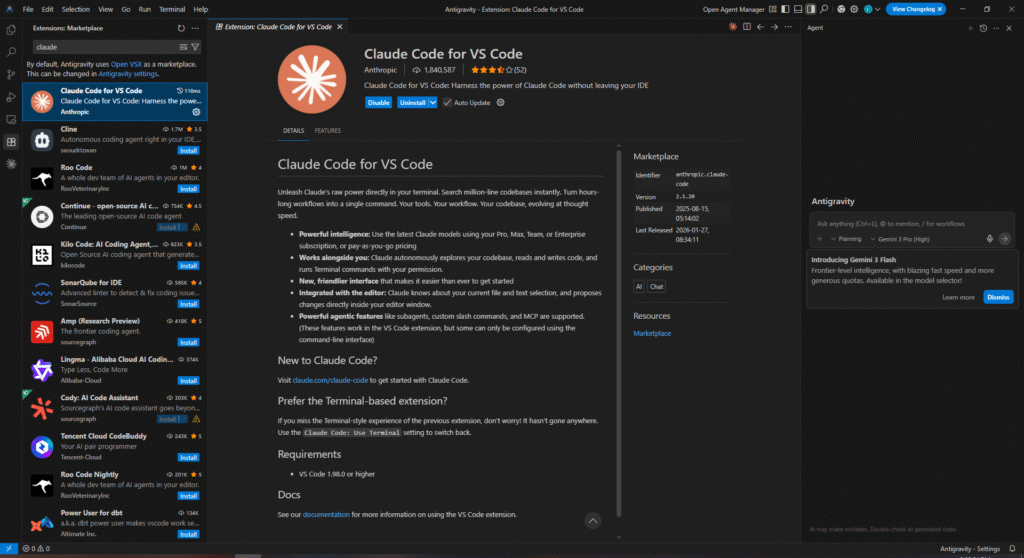
Claude Code extension: Extensions panel with Claude Code installed, or sidebar with Spark icon opening Claude Code.
2.3. Get an Anthropic API Key (for Claude Code)
- Go to console.anthropic.com.
- Create an Anthropic developer account (separate from a Claude Pro account if you use one).
- Go to Get API Keys → Create Key.
- Copy and save the key immediately (it is shown only once).
- Add credits (minimum ~$5 recommended)—the API key will not work without billing.
Note: Claude Code in Antigravity requires Claude Pro/Max, Team/Enterprise, or an API key with credits. Use an API key for pay-as-you-go.
2.4. Sign In to Claude Code in Antigravity
- In Claude Code (Spark panel): use the /log command (or equivalent) to sign in.
- Choose sign-in via API key or Claude account; enter the key if using the API.
- Verify the connection: start a new chat (Ctrl+N / Cmd+N) and send a simple prompt.
2.5. (Optional) Configure MCP
- In Claude Code: /mcp → manage mcps.
- Add the MCP servers you need (e.g. GitHub, Supabase, Test Sprite).
- Restart Claude Code / Antigravity if required.
When is MCP needed? When you want Claude Code to call GitHub, a DB, payment, or Test Sprite for automated testing. Not required for a simple sample app.
2.6. Initialize a Project in Antigravity
- File → Open Folder (or equivalent), create or select your project folder.
- In Claude Code: run /init so Claude reads the codebase and generates architecture docs (if code already exists).
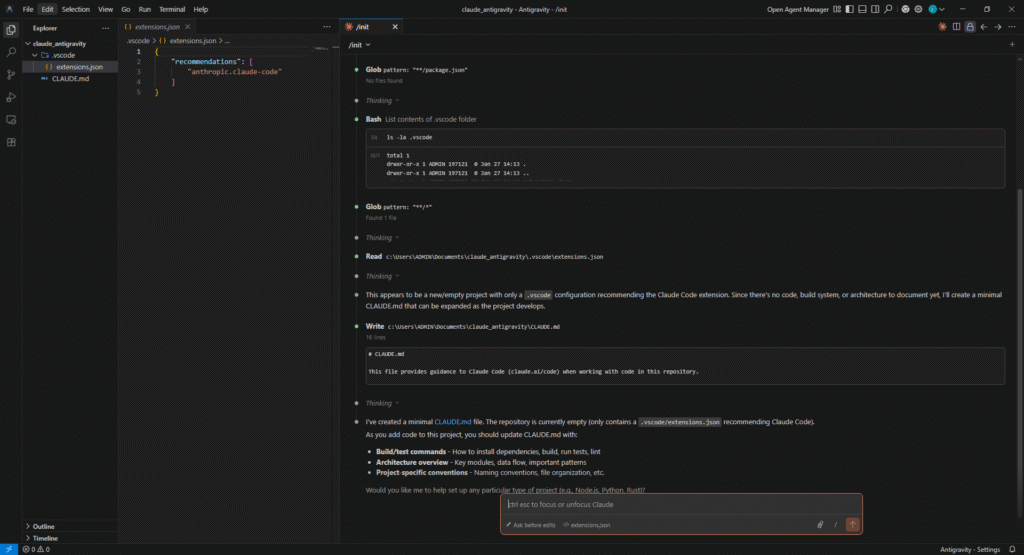
Manager View or Editor View: Antigravity with Manager View (agent list, tasks) or Editor View (Cmd+E), optionally with integrated browser.
3. Communicating Between You, Antigravity, and Claude Code to Build a Sample App
A typical workflow when combining Antigravity (Gemini) and Claude Code: you describe high-level requirements → Antigravity/Gemini plans → Claude Code implements → you review artifacts and iterate as needed.
3.1. Overall Flow
You (User) → describe app / feature
↓
Antigravity (Gemini) → planning, architecture, task list, possibly plan/design artifacts
↓
Claude Code → implement code, install deps, run terminal commands, fix errors
↓
(Optional) Test Sprite MCP → run tests, report failures
↓
You → review artifacts (diffs, screenshots), comment, request changes
3.2. Video Demo
Source code: https://github.com/phatltscuti/google_antigraviti_vs_claude_code
Steps to complete:
- Antigravity (Manager / Editor View): Enter prompt Create a TODO app with React: add, remove, and mark as complete.
- Review plan from Gemini; edit or accept.
- Claude Code (Spark): Enter prompt Implement the TODO app as discussed: React + Vite, useState, add/delete/toggle done, simple CSS, mobile-friendly. Create project in current folder and run dev server. Then run the dev server.
- Test Sprite MCP (e2e): In Claude Code, ask to run e2e tests for the TODO app (e.g. Run e2e tests for the TODO app.).
- Review app in browser, diffs and artifacts; comment or send follow-up prompts.
3.3. Short Example – “Landing Page + Auth”
- You → Antigravity: “Design a landing page with sign up / sign in forms using email + password.”
- Antigravity (Gemini): Plan: 1) HTML/CSS/JS or React structure 2) Form UI 3) Auth flow (mock or Supabase) 4) Validation.
- You → Claude Code: “Implement the landing and auth forms as per the plan. Use React + Supabase for auth.”
- Claude Code: Creates project, installs Supabase client, builds forms, hooks login/signup, runs the app.
- You: Test in the browser; if needed, say “Add error messages” or “Make it responsive.”
4. Step-by-Step Summary: Integration and Sample App
- Install Antigravity from the official site and sign in with Google.
- Install the Claude Code extension in Antigravity (Extensions → Claude Code → Spark).
- Get an Anthropic API key, add credits, and sign in to Claude Code (/log).
- (Optional) Configure MCP (/mcp → manage), add Test Sprite, GitHub, Supabase, etc.
- Open a project in Antigravity and run /init in Claude Code if you already have code.
- Describe your app to Antigravity (Gemini) → receive plan + artifacts.
- Hand off implementation to Claude Code → get code, run the app, and see results.
- (Optional) Use Test Sprite MCP to run tests, then refine from feedback.
- Review artifacts, comment, and iterate until you’re satisfied.
Benefits of the Antigravity + Claude Code workflow: Gemini focuses on planning (saving Claude tokens), while Claude Code focuses on high-quality implementation. When you hit Gemini rate limits, you can switch to Claude Code to keep going.
5. Conclusion
Antigravity (Google DeepMind) delivers an “agent-first” IDE: an Agent Manager to run multiple agents in parallel and assign tasks, an Editor View with contextual tab completion and refactoring, an integrated browser, and artifact transparency (plans, diffs, screenshots, recordings) for review and verification. Claude Code adds strong implementation capability, deep editor/terminal integration, and the MCP ecosystem (GitHub, Supabase, Test Sprite, etc.) for automation and external services.
Combining Gemini (Antigravity) for planning with Claude Code for implementation leverages each tool’s strengths: you save Claude tokens during the planning phase and rely on Claude’s code quality for implementation. When you hit Gemini rate limits, you can switch to Claude Code to keep building.
This article walked through initial setup (Antigravity, Claude Code extension, API key, optional MCP), the communication flow for a sample app, and a video demo with a TODO app: prompt in Antigravity → plan from Gemini → implementation prompt in Claude Code → Test Sprite e2e → review. Sample source code: github.com/phatltscuti/google_antigraviti_vs_claude_code.
From this setup, you can extend with auth (Supabase, custom backend), automated testing (Test Sprite, Playwright), deployment (Vercel, Railway), or GitHub, payments, and other integrations via MCP. Antigravity + Claude Code is a solid base for turning ideas into running apps quickly and iterating on feedback.