
Explaining software and generative AI for manufacturing means connecting technology with the situations people encounter at work. A list of features can describe what a system offers. A visual story can help introduce why those features matter, who they support, and where they fit into an operation.
In our previous article, AI-Assisted Motion Graphics: Bringing Scuti AI and Product Value to Life, we introduced a company video featuring Scuti AI’s red dragon mascot. That production combined narration, character animation, and a Remotion-based composition.
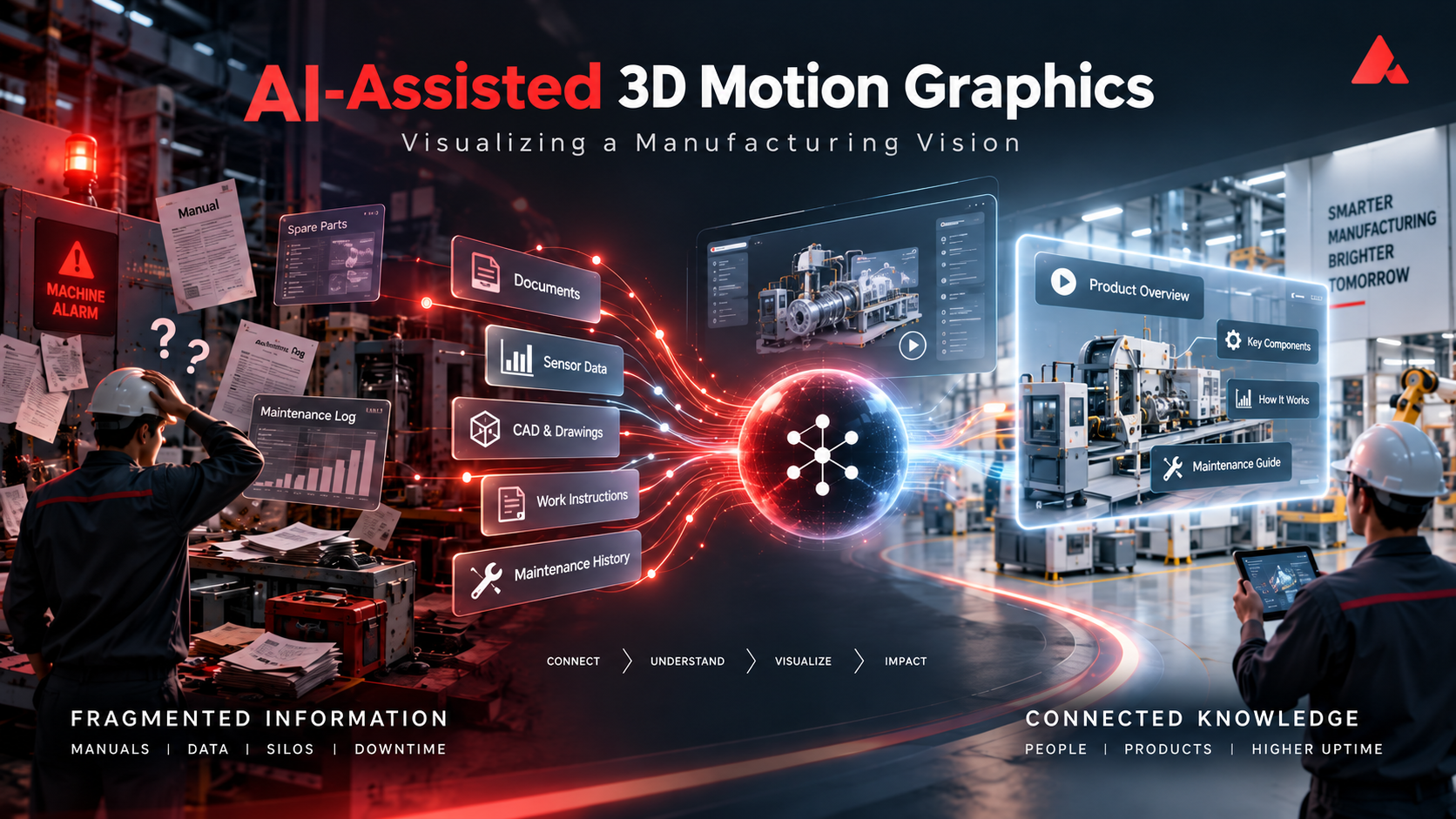
This project explores a different visual direction: a 30-second 3D concept video showing a manufacturing environment where scattered information becomes connected knowledge. Using a coded factory, moving cameras, illustrated workers, and English narration, Scuti AI explored how motion graphics could communicate our manufacturing vision and support future business conversations.
A 30-Second Vision of Connected Manufacturing
vision through a 3D factory, worker imagery, narration,
and motion graphics.
The video follows a simple progression: an operational problem draws attention, an operator struggles with scattered information, and the information begins to connect. The camera then returns to the wider factory for Scuti AI’s closing message.
| Time | Scene and purpose |
|---|---|
| 0–6 seconds |
The camera moves from an overview of the factory toward the equipment. A red warning light and a low warning sound draw attention to a problem. |
| 6–13 seconds |
Scattered documents and information surround a worker who cannot find the knowledge needed to move forward. |
| 13–22 seconds |
Connecting lines appear, documents become organized, and the worker’s expression changes as the story moves toward a solution. |
| 22–30 seconds |
The camera returns to the factory as a whole, ending with the company logo and an invitation to transform operations together. |
The closing narration brings the story back to Scuti AI’s direction:
Scuti AI. Powering the next era of manufacturing.
Let’s transform operations, together.
This is a vision-led concept video, not a demonstration of a specific product.
The connected documents and the worker’s reaction illustrate a desired change in the workplace.
They introduce the problems Scuti AI wants to address through software development and
generative AI, rather than demonstrate a particular system’s behavior or a measured
customer outcome.
How Scuti AI Built the Video
The creative approach drew inspiration from
this motion graphics reference,
which explored building video through code and combining it with generated visual assets.
Our implementation brought together several tools rather than relying on a single prompt
to generate the entire finished video.
Production Tools
| Tool | Role in this production |
|---|---|
| Three.js |
Build the factory, equipment, information cards, lighting, and camera movement in code. |
| GSAP | Control the entrance and exit animations of the headings. |
| HyperFrames |
Render the base video from the HTML, CSS, JavaScript, and Three.js composition. |
| AI image generation and Python/Pillow |
Prepare CG-style worker images, animate the still-image assets, and composite them into the sequence. |
| macOS Flo voice | Generate the female English narration. |
| Python |
Use measured speech durations to help position subtitles and synthesize the music and warning sounds. |
| FFmpeg |
Combine the base footage, worker imagery, additional neon effects, subtitles, narration, music, and sound effects into the final MP4. |
Building the Factory and Camera Movement
Three.js provided the factory’s spatial structure. Equipment, information cards,
lighting, and camera positions were programmed as elements of the scene.
The movement from a factory overview into the equipment area, and back out again,
connected the individual problem with the wider manufacturing environment.
The composition used HTML, CSS, and JavaScript alongside the 3D scene.
GSAP handled the appearance and disappearance of headings, while HyperFrames
produced the base render. The sense of depth came primarily from the factory
models, lighting, and camera direction.
Adding People, Narration, and Sound
The worker gave the information problem a human focus. AI image generation
supplied CG-style still images with different expressions and poses, which
were animated and composited using Python and Pillow. These were
still-image character assets, not fully rigged 3D characters with animated joints.
English narration was generated with the macOS Flo voice. Measured speech
durations provided the timing reference for subtitle placement. Python was
also used to synthesize the music and warning sounds, supporting the
progression from an initial problem to the closing invitation.
Compositing and Exporting the Final Video
Additional neon effects were created in code. After the base render,
FFmpeg combined the video with the worker imagery, effects, subtitles,
and audio. The completed English version was exported as a
1920 × 1080 MP4 at 60 frames per second,
with a duration of approximately 30 seconds.
Production flow:
Coded 3D scenes → HyperFrames base render → worker imagery, neon effects,
subtitles, and audio → FFmpeg composition → final MP4.
What Scuti AI Learned from the Production Workflow
Compared with the previous red dragon video, this project expanded the visual
scope while also introducing more separate production steps. For Scuti AI,
the practical lesson concerns both expression and maintenance: how to create
an engaging scene, and how to revise it when the message changes.
| Aspect | Previous Remotion workflow | This HyperFrames workflow |
|---|---|---|
| Composition | Video elements organized as React and TypeScript components. | HTML, CSS, and JavaScript combined with a Three.js scene. |
| Animation timing | Element states calculated from the current frame number. | The 3D scene and text states calculated for a specified time. |
| Editing approach | Mouth animation, subtitles, and scene composition managed within Remotion. |
The base video rendered first, then characters, subtitles, and audio combined through FFmpeg. |
| Experience in these projects | A workable production and revision process was established in that environment. |
Browser launch restrictions and FFmpeg compatibility required additional adjustment. |
Based on these projects,
Scuti currently finds a Remotion-centered workflow easier to manage
for repeated changes to narration, subtitles, and visual assets.
Keeping more of the composition together was more convenient than coordinating
the separate stages used in this production. This is an assessment of our
working experience, not a controlled performance comparison: the same factory
video has not been rebuilt in Remotion.
The distinction is also not “Remotion for 2D, HyperFrames for 3D.”
Remotion’s
official @remotion/three package
integrates React Three Fiber, allowing Three.js-based scenes to be used in
Remotion productions. The visual design and the way the editing process
is organized are separate choices.
For future Scuti videos, the useful question is therefore not simply which
tool produces the most impressive first version. It is which production
structure makes the expected revisions manageable: changing a script,
replacing a demonstration, updating a subtitle, or adapting the message
for another audience.
How Motion Graphics Can Support Scuti AI’s Business
For Scuti AI, the business opportunity is to make technical proposals and
product stories more concrete. The factory video provides an initial
example of visual storytelling; the applications below are directions
we would like to develop from that experience.
Making Client Proposals More Concrete
A manufacturing proposal could begin with a recognizable situation: an
operator notices a problem but must search across separate documents before
deciding what to do. A short animation could establish that situation and
introduce a proposed information flow before the discussion moves into
system requirements and architecture.
For Scuti’s sales and presales teams, the intended benefit is a shared
starting point for discovery. The client can respond to a visible scenario:
Is this where the difficulty occurs? Who needs the information? Which step
requires human judgment? The video would support those questions rather
than replace a detailed proposal or a live demonstration.
Connecting Product Demonstrations with Business Context
A practical next experiment would combine motion graphics with recordings
of an actual application. The animation could introduce the workplace
problem, the recording could show the relevant operation, and a closing
scene could explain the next step.
For a knowledge-management application, for example, the story could move
from a question about equipment to a real demonstration of locating and
reviewing a troubleshooting record. The emphasis would be on the task and
the information the user can actually inspect, not an abstract promise
that AI resolves the problem automatically.
This structure would connect the emotional clarity of the concept video
with the specificity of a product demonstration:
the workplace challenge → the actual application →
the result shown on screen → the next action.
Reusing Visual Assets Across Sales and Onboarding
Scuti could organize recurring elements—logo sequences, subtitle layouts,
information cards, and transitions—into a reusable production structure.
A product-page introduction could focus on the overall use case, while
a sales follow-up could explain one client scenario and an onboarding
clip could concentrate on a single operation.
This would give reuse a specific purpose: adapting a proven visual structure
to a different communication task. New recordings, scripts, and narration
would still need timing adjustments and review. The aim would be a
maintainable production process, rather than assuming that replacing
text alone creates a finished video.
As Scuti tests these applications, we would assess whether viewers understand
the task being addressed and know what to do next. Demonstration requests,
product-page engagement, and the questions raised during client discussions
could help evaluate usefulness alongside viewing figures. These are proposed
evaluation points, not business results already measured from this video.
Keeping Concept Videos and Product Claims Distinct
As this format moves closer to product communication, the story needs to
remain grounded in what Scuti is actually presenting. Connecting lines
and organized documents can illustrate a vision. A product demonstration
needs to show confirmed functions and distinguish real interface behavior
from explanatory animation.
A repeatable publication workflow should include a review of the script,
visible application data, narration, subtitle timing, and readability.
Screen recordings should avoid exposing confidential information, and
visual assets, voices, and software should be checked for their intended
use. Claims about time savings, productivity, or other improvements need
supporting evidence rather than being inferred from the animation.
Building these checks into the production process would help Scuti use
motion graphics as a clear explanation of its work, not simply an
attractive representation of it.
Let’s Discuss Your Manufacturing Challenges
This project extends Scuti AI’s exploration of AI-assisted communication
from a mascot-led introduction to a manufacturing story built around a
place, a problem, and the people involved. It also provides practical
experience with the production choices behind that story: 3D scenes,
generated imagery, narration, timing, and final composition.
For Scuti, the broader value lies in connecting this capability with our
software development and generative AI work. We want to make the problems
we address easier to recognize, explain proposed approaches more concretely,
and create better starting points for conversations with manufacturers.
Looking to make better use of manufacturing information or improve an
operational workflow? Let’s discuss where the difficulty lies and how
Scuti AI’s software development and AI expertise could support your next step.